We are excited to announce the release of Proxmox Virtual Environment 9.2. This release focuses heavily on platform refinement, stability, and core optimization.
Proxmox VE 9.2 is built on the robust Debian 13.5 "Trixie" and ships with Linux kernel 7.0 as the new stable default. In addition to core system enhancements, this update integrates the latest versions of our key underlying technologies, including QEMU 11.0, LXC 7.0, and ZFS 2.4. Storage capabilities have also been advanced with Ceph Tentacle 20.2.1 as the new default stable release, and Ceph Squid 19.2.3 still available as an option.
Here are some of the highlights in Proxmox VE 9.2:
Release notes
https://pve.proxmox.com/wiki/Roadmap
Press release
https://www.proxmox.com/en/about/company-details/press-releases/proxmox-virtual-environment-9-2
Video tutorial
https://www.proxmox.com/en/training/video-tutorials/item/what-s-new-in-proxmox-ve-9-2
Download
https://www.proxmox.com/en/downloads
Alternate ISO download:
https://enterprise.proxmox.com/iso
Documentation
https://pve.proxmox.com/pve-docs
Community Forum
https://forum.proxmox.com
Bugtracker
https://bugzilla.proxmox.com
Source code
https://git.proxmox.com
This release features enhancements shaped directly by your feedback. A huge thank you to our community, customers, and partners for reporting bugs, submitting patches, and helping us test - we couldn't do it without you!
FAQ
Q: Can I upgrade from the latest Proxmox VE 8 to 9 with apt?
A: Yes, please follow the upgrade instructions on https://pve.proxmox.com/wiki/Upgrade_from_8_to_9
Q: Can I upgrade a 9.1 installation to the stable 9.2 via apt?
A: Yes, upgrading from 9.1 is possible via apt and GUI. We recommend switching to the [pve-enterprise] repository on upgrade for the most stable experience.
Q: How long will Proxmox VE 8.4 receive bug fixes and security support?
A: Proxmox VE 8.4 will receive security updates and critical bug fixes until August 2026. This support window provides an overlap of approximately one year after the release of Proxmox VE 9.0, giving users ample time to plan their upgrade to the new major version.
For more information on the support lifecycle of Proxmox VE releases, please visit:
https://pve.proxmox.com/pve-docs/chapter-pve-faq.html#faq-support-table
Q: Can I install Proxmox VE 9.2 on top of Debian 13 "Trixie"?
A: Yes, see https://pve.proxmox.com/wiki/Install_Proxmox_VE_on_Debian_13_Trixie
Q: Can I upgrade my Proxmox VE 8.4 cluster with Ceph Reef to Proxmox VE 9.2 with Ceph Squid or Tentacle?
A: This is a multi-step process. First, you have to upgrade Ceph from Reef to Squid while still on Proxmox VE 8.4, and afterward you can upgrade Proxmox VE from 8.4 to 9.2. Then you can upgrade Ceph from Squid to Tentacle on Proxmox VE 9.2. There are a lot of improvements and changes, so please follow the upgrade documentation exactly as described:
https://pve.proxmox.com/wiki/Ceph_Reef_to_Squid
https://pve.proxmox.com/wiki/Upgrade_from_8_to_9
https://pve.proxmox.com/wiki/Ceph_Squid_to_Tentacle
Q: Where can I get more information about feature updates?
A: Check the roadmap, forum, the mailing list, and/or subscribe to our newsletter.
Proxmox VE 9.2 is built on the robust Debian 13.5 "Trixie" and ships with Linux kernel 7.0 as the new stable default. In addition to core system enhancements, this update integrates the latest versions of our key underlying technologies, including QEMU 11.0, LXC 7.0, and ZFS 2.4. Storage capabilities have also been advanced with Ceph Tentacle 20.2.1 as the new default stable release, and Ceph Squid 19.2.3 still available as an option.
Here are some of the highlights in Proxmox VE 9.2:
- New Dynamic Load Balancer for improved cluster resource utilization
- Expanded SDN with WireGuard as a new fabric protocol
- Fine-grained BGP/EVPN filtering with route maps and prefix lists
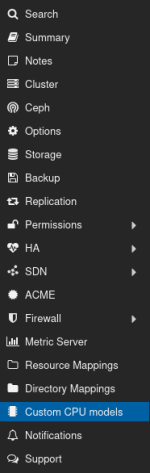
- Management of custom CPU models from the GUI
- New HA arm/disarm functionality
- Enrollment of Microsoft and Windows UEFI 2023 certificates via GUI and API
- and much more
Release notes
https://pve.proxmox.com/wiki/Roadmap
Press release
https://www.proxmox.com/en/about/company-details/press-releases/proxmox-virtual-environment-9-2
Video tutorial
https://www.proxmox.com/en/training/video-tutorials/item/what-s-new-in-proxmox-ve-9-2
Download
https://www.proxmox.com/en/downloads
Alternate ISO download:
https://enterprise.proxmox.com/iso
Documentation
https://pve.proxmox.com/pve-docs
Community Forum
https://forum.proxmox.com
Bugtracker
https://bugzilla.proxmox.com
Source code
https://git.proxmox.com
This release features enhancements shaped directly by your feedback. A huge thank you to our community, customers, and partners for reporting bugs, submitting patches, and helping us test - we couldn't do it without you!
FAQ
Q: Can I upgrade from the latest Proxmox VE 8 to 9 with apt?
A: Yes, please follow the upgrade instructions on https://pve.proxmox.com/wiki/Upgrade_from_8_to_9
Q: Can I upgrade a 9.1 installation to the stable 9.2 via apt?
A: Yes, upgrading from 9.1 is possible via apt and GUI. We recommend switching to the [pve-enterprise] repository on upgrade for the most stable experience.
Q: How long will Proxmox VE 8.4 receive bug fixes and security support?
A: Proxmox VE 8.4 will receive security updates and critical bug fixes until August 2026. This support window provides an overlap of approximately one year after the release of Proxmox VE 9.0, giving users ample time to plan their upgrade to the new major version.
For more information on the support lifecycle of Proxmox VE releases, please visit:
https://pve.proxmox.com/pve-docs/chapter-pve-faq.html#faq-support-table
Q: Can I install Proxmox VE 9.2 on top of Debian 13 "Trixie"?
A: Yes, see https://pve.proxmox.com/wiki/Install_Proxmox_VE_on_Debian_13_Trixie
Q: Can I upgrade my Proxmox VE 8.4 cluster with Ceph Reef to Proxmox VE 9.2 with Ceph Squid or Tentacle?
A: This is a multi-step process. First, you have to upgrade Ceph from Reef to Squid while still on Proxmox VE 8.4, and afterward you can upgrade Proxmox VE from 8.4 to 9.2. Then you can upgrade Ceph from Squid to Tentacle on Proxmox VE 9.2. There are a lot of improvements and changes, so please follow the upgrade documentation exactly as described:
https://pve.proxmox.com/wiki/Ceph_Reef_to_Squid
https://pve.proxmox.com/wiki/Upgrade_from_8_to_9
https://pve.proxmox.com/wiki/Ceph_Squid_to_Tentacle
Q: Where can I get more information about feature updates?
A: Check the roadmap, forum, the mailing list, and/or subscribe to our newsletter.