

Proxmox VE 9.1.11
Separate mini PC with a 2TB SATA SSD mounted as SMB/CIFS for VM backups.
I've backed up the 3 VMs I am currently running on my Proxmox VE host and I have notice a 100GB usage discrepancy between Proxmox VE web UI and the actual space taken on the drive.
Proxmox VE web UI shows 133.52 GB of 1.97 TB used:
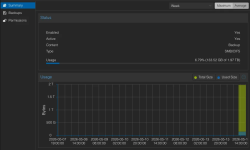
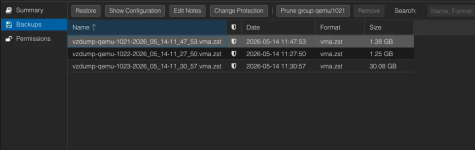
But it's only around 33GB actually used by VM backups:
The
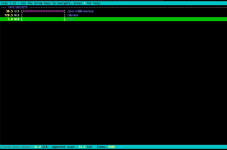
The
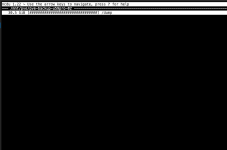
But surprisingly, the
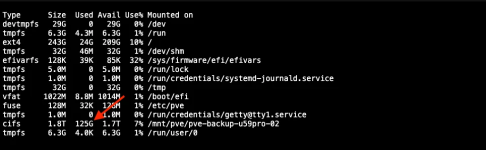
Can't figure out why Proxmox VE is adding 100GB of used disk space for no apparent reason.
SOLVED: It turns out that those extra 100GB were nothing more that the default 5% reservation for root on EXT4 filesystem. A Reddit user suggested that so I ran
Separate mini PC with a 2TB SATA SSD mounted as SMB/CIFS for VM backups.
I've backed up the 3 VMs I am currently running on my Proxmox VE host and I have notice a 100GB usage discrepancy between Proxmox VE web UI and the actual space taken on the drive.
Proxmox VE web UI shows 133.52 GB of 1.97 TB used:
But it's only around 33GB actually used by VM backups:
The
ncdu command on the mini PC shows 31.2GiB used which is in fact correct considering that that mini PC also stores some Docker backups on that SSD:The
ncdu command on the Proxmox VE host itself shows 30.5GiB used:But surprisingly, the
df -Th command on the Proxmox VE host itself shows 125GiB used:Can't figure out why Proxmox VE is adding 100GB of used disk space for no apparent reason.
SOLVED: It turns out that those extra 100GB were nothing more that the default 5% reservation for root on EXT4 filesystem. A Reddit user suggested that so I ran
sudo tune2fs -m 0 /dev/sda1 where /dev/sda1 is the disk partition that is used as a Samba share.
Last edited:

