Proxmox VE 9.2-1 ISO not installing in nested Hyper-V

Mario Fuchs

New Member
May 28, 2026
1
0
1
Hello,

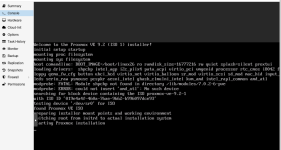
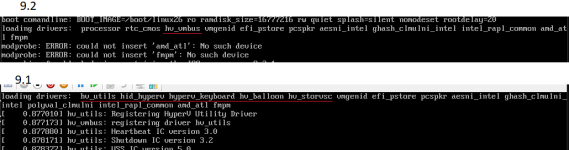
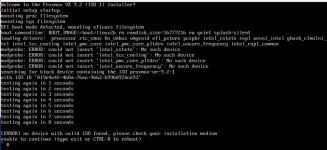
im trying to install PVE 9.2-1 in a nested Hyper-V VM. The Media is booting but the ISO Image is not recognized. (see Screenie). The same VM works with 9.1-1.
I have already recreated the vm, double checked the iso and hash.

Has anyone seen this issue? Or even better got a solution for it.

Regards
Mario Fuchs
1779965088782.png
 
Last edited:
Hello,
Not sure, but have you tried to re-installing the ISO?
I just tested a nested installation of PVE 9.2 on PVE host and it worked:
1.png
 
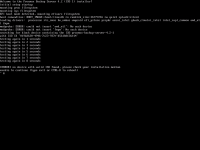
Same exact issue here under Windows 2025 Hyper-V Server attempting to install as a version 2 Hyper-V VM with BOTH the new proxmox-ve_9.2-1.iso or proxmox-backup-server_4.2-1.iso. Something has broken.

Proxmox Development: Please fix this. Be happy to supply any debug data needed.

Install works fine using the previous PVE or PBS installer .ISO files such as: proxmox-ve_9.1-1.iso.

Thank You
 
Attempted to work around this using iVentoy (Network Boot) and run into the exact same issue there as well.
 
Same issue here. Version 9.2-1 runs successfully as a nested VM under both ESXi and PVE, but on Hyper-V it crashes with a kernel panic showing the same behavior you are experiencing. If you install version 9.1 first, it boots correctly and the installation completes successfully. Upgrading that installation to the latest 9.2-1 release also works without any major issues. However, the 9.2-1 installation media itself fails to boot completely. After the initramfs stage, the system is unable to locate the CD/DVD device, causing the boot process to fail.