Proxmox show interface down when i know the interface is up. HP server G9

monkeybear202020

New Member
Jan 1, 2025
9
0
1
Proxmox show interface down when i know the interface is up
this is new install from esxi7
HP g9 server with 512 ram and 2 tb of ssd
4 1 gig nic and two 10g nic

I switch from esxi to Proxmox because esxi 7 was more buggy than esxi6
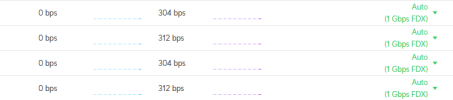
I check the edgeswitch and all the interface show up but Promax show down

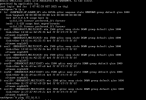
i did the static ip address which is recommend but all my interface show down when i use the command "ip a"

I'm new to Proxmox
 

Attachments

  • Screenshot 2025-01-01 122923.png
    Screenshot 2025-01-01 122923.png
    87.1 KB · Views: 6
  • Screenshot 2025-01-01 123243.png
    Screenshot 2025-01-01 123243.png
    14.8 KB · Views: 6
Hi @monkeybear202020 , welcome to the forum.

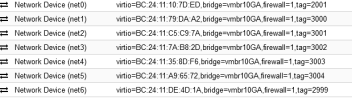
Your screenshots do not show VMBR interface which is created during default installation.
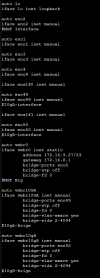
What is the context of your "/etc/network/interfaces" file?


Blockbridge : Ultra low latency all-NVME shared storage for Proxmox - https://www.blockbridge.com/proxmox

with ESXI i like to dhcp and have DHCP assign the semi static by dhcp
Looking at videos for promax they want you to hardcore the static ip address for the SVI
vlan. I didn't see the dhcp option on the GUI interface
 
Presently you have to assign a static address for Proxmox during installation. This will create a vmbr0 on the selected NIC with that IP address.

What does cat /etc/network/interfaces show.
 
i have routing problem and i try to do thing like ESXi but i'm guessing it's not
this is allowed
 

Attachments

  • Screenshot 2025-01-02 051811.png
    Screenshot 2025-01-02 051811.png
    18 KB · Views: 8
  • Screenshot 2025-01-02 051950.png
    Screenshot 2025-01-02 051950.png
    27 KB · Views: 8