There is a very pessimistic statement at https://pve.proxmox.com/wiki/WLAN :
I also read several discussions on this, that proxmox via Wifi won't be a good idea.
Hereby, i'd like to compile/share a list of wifi range extenders which i have successfully (but not thorougly/long term) tested (yet) , whith those i have been able to hook up a proxmox server via wifi and where i could reach VMs on the proxmox host accross/behind the wifi/lan adapter.
Please share your own experiences with this or other hardware, i.e. please submit info here so we can add it to the list - to make a reliable source of information for people who want to hook up their proxmox via wifi.
what i mean is the so called "bridge mode / wifi client mode" , which some wifi range externders support - shown in this graphic taken from https://www.edimax.com/edimax/mw/cufiles/files/download/manual/EW-7438RPn_Mini_User_Manual_EN.pdf

What i have tested so far (in conjunction with Fritz!Box 7583):
* performancetest was done from pve host with wget download of large file from 2 nearby locations
- Wi-Fi adapters can only be used as Linux bridge interface through workarounds, as most Access Points (APs) will reject frames that have a source address that didn’t authenticate with the AP.
I also read several discussions on this, that proxmox via Wifi won't be a good idea.
Hereby, i'd like to compile/share a list of wifi range extenders which i have successfully (but not thorougly/long term) tested (yet) , whith those i have been able to hook up a proxmox server via wifi and where i could reach VMs on the proxmox host accross/behind the wifi/lan adapter.
Please share your own experiences with this or other hardware, i.e. please submit info here so we can add it to the list - to make a reliable source of information for people who want to hook up their proxmox via wifi.
what i mean is the so called "bridge mode / wifi client mode" , which some wifi range externders support - shown in this graphic taken from https://www.edimax.com/edimax/mw/cufiles/files/download/manual/EW-7438RPn_Mini_User_Manual_EN.pdf
What i have tested so far (in conjunction with Fritz!Box 7583):
| Device | Firmware | briding method | Status | Performance* | Comment |
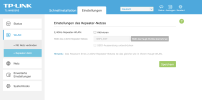
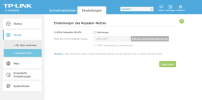
| TP-Link TL-WA850RE v2.0 | machines + VMs behind router are getting mapped to individual mac adresses, first 3 byte apparently starting with some "random" logic and last 3 byte with the original mac adress values. | ok | in this fw revision, you can disable wifi AP ($SSID_EXT), so it's "client only" | ||
| TP-Link TL-WA850RE v1.3 | ok | cannot disable range extension wifi AP/SSID. No option in webgui. Option in Mobile Setup App, but does not work | |||
| TP-Link TL-WA850RE v7.0 | ok | " | |||
| FRITZ! WLAN Repeater 300E | machines + VMs behind router show up on wifi with their original mac address !!! | ok | |||
| Edimax EW-7438RPn Mini | ok | device sucks, setup via browser has outdated ssl and works totally unreliable. setup is a nightmare, won't recommend it. can reach my proxmox server and VMs, though | |||
| Medion MD 86738 / P89137 | ok | ||||
| Apple Airport Express 802.11n 1st gen ( Model A1264 ) | ok | <= 2,5MByte/s | need Apple client for configuration | ||
| TP-Link AC750 Wi-Fi Travel Router TL-WR902AC v4 | machines + VMs behind router getting mapped to same mac adress (that of router wifi interface) | ok | 95 Mbit (via 5Ghz Wifi) | my favourite device so far unfortunately can only use channel 36/40/44/48 on 5ghz and not the higher DFS channels, so be aware that it may be disconnected automatically from fritzbox when you do not have configured static channel for 5Ghz | |
| TP-Link TL-WR802N v4 | machines + VMs behind router getting individual mac adresses starting with 0e:80:63:... | ok | 2,4Ghz only | ||
| TP-Link TL-WR702N | seems to have issues. it worked initially, but suddenly both adapters i own failed to work. i guess it's something about wifi channels , channel load or fritzbox compatibility. will need to investigate further meanwhile i found, that this device has weird issues also reported by others: https://community.tp-link.com/en/home/forum/topic/2040 | setup is a little bit awkward/tricky, as you need to choose "bridged" mode instead of client mode, need to turn of dhcp explicitly and cannot use automatic scan of wifi for selection - at least at my home the firmware freezes at that point. i guess there are too many wifis in my neighborhood and this is a bug. | |||
| TP-Link TL-WR1502x | machines + VMs behind router getting mapped to same mac adress (that of router wifi interface) | ok | 250Mbit on Wifi5 5Ghz | did not yet try wifi6 Don't buy yet! Device has Firmware bug, as it will have temporary or permanent connection loss on GTK Key Renewal. Issue currently under investation by TP-Link support. (as of 03/2026) update 27/03/2026: latest beta firmware from support fixes the issue |
* performancetest was done from pve host with wget download of large file from 2 nearby locations
Last edited: