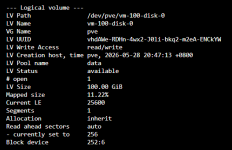
Proxmox only allow 100GB of disk space for VM data

djpatrizo

New Member
May 14, 2026
1
0
1
Hi,

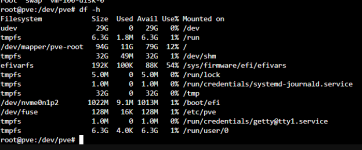
I have a 930DB data for my proxmox server. After installed the partition okly show 100GB of diskspace available...

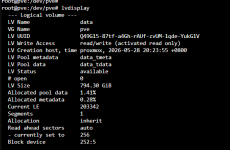
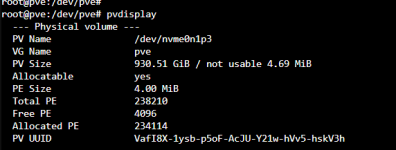
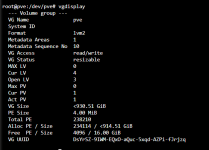
I have checked all disk space has already assigned to the pv and the vg.

After I have deploy several VM machine and is over 1000GB and the system is out of disk space.. please help thank you!
 

Attachments

  • df.png
    df.png
    23.1 KB · Views: 8
  • lv-data.png
    lv-data.png
    21.7 KB · Views: 9
  • LVM-thin.png
    LVM-thin.png
    62.4 KB · Views: 8
  • pv.png
    pv.png
    13.5 KB · Views: 8
  • root.png
    root.png
    15.8 KB · Views: 6
  • vg.png
    vg.png
    20.8 KB · Views: 7
  • vm-100-disk-0.png
    vm-100-disk-0.png
    18.1 KB · Views: 8
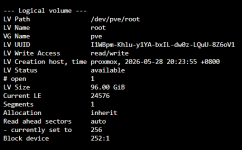
Guests are supposed to go to local-lvm/data which is a lot bigger than 100G. The simplified gist is that the OS needs a file system while guests use block storage. LVM is just a volume manager so to have a file system you need to create a volume to create that on top of. The OS gets a thick volume while the guests get a thin volume from the data thin pool. Since you usually don't need a lot of storage for the OS side 100G~ is what the installer chose for your root volume. See maxvz here: https://pve.proxmox.com/pve-docs/pve-admin-guide.html#advanced_lvm_options
Had you picked ZFS instead both storages would have access to all the space as it can natively do both file and block storage. This is just how the default LVM based install works.

the system is out of disk space
I can't verify that based on your pictures. Also please use code blocks for command outputs.
 
Last edited:
  • Like
Reactions: UdoB and daanw