Proxmox OCI Is NOW USEFUL

bluepr0

Active Member
Mar 1, 2019
83
16
48
70
Hi everyone,

I've recorded a walkthrough of ProxMenux's OCI manager, deploying application images as LXC containers in Proxmox VE without installing Docker Engine.

What I find useful is having each application directly in Proxmox: its own IP, CPU and RAM settings, persistent volumes, and backup management.

The walkthrough covers:
  • AdGuard Home as a simple first deployment.
  • Frigate with recordings stored on a NAS, including the GPU/NPU options offered by the wizard.
  • Nginx Proxy Manager from its single-service Compose file, as an example of deploying an application outside the built-in catalog.
  • Backing up AdGuard Home to Proxmox Backup Server, deleting the container and restoring it.

ProxMenux is a third-party community project. Credit to Pedro, its developer.

Project and OCI documentation

The original video is in Spanish, but an English audio track is available.

Watch the walkthrough on YouTube

Would you use this approach for individual homelab services, or do you prefer keeping them together with Docker Compose?
 
Last edited:
Would you use this approach for individual homelab services, or do you prefer keeping them together with Docker Compose?
I would not use that approach. I want my workloads to be cattle, not pets, wherever possible. The data needs to be treated special but the compute should be ephemeral/disposable. I use the docker NFS driver in all my compose files, and the data sits on my all flash NAS, each app having one or more dedicated data sets on TrueNAS. TrueNAS handles the data security for me. One VM running most of my docker containers is almost perfect for me. I do run Ollama and my GPU in their own VM, and I do run docker containers on each of my machines (Proxmox, TrueNAS, Synology, my Ansible host) to enable my Grafana/Promtail/Loki monitoring stack.
 
  • Like
Reactions: Johannes S
I would not use that approach. I want my workloads to be cattle, not pets, wherever possible. The data needs to be treated special but the compute should be ephemeral/disposable. I use the docker NFS driver in all my compose files, and the data sits on my all flash NAS, each app having one or more dedicated data sets on TrueNAS. TrueNAS handles the data security for me. One VM running most of my docker containers is almost perfect for me. I do run Ollama and my GPU in their own VM, and I do run docker containers on each of my machines (Proxmox, TrueNAS, Synology, my Ansible host) to enable my Grafana/Promtail/Loki monitoring stack.
That’s possible with OCI/LXC too: keep persistent data on your NAS and recreate the container with the same settings and mounts. I show NAS mounts in the Frigate section of the video.
 
It may be possible, but its far from optimal. I don't want to manage 30 different LXCs when I can manage one VM
Curious how managing (seperately) 30 different docker images/instances inside one VM is different/more difficult than managing 30 different LXCs? Some specifics would help clarify the problem space.
 
It may be possible, but its far from optimal. I don't want to manage 30 different LXCs when I can manage one VM
It's a different use case, as you know LXCs and VMs are quite different.

I'm just happy that I can have my docker images (or other that are OCI) running natively on Proxmox! ❤️
 
  • Like
Reactions: desdeq
I'm just happy that I can have my docker images (or other that are OCI) running natively on Proxmox!
You definitely can do that, (I do it natively within the Proxmox GUI without the above mentioned ProxMenux), but where it becomes more limiting is when you want to stack/coordinate/integrate multiple OCI images in one application. For this I use a VM running docker, as I have yet to see a way of doing this with the OCI pull image, natively in Proxmox.
 
  • Like
Reactions: Johannes S
You definitely can do that, (I do it natively within the Proxmox GUI without the above mentioned ProxMenux), but where it becomes more limiting is when you want to stack/coordinate/integrate multiple OCI images in one application. For this I use a VM running docker, as I have yet to see a way of doing this with the OCI pull image, natively in Proxmox.
Not a problem for me the management part, Proxmenux includes a Management section tho I do everything with AI, barely touch any docker manager or even the Proxmox UI
 
  • Like
Reactions: PigLover
Not a problem for me the management part, Proxmenux includes a Management section tho I do everything with AI
Not sure I fully understand your answer, so let us use an example:

You want to spin up an OCI image in an LXC for a Joplin server that should run in a Tailscale NW. This in fact requires 3 OCI images;

1. Joplin server image.
2. PostgreSQL image.
3. Tailscale image.

How do you do this, within the OCI image pull of Proxmox?
Doing it with docker installed in a VM (or even an LXC, though I wouldn't) is pretty simple, but not so within the OCI image pull framework.
Please enlighten me, if this is possible.

I feel I must also add, that I personally would shy away from even using scripts (at least blindly) within a HV environment. Using ProxMenux, is probably even more dramatic. Read these forums of mishaps caused by these actions.

Anyway, each to his own.
 
  • Like
Reactions: Johannes S
Curious how managing (separately) 30 different docker images/instances inside one VM is different/more difficult than managing 30 different LXCs? Some specifics would help clarify the problem space.
Simple, I don't want to have to create a new LXC every time I deploy a new docker. With a dedicated VM if I want to run a new container, I pull the docker compose file from my git repo and run "docker compose up -d". I also don't want to have to cycle through 30 LXC containers to update the docker containers. In a single VM, Watchtower updates all my containers for me automatically. I only back up my docker VM once a month, as its basically disposable. As long as TrueNAS is snapshotting and backing up my data, the docker environment adds no value. I can recreate it and have all my dockers back up and running in short order if it dies, becomes corrupted or what have you. My entire environment has compute separated from data. I don't want to go the other way. Even the few VMs I run are all very small. The data resides on the NAS and gets shared by by iSCSI or NFS
 
  • Like
Reactions: Johannes S
@gfngfn256 and @louie1961 These are good examples. Thank you for clarifying.

If I understand you correctly, what you are both describing are simplified versions of a Kubernetes "pod". A single atomic unit that contains/runs all of the OCI images that make up a service. This makes sense.

Even with tools like like a menu based OCI manager Proxmox OCI is a long way from delivering this.

I do still believe that getting a platform like Proxmox to the point that it can manage OCI-based services directly is a desirable long term goal. But miles away.
 
Last edited:
  • Like
Reactions: desdeq
Here's the thing. The so called "overhead" of running a VM to host docker becomes very immaterial when you run dozens of containers like I do. Plus, I don't want my docker containers using my hypervisor kernel. The isolation of a dedicated VM kernel is a positive feature to me. I will likely never adopt OCI services in Proxmox. To me running containers directly on Proxmox is not a plus
 
Not sure I fully understand your answer, so let us use an example:

You want to spin up an OCI image in an LXC for a Joplin server that should run in a Tailscale NW. This in fact requires 3 OCI images;

1. Joplin server image.
2. PostgreSQL image.
3. Tailscale image.

How do you do this, within the OCI image pull of Proxmox?
Doing it with docker installed in a VM (or even an LXC, though I wouldn't) is pretty simple, but not so within the OCI image pull framework.
Please enlighten me, if this is possible.

I feel I must also add, that I personally would shy away from even using scripts (at least blindly) within a HV environment. Using ProxMenux, is probably even more dramatic. Read these forums of mishaps caused by these actions.

Anyway, each to his own.
I watched the video and get his approach now. Rather than clicking around the default Proxmox interface, he’s running ProxMenux. It gives you an option to paste your Docker Compose YAML, and it builds out the LXC containers based on whatever images you defined.
Here’s the doc covering custom images: https://proxmenux.com/en/docs/oci-manager/custom-image/
 
  • Like
Reactions: AlexHK
Would you use this approach for individual homelab services, or do you prefer keeping them together with Docker Compose?
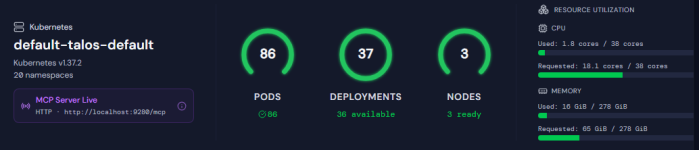
Neither nor - I'm about to move over to k8s. One PVE node already replaced with a Talos k8s node managed with Sidero Omni.
 
Last edited:
As long as TrueNAS is snapshotting and backing up my data, the docker environment adds no value. I can recreate it and have all my dockers back up and running in short order if it dies, becomes corrupted or what have you. My entire environment has compute separated from data. I don't want to go the other way. Even the few VMs I run are all very small. The data resides on the NAS and gets shared by by iSCSI or NFS

I agree with your approach absolutely. Out of interest I have a question about your experience having all your data on the NAS.

For docker stacks, it is often recommended to have database volumes and such locally, and not on a NAS. Postgres would be such an example. Do you have these on the NAS via iSCSI? (in my experience databases on NAS via NFS didn't work very well)
 
Would you use this approach for individual homelab services, or do you prefer keeping them together with Docker Compose?

From my limited experience with OCI-as-LXC-containers in Proxmox, I feel the usefulness is very limited. For example, it's my understanding that there is currently no support for image layers, and every container is smashed together into one filesystem. There's also no easy way to upgrade an image to a newer version while keeping separate, persistent storage volumes that I've found.

The major use case that I can see is if you are specifically running an application that only (or only realistically) comes released in the form of a Docker container, it's a single container with no other dependencies, and it's ephemeral (no persistent storage). One example of an application like this is Stirling PDF. For any other type of application, which is most of them, it's not even close. Docker Compose is way easier.

That said, I truly hope Proxmox gains better support for OCI-as-LXC in the future so it can be used as a realistic replacement to Docker Compose, as it would be nice to be able to run LXC containers in Proxmox directly rather than VMs with Docker inside of them for complex, multi-container applications.
 
I agree with your approach absolutely. Out of interest I have a question about your experience having all your data on the NAS
My NAS is a bit of an outlier. I built it on a upcycled ASRock/Datto 2143 motherboard, 128 GB of ECC RAM, a ConnectX-4 LX NIC, Optane 4801X as a SLOG, and six SM863 drives in three mirrored VDEVs. It is pretty fast, even for NFS sync writes. But my docker workloads are not that challenging. Performance was also acceptable on my Synology DS-1621. But that NAS is a bit souped up too. It has an NVME read write cache and a 10 gig NIC