

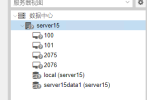
Proxmox node status is showing as unknown
- Thread starter melon
- Start date
You are using an out of date browser. It may not display this or other websites correctly.
You should upgrade or use an alternative browser.
You should upgrade or use an alternative browser.

Hi,
this issue is often related to the daemon that collects information about the node itself, called
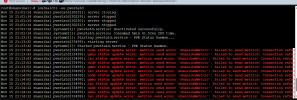
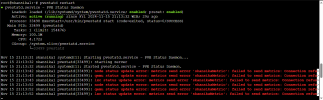
To check if it's healthy, please run the following commands:
Both should be run as root to get the full output.
this issue is often related to the daemon that collects information about the node itself, called
pvestatd.To check if it's healthy, please run the following commands:
Bash:
# Check that the service is running
systemctl status pvestatd.service

# Check the log for errors
journalctl -eu pvestatd你好,
此问题通常与收集有关节点本身的信息的守护程序(称为pvestatd)有关。
要检查它是否健康,请运行以下命令:
Bash:# 检查服务是否正在运行 systemctl 状态 pvestatd.service # 检查日志是否有错误 Journalctl -eu pvestatd[/代码] 两者都应该以 root 身份运行以获得完整的输出。 [/QUOTE] [ATTACH type="full"]59847[/ATTACH][ATTACH type="full"]59848[/ATTACH]
Attachments
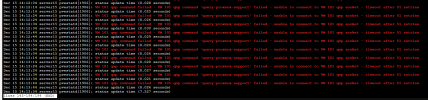
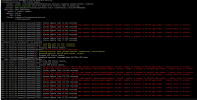
This problem has been bothering me for a long time, thank you for helping me.Hi,
this issue is often related to the daemon that collects information about the node itself, calledpvestatd.
To check if it's healthy, please run the following commands:
Both should be run as root to get the full output.Bash:# Check that the service is running systemctl status pvestatd.service # Check the log for errors journalctl -eu pvestatd
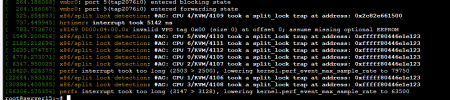
I have tried the following
Close C-State
Replace 6.2 kernel
None can be resolved.
Yes The problem still existsCould you restart the vms 101 and 2076 and see if the issue persists?
Okay, could you tell me a bit about the setup you are running?
- What guest system is running on 101 and 2076?
- The configs of 101 and 2076 (at
/etc/pve/qemu-server/<id>.conf) - The output of
pveversion -v - Does the node still show up as unknown if you stop vm's 101 and 2076 for a few minutes?
i'am try to solving problem'sHi,
this issue is often related to the daemon that collects information about the node itself, calledpvestatd.
To check if it's healthy, please run the following commands:
Both should be run as root to get the full output.Bash:# Check that the service is running systemctl status pvestatd.service # Check the log for errors journalctl -eu pvestatd
anyone to help me
Attachments
I apologize for not being able to respond to you in a timely manner. The issue has been resolved, but the specific cause is still unclear. I am certain that it is not related to the hardware. The problem was resolved after I tried updating to the latest version of PVE8.Okay, could you tell me a bit about the setup you are running?
- What guest system is running on 101 and 2076?
- The configs of 101 and 2076 (at
/etc/pve/qemu-server/<id>.conf)- The output of
pveversion -v- Does the node still show up as unknown if you stop vm's 101 and 2076 for a few minutes?