

Proxmox Installation Issue on Dell R930 with H730P RAID Card.

halil

Member
Oct 2, 2022
6
0
6
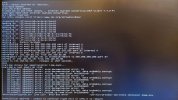
I have a Dell R930 server with 4x E7 8890v4 processors, an H730P RAID card (RAID disabled), and 512GB of RAM. I am trying to install Proxmox, but I am unable to get past the section shown in the attached image during both terminal and UI installation. Could you please assist me? I apologize as I am not very knowledgeable and my English is somewhat weak.”
 

Attachments
  • 20240421_055125-min (1).jpg
    20240421_055125-min (1).jpg
    502.8 KB · Views: 12
Last edited:
Hi,

an error occurs during system decompression - and is it states, "data probably corrupt".

How did you boot the ISO? Via USB flash drive? IPMI?
If the former, how exactly did you write the ISO to the USB drive?

Have you checked whether the checksum of the ISO file itself matches?
 
I initially tried to open the ISO file with Ventoy, but I was unsuccessful both on my desktop computer and on the server. So, I used Rufus to write it, but still couldn't succeed. Are you referring to an ISO comparison in terms of size? Before posting on the forum, I did some internet research. It was saying something about unsupported GPU, but according to what you said, it seems to be an ISO error. I used ISO version 8.1.2. Thank you
 
Try redownload the ISO, verify the checksums and reinstall PVE using Dell iDRAC. This way you won't be bothered by a broken USB stick.
 
I was trying to write the 8.1 ISO file, which was corrupt and immediately had an update, but I encountered issues. The problem was resolved with the new 8.2 ISO that became available.