

Proxmox Console NoVNC Not working after login / boot with GPU passthrough

dreamworks

Member
Aug 16, 2023
36
7
8
Hello,

For my ubuntu VM, upon logging in / boot the console novnc completely freezes and stops working, the output works fine to the monitor, but only to that physical display.

Settings are:

Code:
hostpci0: 0000:01:00,pcie=1,x-vga=1
ide2: none,media=cdrom
machine: q35
memory: 16384
meta: creation-qemu=9.0.2,ctime=1733353950
name: Media
net0: virtio=BC:24:11:FE:86:38,bridge=vmbr0,firewall=1
numa: 0
onboot: 1
ostype: l26
parent: working
scsi0: files:105/vm-105-disk-1.qcow2,iothread=1,size=200G
scsihw: virtio-scsi-single
smbios1: uuid=75291c61-36ee-425d-ba96-e0279fdfd944
sockets: 1
usb0: host=0c45:7403
vga: qxl
vmgenid: b95ef644-b362-480d-8c1a-7b80da88b102

However, if I use my windows 11 VM, I can use both the display and the console vm as the same time.

How can I fix this? The output is to both monitors (physical and console) until the vm starts/boots

Thanks
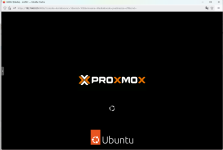
 
tried changing all sorts of vm settings and updated nvidia drivers but still cannot get the novnc console to work
 
I assume you are using a Ubuntu Desktop VM.
I also assume that when you have no passed-through GPU the noVNC works as expected.

I would think, that the source of the problem is most likely, that since Proxmox is no longer "managing" the display, since the VM hands this over to the passed-through GPU, the noVNC fails. (Windows probably functions differently).

Thats spice & you'd probably need more memory.

What I'd try (if you have not already):

Try a different display: Start with Default (probably done this one) & move on to VMware Compatible & then Virtio-GPU. As a last effort even try none, we may be surprised (Proxmox may incorporate some type of its own, for its own use).

What we are trying to do is to have the VM use in addition to the passed-through GPU, also another one that noVNC can operate on.

Good luck.
 
I assume you are using a Ubuntu Desktop VM.
I also assume that when you have no passed-through GPU the noVNC works as expected.

I would think, that the source of the problem is most likely, that since Proxmox is no longer "managing" the display, since the VM hands this over to the passed-through GPU, the noVNC fails. (Windows probably functions differently).


Thats spice & you'd probably need more memory.

What I'd try (if you have not already):

Try a different display: Start with Default (probably done this one) & move on to VMware Compatible & then Virtio-GPU. As a last effort even try none, we may be surprised (Proxmox may incorporate some type of its own, for its own use).

What we are trying to do is to have the VM use in addition to the passed-through GPU, also another one that noVNC can operate on.

Good luck.
1. correct
2. correct
3. not sure
4. none of the options work :/

when I select a display, like vmware compat / default / virtio-gpu the ubuntu logo display shows up, then the vm boots and it freezes and loses display completelyScreenshot 2024-12-24 191707.png
 
Last edited: