

I can use Proxmox 8.1 using a Realtek network card on a Primergy TX150 S7 that gets assigned 192.168.178.42, but using the iRMC 's network card from Fujitsu Technology that gets assigned 192.168.178.22 I can't. (Firefox on my Thinkpad T430s: "Unable to connect")
/etc/hosts:
/etc/hosts:
...
192.168.178.22 pve.fritz.box pve
...
Attachments
-
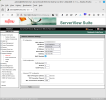 1.png137.2 KB · Views: 9
 -
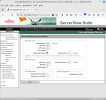 admin@iRMC92C7A2 - ServerView® iRMC S2 Web Server (Fw: 5.08A-SDR: 3.11 ) — Mozilla Firefox_002.png139.8 KB · Views: 9
 -
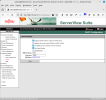 admin@iRMC92C7A2 - ServerView® iRMC S2 Web Server (Fw: 5.08A-SDR: 3.11 ) — Mozilla Firefox_003.png125.9 KB · Views: 8
 -
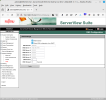 admin@iRMC92C7A2 - ServerView® iRMC S2 Web Server (Fw: 5.08A-SDR: 3.11 ) — Mozilla Firefox_004.png126.1 KB · Views: 7
 -
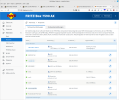 FRITZ!Box 7590 AX — Mozilla Firefox_001.png203.8 KB · Views: 8
 -
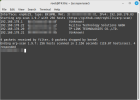 root@T430s: ~ (as superuser)_002.png40.9 KB · Views: 9
 -
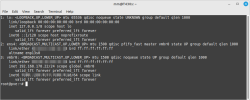 mm@T430s: ~_001.png58.4 KB · Views: 9
 -
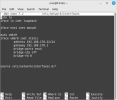 mm@T430s: ~_002.png30.1 KB · Views: 9
Last edited: