

Hi!
I just updated to the latest version of Proxmox (9.1.5), and I've noticed that the LXCs with mount points (in my case, NFS from my NAS) are not starting. If I remove the mount point, it starts correctly. See attached images.
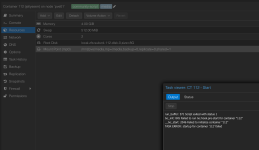
if I remove it
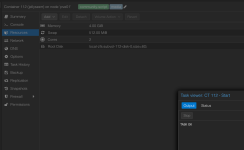
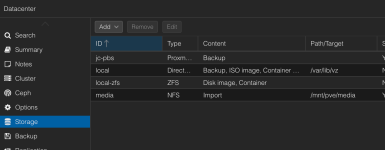
Media is an NFS share from my NAS on another hardware, using the storage option in Proxmox
Debug logs
Thanks a lot!
I just updated to the latest version of Proxmox (9.1.5), and I've noticed that the LXCs with mount points (in my case, NFS from my NAS) are not starting. If I remove the mount point, it starts correctly. See attached images.
if I remove it
Media is an NFS share from my NAS on another hardware, using the storage option in Proxmox
Debug logs
Bash:
lxc-start 108 20260202143201.433 INFO     confile - ../src/lxc/confile.c:set_config_idmaps:2295 - Read uid map: type u nsid 0 hostid 100000 range 65536
lxc-start 108 20260202143201.433 INFO     confile - ../src/lxc/confile.c:set_config_idmaps:2295 - Read uid map: type g nsid 0 hostid 100000 range 65536
lxc-start 108 20260202143201.433 INFO     lsm - ../src/lxc/lsm/lsm.c:lsm_init_static:38 - Initialized LSM security driver AppArmor
lxc-start 108 20260202143201.433 INFO     utils - ../src/lxc/utils.c:run_script_argv:587 - Executing script "/usr/share/lxc/hooks/lxc-pve-prestart-hook" for container "108", config section "lxc"
lxc-start 108 20260202143201.812 DEBUG    utils - ../src/lxc/utils.c:run_buffer:560 - Script exec /usr/share/lxc/hooks/lxc-pve-prestart-hook 108 lxc pre-start produced output: failed to propagate uid and gid to mountpoint: Operation not permitted

lxc-start 108 20260202143201.827 ERROR    utils - ../src/lxc/utils.c:run_buffer:571 - Script exited with status 1
lxc-start 108 20260202143201.827 ERROR    start - ../src/lxc/start.c:lxc_init:845 - Failed to run lxc.hook.pre-start for container "108"
lxc-start 108 20260202143201.827 ERROR    start - ../src/lxc/start.c:__lxc_start:2046 - Failed to initialize container "108"
lxc-start 108 20260202143201.828 INFO     utils - ../src/lxc/utils.c:run_script_argv:587 - Executing script "/usr/share/lxcfs/lxc.reboot.hook" for container "108", config section "lxc"
lxc-start 108 20260202143202.330 INFO     utils - ../src/lxc/utils.c:run_script_argv:587 - Executing script "/usr/share/lxc/hooks/lxc-pve-poststop-hook" for container "108", config section "lxc"
lxc-start 108 20260202143202.693 DEBUG    utils - ../src/lxc/utils.c:run_buffer:560 - Script exec /usr/share/lxc/hooks/lxc-pve-poststop-hook 108 lxc post-stop produced output: umount: /var/lib/lxc/.pve-staged-mounts/mp1: not mounted.

lxc-start 108 20260202143202.693 DEBUG    utils - ../src/lxc/utils.c:run_buffer:560 - Script exec /usr/share/lxc/hooks/lxc-pve-poststop-hook 108 lxc post-stop produced output: command 'umount -- /var/lib/lxc/.pve-staged-mounts/mp1' failed: exit code 32

lxc-start 108 20260202143202.733 ERROR    lxc_start - ../src/lxc/tools/lxc_start.c:lxc_start_main:307 - The container failed to start
lxc-start 108 20260202143202.733 ERROR    lxc_start - ../src/lxc/tools/lxc_start.c:lxc_start_main:312 - Additional information can be obtained by setting the --logfile and --logpriority options
Thanks a lot!
Last edited:


