

Proxmox 8.4.1 corrupted, unable to recover backup, to restore vm in another proxmox
- Thread starter relsupport
- Start date
You are using an out of date browser. It may not display this or other websites correctly.
You should upgrade or use an alternative browser.
You should upgrade or use an alternative browser.

Hi!
Can you provide some more information, like your storage configuration, or relevant logs?
What does it mean that you are unable to connect to the PBS? Is the PBS up, did login fail, are there any error messages?
Without any information we sadly can't really help you.
Can you provide some more information, like your storage configuration, or relevant logs?
What does it mean that you are unable to connect to the PBS? Is the PBS up, did login fail, are there any error messages?
Without any information we sadly can't really help you.
my command are stucking when i try to recover through zpool status (2) zpool import -f -F -X rpool. not single command runningHi!
Can you provide some more information, like your storage configuration, or relevant logs?
What does it mean that you are unable to connect to the PBS? Is the PBS up, did login fail, are there any error messages?
Without any information we sadly can't really help you.
my disk are safe that i can see through lsblk
i have pbs server in my present promox server, when i try to ping the pbs server ip "Destination host unreachable error"
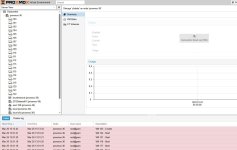
i am able to login with GUI, but everywhere "?" marks are coming
i will tell you 3 days story.Sozpool statusdoesn't even output anything and just freezes?
Can you attach your journal
1) we seen after login promox everywhere "?" marks comes
2) we tried aggressively recover the zpool with command, but nothing happened
3) we have total 12 SAS HDD , and 2 SDD. promox OS in SSD and rest of the disk is storage pool
4) in 2 SDD one SDD was in "foreign mode" i seen in my idrac controller.
5) after fixing that SDD error and start the proxmox the same error
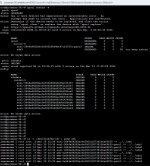
6) before remove the SSD from server we were getting result like in this pics, but now when we type to know the status of zpool command stucks
7) and in the same server we have my PBS server also, but i am unable to ping the PBS server ip even not telnet with port no. 8007.
i have some backups is my proxmox server i just want to recover that backups to restore the same in another proxmox server.
Attachments
Thanks for clarifying. Is PBS running inside a VM or is it installed alongside PVE?
Can you post the outputs of the following commands:
*
*
*
*
*
Please also post your journal, you can generate it with a command like this:
Your mirror is degraded, but can continue operating, but you should replace the drive soon, to do this see the documentation here: https://pve.proxmox.com/pve-docs/chapter-sysadmin.html#sysadmin_zfs_change_failed_dev
Can you post the outputs of the following commands:
*
pvecm status*
pvesm status*
systemctl status pvestatd.service*
systemctl status proxmox-backup.service*
systemctl status proxmox-backup-proxy.servicePlease also post your journal, you can generate it with a command like this:
journalctl -b | gzip > journal.txt.gzYour mirror is degraded, but can continue operating, but you should replace the drive soon, to do this see the documentation here: https://pve.proxmox.com/pve-docs/chapter-sysadmin.html#sysadmin_zfs_change_failed_dev

root@proxmox-36:~# pvecm status
Error: Corosync config '/etc/pve/corosync.conf' does not exist - is this node part of a cluster?
root@proxmox-36:~#
root@proxmox-36:~# pvesm status
^C
root@proxmox-36:~# systemctl status pvestatd.service
● pvestatd.service - PVE Status Daemon
Loaded: loaded (/lib/systemd/system/pvestatd.service; enabled; preset: enabled)
Active: active (running) since Mon 2026-03-30 06:03:41 IST; 2h 27min ago
Process: 2337 ExecStart=/usr/bin/pvestatd start (code=exited, status=0/SUCCESS)
Main PID: 2352 (pvestatd)
Tasks: 2 (limit: 309158)
Memory: 107.0M
CPU: 1.358s
CGroup: /system.slice/pvestatd.service
├─2352 pvestatd
└─2480 zpool import -d /dev/disk/by-id/ -o cachefile=none zfsdata
Mar 30 06:03:40 proxmox-36 systemd[1]: Starting pvestatd.service - PVE Status Daemon...
Mar 30 06:03:41 proxmox-36 pvestatd[2352]: starting server
Mar 30 06:03:41 proxmox-36 systemd[1]: Started pvestatd.service - PVE Status Daemon.
Mar 30 06:03:52 proxmox-36 pvestatd[2352]: zfs error: cannot open 'zfsdata': no such pool
root@proxmox-36:~#
root@proxmox-36:~#
root@proxmox-36:~# systemctl status proxmox-backup.service
Unit proxmox-backup.service could not be found.
root@proxmox-36:~# systemctl status proxmox-backup-proxy.service
Unit proxmox-backup-proxy.service could not be found.
root@proxmox-36:~# journalctl -b | gzip > journal.txt.gz
root@proxmox-36:~#
these are the results
Error: Corosync config '/etc/pve/corosync.conf' does not exist - is this node part of a cluster?
root@proxmox-36:~#
root@proxmox-36:~# pvesm status
^C
root@proxmox-36:~# systemctl status pvestatd.service
● pvestatd.service - PVE Status Daemon
Loaded: loaded (/lib/systemd/system/pvestatd.service; enabled; preset: enabled)
Active: active (running) since Mon 2026-03-30 06:03:41 IST; 2h 27min ago
Process: 2337 ExecStart=/usr/bin/pvestatd start (code=exited, status=0/SUCCESS)
Main PID: 2352 (pvestatd)
Tasks: 2 (limit: 309158)
Memory: 107.0M
CPU: 1.358s
CGroup: /system.slice/pvestatd.service
├─2352 pvestatd
└─2480 zpool import -d /dev/disk/by-id/ -o cachefile=none zfsdata
Mar 30 06:03:40 proxmox-36 systemd[1]: Starting pvestatd.service - PVE Status Daemon...
Mar 30 06:03:41 proxmox-36 pvestatd[2352]: starting server
Mar 30 06:03:41 proxmox-36 systemd[1]: Started pvestatd.service - PVE Status Daemon.
Mar 30 06:03:52 proxmox-36 pvestatd[2352]: zfs error: cannot open 'zfsdata': no such pool
root@proxmox-36:~#
root@proxmox-36:~#
root@proxmox-36:~# systemctl status proxmox-backup.service
Unit proxmox-backup.service could not be found.
root@proxmox-36:~# systemctl status proxmox-backup-proxy.service
Unit proxmox-backup-proxy.service could not be found.
root@proxmox-36:~# journalctl -b | gzip > journal.txt.gz
root@proxmox-36:~#
these are the results
Hi, sorry for not being clear enough. The command
Can you show the storage config? Its the file
journalctl -b | gzip > journal.txt.gz generated a file journal.txt.gz which you can attach here, it contains your system logs for the current boot.Can you show the storage config? Its the file
/etc/pve/storage.cfgroot@proxmox-36:~# nano /etc/pve/storage.cfg
GNU nano 7.2 /etc/pve/storage.cfg
dir: local
path /var/lib/vz
content backup,vztmpl,iso
zfspool: local-zfs
pool rpool/data
content rootdir,images
sparse 1
zfspool: zfsdata
pool zfsdata
content rootdir,images
mountpoint /zfsdata
nodes proxmox-36
dir: ZFSDataset01
path /zfsdataset01
content iso,snippets,import,images,rootdir,backup,vztmpl
prune-backups keep-all=1
shared 0
pbs: pbs
datastore pbs-data
server pbs-36.reliable.com
content backup
fingerprint 5d:70:66:ae:67:5e:4f:ce:a1:45:d1:6f:3b:23:0d:5c:f6:74:8f:fc:2d:9f:d8:13:0b:61:9e:ab:96:dc:11:12
prune-backups keep-last=7,keep-monthly=6,keep-weekly=4
username root@pam
esxi: esxi-108
server 1*3.1*.9*.1**
username root
content import
skip-cert-verification 1
pbs: pbs-36-ip
datastore pbs-data
server 1*2.16*.1.5*
content backup
fingerprint 5d:70:66:ae:67:5e:4f:ce:a1:45:d1:6f:3b:23:0d:5c:f6:74:8f:fc:2d:9f:d8:13:0b:61:9e:ab:96:dc:11:12
prune-backups keep-last=7,keep-monthly=6,keep-weekly=4
username root@pam
pbs: pbs-crtls
datastore HDD-dir
server pbs-106.reliable.com
content backup
fingerprint a7:8c:f9:89:d9:b7:e9:3e:90:47:b6:9a:90:5b:04:42:a2:14:2a:3c:62:99:37:01:5d:c1:94:6f:34:86:eb:e3
prune-backups keep-last=7,keep-monthly=6,keep-weekly=4
username root@pam
GNU nano 7.2 /etc/pve/storage.cfg
dir: local
path /var/lib/vz
content backup,vztmpl,iso
zfspool: local-zfs
pool rpool/data
content rootdir,images
sparse 1
zfspool: zfsdata
pool zfsdata
content rootdir,images
mountpoint /zfsdata
nodes proxmox-36
dir: ZFSDataset01
path /zfsdataset01
content iso,snippets,import,images,rootdir,backup,vztmpl
prune-backups keep-all=1
shared 0
pbs: pbs
datastore pbs-data
server pbs-36.reliable.com
content backup
fingerprint 5d:70:66:ae:67:5e:4f:ce:a1:45:d1:6f:3b:23:0d:5c:f6:74:8f:fc:2d:9f:d8:13:0b:61:9e:ab:96:dc:11:12
prune-backups keep-last=7,keep-monthly=6,keep-weekly=4
username root@pam
esxi: esxi-108
server 1*3.1*.9*.1**
username root
content import
skip-cert-verification 1
pbs: pbs-36-ip
datastore pbs-data
server 1*2.16*.1.5*
content backup
fingerprint 5d:70:66:ae:67:5e:4f:ce:a1:45:d1:6f:3b:23:0d:5c:f6:74:8f:fc:2d:9f:d8:13:0b:61:9e:ab:96:dc:11:12
prune-backups keep-last=7,keep-monthly=6,keep-weekly=4
username root@pam
pbs: pbs-crtls
datastore HDD-dir
server pbs-106.reliable.com
content backup
fingerprint a7:8c:f9:89:d9:b7:e9:3e:90:47:b6:9a:90:5b:04:42:a2:14:2a:3c:62:99:37:01:5d:c1:94:6f:34:86:eb:e3
prune-backups keep-last=7,keep-monthly=6,keep-weekly=4
username root@pam
The file is generated on the proxmox node in the current directory. This is the home directory of the user currently logged in (except if it has been changed). So this will in your case be
first run the following command on the proxmox node:
Afterwards copy this file off the server, if you are running a Linux or BSD based machine (macOS for example) you can do that in the terminal via this command:
This will place the file in your downloads directory, if you are running Windows you can get this file using a tool like WinSCP [0].
[0]: https://winscp.net/eng/index.php
/root/journal.txt.gz. Though, to be sure lets create it at a specific location:first run the following command on the proxmox node:
Code:
journalctl -b | gzip > /tmp/journal.txt.gzAfterwards copy this file off the server, if you are running a Linux or BSD based machine (macOS for example) you can do that in the terminal via this command:
Code:
scp root@<proxmox_ip>:/tmp/journal.txt.gz ~/Downloads/This will place the file in your downloads directory, if you are running Windows you can get this file using a tool like WinSCP [0].
[0]: https://winscp.net/eng/index.php
The logs indicate that your zpool is indeed corrupt at a low level.
I guess your PBS is in a VM on this host, at least that is what it sounds like from your description so far.
If you have backups on another system then a clean install and recovering from those would be the best option.
If that is not possible you can try to mount the pool in read-only mode:
and if that works try to recover any data - if not I'm afraid you are out of luck.
There is a user with a similar situation as you [0], who used these [1] steps to recover data. You won't have to boot into Ubuntu, since they only needed to do that due to them using TrueNAS.
After recovering your data to another storage medium you can proceed to reinstall PVE, install PBS and import the recovered backups.
[0]: https://github.com/openzfs/zfs/issues/11923
[1]: https://gist.github.com/porjo/117496483c51352a15e2737de95683ac
Code:
Apr 03 06:31:34 proxmox-36 pvestatd[2355]: zfs error: cannot open 'zfsdata': no such pool
Apr 03 06:31:40 proxmox-36 kernel: VERIFY3(range_tree_space(smla->smla_rt) + sme->sme_run <= smla->smla_sm->sm_size) failed (17180545024 <= 17179869184)
Apr 03 06:31:40 proxmox-36 kernel: PANIC at space_map.c:405:space_map_load_callback()
Apr 03 06:31:40 proxmox-36 kernel: Showing stack for process 2894
Apr 03 06:31:40 proxmox-36 kernel: CPU: 16 PID: 2894 Comm: z_wr_iss Tainted: P           O       6.8.12-20-pve #1
Apr 03 06:31:40 proxmox-36 kernel: Hardware name: Dell Inc. PowerEdge R730xd/0599V5, BIOS 2.18.1 08/14/2023
Apr 03 06:31:40 proxmox-36 kernel: Call Trace:
Apr 03 06:31:40 proxmox-36 kernel:  <TASK>
Apr 03 06:31:40 proxmox-36 kernel:  dump_stack_lvl+0x76/0xa0
Apr 03 06:31:40 proxmox-36 kernel:  dump_stack+0x10/0x20
Apr 03 06:31:40 proxmox-36 kernel:  spl_dumpstack+0x29/0x40 [spl]
Apr 03 06:31:40 proxmox-36 kernel:  spl_panic+0xfc/0x120 [spl]
Apr 03 06:31:40 proxmox-36 kernel:  space_map_load_callback+0xa3/0xb0 [zfs]
Apr 03 06:31:40 proxmox-36 kernel:  space_map_iterate+0x1b5/0x480 [zfs]
Apr 03 06:31:40 proxmox-36 kernel:  ? __pfx_space_map_load_callback+0x10/0x10 [zfs]
Apr 03 06:31:40 proxmox-36 kernel:  space_map_load_length+0x7c/0x100 [zfs]
Apr 03 06:31:40 proxmox-36 kernel:  metaslab_load+0x172/0x9b0 [zfs]
Apr 03 06:31:40 proxmox-36 kernel:  ? __pfx_abd_fletcher_4_iter+0x10/0x10 [zfs]
Apr 03 06:31:40 proxmox-36 kernel:  ? __kmalloc_node+0x1cb/0x430
Apr 03 06:31:40 proxmox-36 kernel:  ? spl_kvmalloc+0x84/0xc0 [spl]
Apr 03 06:31:40 proxmox-36 kernel:  metaslab_activate+0x3e/0x2a0 [zfs]
Apr 03 06:31:40 proxmox-36 kernel:  metaslab_alloc_dva+0x61a/0x1300 [zfs]
Apr 03 06:31:40 proxmox-36 kernel:  metaslab_alloc+0xc6/0x290 [zfs]
Apr 03 06:31:40 proxmox-36 kernel:  zio_dva_allocate+0xcd/0x990 [zfs]
Apr 03 06:31:40 proxmox-36 kernel:  ? spl_kvmalloc+0x84/0xc0 [spl]
Apr 03 06:31:40 proxmox-36 kernel:  ? spl_kmem_alloc+0xfe/0x130 [spl]
Apr 03 06:31:40 proxmox-36 kernel:  ? tsd_hash_search+0x8b/0xd0 [spl]
Apr 03 06:31:40 proxmox-36 kernel:  zio_execute+0x8b/0x130 [zfs]
Apr 03 06:31:40 proxmox-36 kernel:  taskq_thread+0x282/0x4c0 [spl]
Apr 03 06:31:40 proxmox-36 kernel:  ? finish_task_switch.isra.0+0x8c/0x310
Apr 03 06:31:40 proxmox-36 kernel:  ? __pfx_taskq_thread+0x10/0x10 [spl]
Apr 03 06:31:40 proxmox-36 kernel:  ? __pfx_default_wake_function+0x10/0x10
Apr 03 06:31:40 proxmox-36 kernel:  ? __pfx_zio_execute+0x10/0x10 [zfs]
Apr 03 06:31:40 proxmox-36 kernel:  ? __pfx_taskq_thread+0x10/0x10 [spl]
Apr 03 06:31:40 proxmox-36 kernel:  kthread+0xf2/0x120
Apr 03 06:31:40 proxmox-36 kernel:  ? __pfx_kthread+0x10/0x10
Apr 03 06:31:40 proxmox-36 kernel:  ret_from_fork+0x47/0x70
Apr 03 06:31:40 proxmox-36 kernel:  ? __pfx_kthread+0x10/0x10
Apr 03 06:31:40 proxmox-36 kernel:  ret_from_fork_asm+0x1b/0x30
Apr 03 06:31:40 proxmox-36 kernel:  </TASK>
I guess your PBS is in a VM on this host, at least that is what it sounds like from your description so far.
If you have backups on another system then a clean install and recovering from those would be the best option.
If that is not possible you can try to mount the pool in read-only mode:
Code:
zpool import -o readonly=on zfsdataand if that works try to recover any data - if not I'm afraid you are out of luck.
There is a user with a similar situation as you [0], who used these [1] steps to recover data. You won't have to boot into Ubuntu, since they only needed to do that due to them using TrueNAS.
After recovering your data to another storage medium you can proceed to reinstall PVE, install PBS and import the recovered backups.
[0]: https://github.com/openzfs/zfs/issues/11923
[1]: https://gist.github.com/porjo/117496483c51352a15e2737de95683ac
zpool import -o readonly=on zfsdata, this command is stuck in promox when i run this command.
please provide me simple steps to recover my backup data
please provide me simple steps to recover my backup data