Proxmox 8.2.2 ceph mon stopped

Nov 18, 2020
41
2
28
43
Hello
today one on my node crash due to a SAS controller fault.
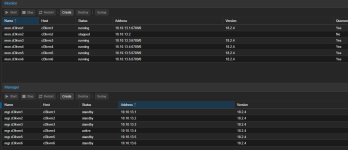
we have replace the controller but the ceph mon on this nod is "STOPPED".
we have destroy and recreate it, reboot several time
but nothing changes.
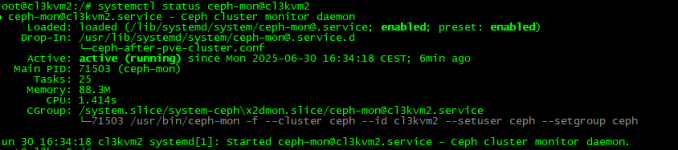
in advance on systemctl status the mon is runnin on that node:
1751294819037.png

1751294842720.png

how i can bring back running this mon on proxmox console?
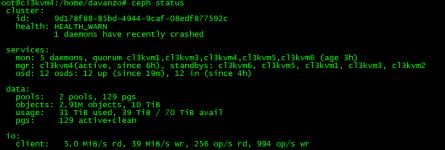
also from ceph status on all node:
1751294885251.png

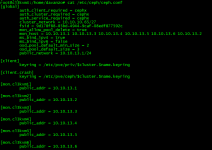
but i see on ceph.conf:
1751294905605.png

Thanks for the help
 
From https://docs.ceph.com/en/latest/rados/troubleshooting/troubleshooting-mon/#rados-troubleshooting-mon

When a monitor node (ceph-mon) crashes due to hardware issues (like a faulty SAS controller), it may still show as "running" via systemctl, but it won't rejoin the quorum. This typically means its monitor database is corrupted or out of sync.

1. Check the current quorum
On any healthy monitor node (e.g., cl3kvm1):
Bash:
ceph -s
Ensure mon.cl3kvm2 is not in quorum.

2. Remove the monitor from the cluster
On any healthy node:
Bash:
ceph mon remove cl3kvm2
This only removes the monitor from the cluster map — it doesn't touch local data on cl3kvm2.

3. Stop the MON service and delete its local database
On cl3kvm2:
Code:
systemctl stop ceph-mon@cl3kvm2
rm -rf /var/lib/ceph/mon/ceph-cl3kvm2
This ensures you're starting with a clean state.

5. Copy the monmap and keyring to cl3kvm2
If the monitor keyring is missing on cl3kvm2, copy it too:
Bash:
scp /tmp/monmap cl3kvm2:/tmp/
scp /etc/ceph/ceph.mon.keyring cl3kvm2:/etc/ceph/

6. Recreate the monitor on cl3kvm2
Initialize a new monitor database using the monmap and keyring:
Bash:
ceph-mon --mkfs -i cl3kvm2 --monmap /tmp/monmap --keyring /etc/ceph/ceph.mon.keyring

7. Start the monitor service
Code:
systemctl start ceph-mon@cl3kvm2

8. Check that the monitor rejoins the quorum
On any healthy node:
Bash:
ceph -s
You should now see mon.cl3kvm2 as part of the quorum and running.
 
Hi, thanks for sharing the screenshot.

To better assist you with the ceph-mon@cl3kvm2 service failure, could you please provide the following details?

Full log output of the service
This will help us understand the exact reason why the monitor is failing. You can retrieve it with:

Code:
journalctl -u ceph-mon@cl3kvm2.service -xe

Contents of your ceph.conf file
Especially the [global] and [mon.cl3kvm2] sections.

Directory and permissions check
Please run the following commands and share the output:


Bash:
ls -la /var/lib/ceph/mon/ceph-cl3kvm2/
ls -la /etc/ceph/

Is this a new Ceph cluster installation or part of an existing/production cluster?
This helps determine whether we should consider rebuilding or restoring the monitor from another node.

With this information, I can guide you step-by-step to get the monitor back up and running.
Thanks in advance!
 
Hi lo0ip Thanks for help us
I upload as attach the log of journald

Code:
root@cl3kvm2:/etc/ceph# cat ceph.conf

[global]

        auth_client_required = cephx

        auth_cluster_required = cephx

        auth_service_required = cephx

        cluster_network = 10.10.10.65/27

        fsid = 9d178f88-85bd-4944-9caf-08edf877592c

        mon_allow_pool_delete = true

        mon_host = 10.10.13.1 10.10.13.3 10.10.13.4 10.10.13.5 10.10.13.6 10.10.13.2

        ms_bind_ipv4 = true

        ms_bind_ipv6 = false

        osd_pool_default_min_size = 2

        osd_pool_default_size = 3

        public_network = 10.10.13.1/24


[client]

        keyring = /etc/pve/priv/$cluster.$name.keyring


[client.crash]

        keyring = /etc/pve/ceph/$cluster.$name.keyring


[mon.cl3kvm1]

        public_addr = 10.10.13.1


[mon.cl3kvm2]

        public_addr = 10.10.13.2


[mon.cl3kvm3]

        public_addr = 10.10.13.3


[mon.cl3kvm4]

        public_addr = 10.10.13.4


[mon.cl3kvm5]

        public_addr = 10.10.13.5


[mon.cl3kvm6]

        public_addr = 10.10.13.6


Code:
root@cl3kvm2:/etc/ceph# ls -la /var/lib/ceph/mon/ceph-cl3kvm2/

ls -la /etc/ceph/

total 20

drwxr-xr-x 3 root root 4096 Jul  1 15:21 .

drwxr-xr-x 3 ceph ceph 4096 Jul  1 15:21 ..

-rw------- 1 root root   77 Jul  1 15:21 keyring

-rw------- 1 root root    8 Jul  1 15:21 kv_backend

drwxr-xr-x 2 root root 4096 Jul  1 15:21 store.db

total 12

drwxr-xr-x  2 ceph ceph 4096 Oct 27  2024 .

drwxr-xr-x 96 root root 4096 Jun 28 05:03 ..

lrwxrwxrwx  1 root root   18 Oct 27  2024 ceph.conf -> /etc/pve/ceph.conf

-rw-r--r--  1 root root   92 Apr  8  2024 rbdmap


The node is part of a cluster in productions.
 

Attachments

Last edited:
From the log file:
error opening mon data directory at '/var/lib/ceph/mon/ceph-cl3kvm2': (13) Permission denied

You need to correct the ownership of the monitor data directory:


Bash:
chown -R ceph:ceph /var/lib/ceph/mon/ceph-cl3kvm2
systemctl restart ceph-mon@cl3kvm2

Check the status:

Bash:
systemctl status ceph-mon@cl3kvm2
ceph -s
 
The job identifier is 3013 and the job result is failed.
Jul 04 09:16:36 cl3kvm2 systemd[1]: Started ceph-mon@cl3kvm2.service - Ceph cluster monitor daemon.
░░ Subject: A start job for unit ceph-mon@cl3kvm2.service has finished successfully
░░ Defined-By: systemd
░░ Support: https://www.debian.org/support
░░
░░ A start job for unit ceph-mon@cl3kvm2.service has finished successfully.
░░
░░ The job identifier is 6018.


I correct the ownership
but the monitor is not see as running to ceph cluster

Code:
root@cl3kvm2:~# ceph -s

  cluster:

    id:     9d178f88-85bd-4944-9caf-08edf877592c

    health: HEALTH_OK


  services:

    mon: 5 daemons, quorum cl3kvm1,cl3kvm3,cl3kvm4,cl3kvm5,cl3kvm6 (age 3d)

    mgr: cl3kvm4(active, since 3d), standbys: cl3kvm6, cl3kvm5, cl3kvm1, cl3kvm3, cl3kvm2

    osd: 12 osds: 12 up (since 5m), 12 in (since 3d)


  data:

    pools:   2 pools, 129 pgs

    objects: 2.89M objects, 10 TiB

    usage:   30 TiB used, 40 TiB / 70 TiB avail

    pgs:     129 active+clean


  io:

    client:   8.7 MiB/s rd, 11 MiB/s wr, 524 op/s rd, 851 op/s wr


on the log show the service is started

Code:
 journalctl -u ceph-mon@cl3kvm2.service -xe


Jul 04 09:22:08 cl3kvm2 systemd[1]: Started ceph-mon@cl3kvm2.service - Ceph cluster monitor daemon.

░░ Subject: A start job for unit ceph-mon@cl3kvm2.service has finished successfully

░░ Defined-By: systemd

░░ Support: https://www.debian.org/support

░░

░░ A start job for unit ceph-mon@cl3kvm2.service has finished successfully.

░░

░░ The job identifier is 134.


and the service is running

Code:
root@cl3kvm2:~# systemctl status ceph-mon@cl3kvm2

● ceph-mon@cl3kvm2.service - Ceph cluster monitor daemon

     Loaded: loaded (/lib/systemd/system/ceph-mon@.service; enabled; preset: enabled)

    Drop-In: /usr/lib/systemd/system/ceph-mon@.service.d

             └─ceph-after-pve-cluster.conf

     Active: active (running) since Fri 2025-07-04 09:22:08 CEST; 7min ago

   Main PID: 1617 (ceph-mon)

      Tasks: 25

     Memory: 77.4M

        CPU: 1.809s

     CGroup: /system.slice/system-ceph\x2dmon.slice/ceph-mon@cl3kvm2.service

             └─1617 /usr/bin/ceph-mon -f --cluster ceph --id cl3kvm2 --setuser ceph --setgroup ceph


Jul 04 09:22:08 cl3kvm2 systemd[1]: Started ceph-mon@cl3kvm2.service - Ceph cluster monitor daemon.


but notthing
1751614944977.jpeg