

Hi
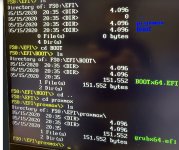
I have upgraded my Proxmox VE (PVE) to version 9 and now my Intel NUC is unable to boot. Within the BIOS I can only see the UEFI boot priority option pointing to my existing drive (No legacy boot drive exists). If I select it, it reboots and present itself with the BIOS menu again. I have tried the UEFI interactive shell but neither options (see pic) work Can anyone share any pointers on how to restore access?
I have upgraded my Proxmox VE (PVE) to version 9 and now my Intel NUC is unable to boot. Within the BIOS I can only see the UEFI boot priority option pointing to my existing drive (No legacy boot drive exists). If I select it, it reboots and present itself with the BIOS menu again. I have tried the UEFI interactive shell but neither options (see pic) work Can anyone share any pointers on how to restore access?
Attachments
Last edited: