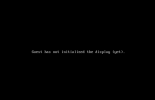
Hi, I have disks with VM Windows Server but I have not saved the config from the VM. Help me restore the VM.
vm-100-disk-0 pve Vwi-a-tz-- 32.00g data 0.01
vm-100-disk-1 pve Vwi-a-tz-- 4.00m data 14.06
vm-100-disk-2 pve Vwi-a-tz-- 128.00g data 31.51
vm-100-disk-3 pve Vwi-a-tz-- 4.00m data 1.56
--------------------------------------------------------
lrwxrwxrwx 1 root root 7 Aug 26 09:20 vm-100-disk-0 -> ../dm-6 34,36gb
lrwxrwxrwx 1 root root 7 Aug 26 09:20 vm-100-disk-1 -> ../dm-9 4,16mb
lrwxrwxrwx 1 root root 8 Aug 26 09:20 vm-100-disk-2 -> ../dm-10 137.44gb
lrwxrwxrwx 1 root root 8 Aug 26 09:20 vm-100-disk-3 -> ../dm-11 4.9mb
Here is my config, tell me what is wrong and what is missing? It seems to me that TPM is missing. If so, where can I get it from?
bios: ovmf
boot: order=ide0;net0
cores: 2
cpu: x86-64-v2-AES
efidisk0: local-lvm:vm-100-disk-0,efitype=4m,pre-enrolled-keys=1,size=4M
ide0: local-lvm:vm-100-disk-2,size=128G
machine: pc-q35-9.0
memory: 4096
meta: creation-qemu=9.0.2,ctime=1724756642
net0: e1000=BC:24:11:AD 9:53,bridge=vmbr0,firewall=1
numa: 0
ostype: win11
scsihw: virtio-scsi-single
smbios1: uuid=e3137505-ba0c-4699-a795-ff06c560f8c8
sockets: 2
tpmstate0: local-lvm:vm-100-disk-3,size=4M,version=v2.0
vmgenid: 2b4411cb-9aab-4c95-9854-f67ac0ea2972
scsi0: local-lvm:vm-100-disk-0,size=32G
vm-100-disk-0 pve Vwi-a-tz-- 32.00g data 0.01
vm-100-disk-1 pve Vwi-a-tz-- 4.00m data 14.06
vm-100-disk-2 pve Vwi-a-tz-- 128.00g data 31.51
vm-100-disk-3 pve Vwi-a-tz-- 4.00m data 1.56
--------------------------------------------------------
lrwxrwxrwx 1 root root 7 Aug 26 09:20 vm-100-disk-0 -> ../dm-6 34,36gb
lrwxrwxrwx 1 root root 7 Aug 26 09:20 vm-100-disk-1 -> ../dm-9 4,16mb
lrwxrwxrwx 1 root root 8 Aug 26 09:20 vm-100-disk-2 -> ../dm-10 137.44gb
lrwxrwxrwx 1 root root 8 Aug 26 09:20 vm-100-disk-3 -> ../dm-11 4.9mb
Here is my config, tell me what is wrong and what is missing? It seems to me that TPM is missing. If so, where can I get it from?
bios: ovmf
boot: order=ide0;net0
cores: 2
cpu: x86-64-v2-AES
efidisk0: local-lvm:vm-100-disk-0,efitype=4m,pre-enrolled-keys=1,size=4M
ide0: local-lvm:vm-100-disk-2,size=128G
machine: pc-q35-9.0
memory: 4096
meta: creation-qemu=9.0.2,ctime=1724756642
net0: e1000=BC:24:11:AD
9:53,bridge=vmbr0,firewall=1numa: 0
ostype: win11
scsihw: virtio-scsi-single
smbios1: uuid=e3137505-ba0c-4699-a795-ff06c560f8c8
sockets: 2
tpmstate0: local-lvm:vm-100-disk-3,size=4M,version=v2.0
vmgenid: 2b4411cb-9aab-4c95-9854-f67ac0ea2972
scsi0: local-lvm:vm-100-disk-0,size=32G
Last edited: