

PERMISSION DENIED
- Thread starter ndoroe
- Start date
You are using an out of date browser. It may not display this or other websites correctly.
You should upgrade or use an alternative browser.
You should upgrade or use an alternative browser.
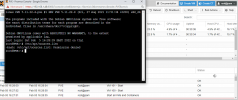

Then something is really wrong.
Output of the
Whats the output of
Output of the
id command is this?:
Code:
uid=0(root) gid=0(root) groups=0(root)Whats the output of
ls -la /etc/apt? Should look like this:
Code:
...
-rw-r--r--   1 root root  475 Jan  5 07:29 sources.list
...
Last edited:


*face palm* Didn't see that...you need to add some tools which one you want to use, like vi or nano
the correct comand:
vi /etc/apt/sources.list
But without vi experience I would recommend nano. Its more noob friendly. So
nano /etc/apt/sources.list and then save with CTRL+X, Y.
Last edited:
Then something is really wrong.
Output of theidcommand is this?:
Code:uid=0(root) gid=0(root) groups=0(root)
Whats the output ofls -la /etc/apt? Should look like this:
Code:... -rw-r--r-- 1 root root 475 Jan 5 07:29 sources.list ...
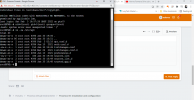
Thanks very much, please help me with my main problem, i cant update, see below*face palm* Didn't see that...
But without vi experience I would recommend nano. Its more noob friendly. Sonano /etc/apt/sources.listand then save with CTRL+X, Y.
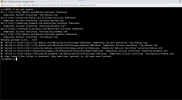
its saying permission deniedSounds like you setup a wrong DNS server. Put your routers IP or a public DNS server like 8.8.8.8 in /etc/resolv.conf.
Hi see below, and still not resolved, i cant ping 8.8.8.8 ; 8.8.4.4 or even 1.1.1.1Like before, you need to use a textfile editor like nano to edit a file.
i dont know why
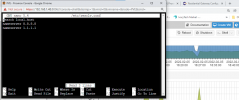
If you can't ping 8.8.8.8 then you probably setup a wrong gateway. Check that the gateway IP in /etc/network/interfaces is really your routers IP (so I would guess 192.168.1.1).
see below
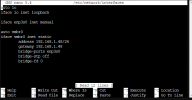
thank you its now workingThere is your problem. You should google what a gateway is and what it does. Change it to your routers IP (for example 192.168.1.1) and then restart your networking usingsystemctl restart networking.
Unfortunately the command doesn't work on the newer Ubuntu versions. Can you help me solve the problem in Ubutu version 24?If you can't ping 8.8.8.8 then you probably setup a wrong gateway. Check that the gateway IP in /etc/network/interfaces is really your routers IP (so I would guess 192.168.1.1).
Unfortunately the command doesn't work on the newer Ubuntu versions. Can you help me solve the problem in Ubutu version 24?
Based on your comment, you will be better off starting a new thread. This one was troubleshooting host networking (PVE is Debian). You are asking about (probably a VM) where you run Ubuntu with unknown context. If you need to check network setup on Ubuntu server, there would a yaml file in
/etc/netplan directory. Maybe you are just looking for: ip aStart a new thread with Ubuntu in the subject.
I had the same problem which is described in this thread,
but I can't solve it because the command/etc/network/interfacesdon't work in versions above 18.04 in Ubuntu.
Well I gave you something to start with ... I thought ...
Same issue, different platform does not lead to the same solution. You need to make a new threadI had the same problem which is described in this thread,
but I can't solve it because the command/etc/network/interfacesdon't work in versions above 18.04 in Ubuntu.
Same issue, different platform does not lead to the same solution. You need to make a new thread
 I usually do not care much for organisation, but if I reply multiple threads over time I get completely confused if subject in the notifications does not correspond to the topic at hand. But there's always one more thing ... I believe for new accounts there's often higher chance of getting spam filtered as opposed to adding to existing thread.