I have a problem under proxmox 8 when assigning a RTX6000 ada gpu to a vm using pci passthrough.
we receivd recently a rack server asus model ESC4000A-E12 with 4x nvidia RTX6000 ada, provided by AIME that arrived with a working ubuntu installation. we reinstalld it using proxomx 8.1-1 and applied the following configuration:
/etc/default/grub:
GRUB_CMDLINE_LINUX_DEFAULT="quiet amd_iommu=on iommu=pt"
/etc/modprobe.d/blacklist.conf:
blacklist nouveau
blacklist nvidia*
after rebooting, the only error reported by dmesg is:
[ 1.663069] ACPI BIOS Error (bug): Failure creating named object [\SMIP], AE_ALREADY_EXISTS (20230331/dsfield-637)
proxmox seems to properly detect the gpus:
root@aime1:/var/log# lspci -nn | grep -i nvidia
01:00.0 VGA compatible controller [0300]: NVIDIA Corporation AD102GL [L6000 / RTX 6000 Ada Generation] [10de:26b1] (rev a1)
01:00.1 Audio device [0403]: NVIDIA Corporation AD102 High Definition Audio Controller [10de:22ba] (rev a1)
02:00.0 VGA compatible controller [0300]: NVIDIA Corporation AD102GL [L6000 / RTX 6000 Ada Generation] [10de:26b1] (rev a1)
02:00.1 Audio device [0403]: NVIDIA Corporation AD102 High Definition Audio Controller [10de:22ba] (rev a1)
c1:00.0 VGA compatible controller [0300]: NVIDIA Corporation AD102GL [L6000 / RTX 6000 Ada Generation] [10de:26b1] (rev a1)
c1:00.1 Audio device [0403]: NVIDIA Corporation AD102 High Definition Audio Controller [10de:22ba] (rev a1)
c2:00.0 VGA compatible controller [0300]: NVIDIA Corporation AD102GL [L6000 / RTX 6000 Ada Generation] [10de:26b1] (rev a1)
c2:00.1 Audio device [0403]: NVIDIA Corporation AD102 High Definition Audio Controller [10de:22ba] (rev a1)
also iommugroups seem to be different, as required:
then I created a vm with the following setup:
type: q35
display: standarvga
processor: host
bios: default (seabios)
pcidevice: raw (applied to one of the RTX600ada)
[x] all functions
[x] ROM bar
[ ] primary gpu
[ ] pci-express
installed with ubuntu22, and the problem is that inside the vm it does not recognize properly the gpu, it just detects a generic nvidia vga:
root@ubuntu22:~# lspci -nn | grep -i nvidia
06:10.0 VGA compatible controller [0300]: NVIDIA Corporation Device [10de:26b1] (rev a1)
06:10.1 Audio device [0403]: NVIDIA Corporation Device [10de:22ba] (rev a1)
trying to install the nvidia drivers leads to different errors but never ends with nvidia-smi properly detecting the gpu; i also tried different configurations for the pcidevice, without results
searching with google some threads report that ada generation gpus wuould require vgpu sw/license also if vgpu is not used, just to work via passthrough, but others deny it (which seems reasonable to me)
could someone help me ?
we receivd recently a rack server asus model ESC4000A-E12 with 4x nvidia RTX6000 ada, provided by AIME that arrived with a working ubuntu installation. we reinstalld it using proxomx 8.1-1 and applied the following configuration:
/etc/default/grub:
GRUB_CMDLINE_LINUX_DEFAULT="quiet amd_iommu=on iommu=pt"
/etc/modprobe.d/blacklist.conf:
blacklist nouveau
blacklist nvidia*
after rebooting, the only error reported by dmesg is:
[ 1.663069] ACPI BIOS Error (bug): Failure creating named object [\SMIP], AE_ALREADY_EXISTS (20230331/dsfield-637)
proxmox seems to properly detect the gpus:
root@aime1:/var/log# lspci -nn | grep -i nvidia
01:00.0 VGA compatible controller [0300]: NVIDIA Corporation AD102GL [L6000 / RTX 6000 Ada Generation] [10de:26b1] (rev a1)
01:00.1 Audio device [0403]: NVIDIA Corporation AD102 High Definition Audio Controller [10de:22ba] (rev a1)
02:00.0 VGA compatible controller [0300]: NVIDIA Corporation AD102GL [L6000 / RTX 6000 Ada Generation] [10de:26b1] (rev a1)
02:00.1 Audio device [0403]: NVIDIA Corporation AD102 High Definition Audio Controller [10de:22ba] (rev a1)
c1:00.0 VGA compatible controller [0300]: NVIDIA Corporation AD102GL [L6000 / RTX 6000 Ada Generation] [10de:26b1] (rev a1)
c1:00.1 Audio device [0403]: NVIDIA Corporation AD102 High Definition Audio Controller [10de:22ba] (rev a1)
c2:00.0 VGA compatible controller [0300]: NVIDIA Corporation AD102GL [L6000 / RTX 6000 Ada Generation] [10de:26b1] (rev a1)
c2:00.1 Audio device [0403]: NVIDIA Corporation AD102 High Definition Audio Controller [10de:22ba] (rev a1)
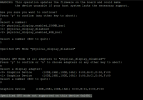
also iommugroups seem to be different, as required:
Code:
root@aime1:~# pvesh get /nodes/aime1/hardware/pci --pci-class-blacklist ""
┌──────────┬────────┬──────────────┬────────────┬────────┬───────────────────────────────────────────┬──────┬──────────────────┬──────────────────
│ class    │ device │ id           │ iommugroup │ vendor │ device_name                               │ mdev │ subsystem_device │ subsystem_device_
╞══════════╪════════╪══════════════╪════════════╪════════╪═══════════════════════════════════════════╪══════╪══════════════════╪══════════════════
├──────────┼────────┼──────────────┼────────────┼────────┼───────────────────────────────────────────┼──────┼──────────────────┼──────────────────
│ 0x030000 │ 0x26b1 │ 0000:01:00.0 │         39 │ 0x10de │ AD102GL [L6000 / RTX 6000 Ada Generation] │      │ 0x16a1           │
├──────────┼────────┼──────────────┼────────────┼────────┼───────────────────────────────────────────┼──────┼──────────────────┼──────────────────
│ 0x030000 │ 0x26b1 │ 0000:02:00.0 │         40 │ 0x10de │ AD102GL [L6000 / RTX 6000 Ada Generation] │      │ 0x16a1           │
├──────────┼────────┼──────────────┼────────────┼────────┼───────────────────────────────────────────┼──────┼──────────────────┼──────────────────
│ 0x030000 │ 0x26b1 │ 0000:c1:00.0 │         10 │ 0x10de │ AD102GL [L6000 / RTX 6000 Ada Generation] │      │ 0x16a1           │
├──────────┼────────┼──────────────┼────────────┼────────┼───────────────────────────────────────────┼──────┼──────────────────┼──────────────────
│ 0x030000 │ 0x26b1 │ 0000:c2:00.0 │         11 │ 0x10de │ AD102GL [L6000 / RTX 6000 Ada Generation] │      │ 0x16a1           │
├──────────┼────────┼──────────────┼────────────┼────────┼───────────────────────────────────────────┼──────┼──────────────────┼──────────────────
then I created a vm with the following setup:
type: q35
display: standarvga
processor: host
bios: default (seabios)
pcidevice: raw (applied to one of the RTX600ada)
[x] all functions
[x] ROM bar
[ ] primary gpu
[ ] pci-express
installed with ubuntu22, and the problem is that inside the vm it does not recognize properly the gpu, it just detects a generic nvidia vga:
root@ubuntu22:~# lspci -nn | grep -i nvidia
06:10.0 VGA compatible controller [0300]: NVIDIA Corporation Device [10de:26b1] (rev a1)
06:10.1 Audio device [0403]: NVIDIA Corporation Device [10de:22ba] (rev a1)
trying to install the nvidia drivers leads to different errors but never ends with nvidia-smi properly detecting the gpu; i also tried different configurations for the pcidevice, without results
searching with google some threads report that ada generation gpus wuould require vgpu sw/license also if vgpu is not used, just to work via passthrough, but others deny it (which seems reasonable to me)
could someone help me ?