Hi
We are looking at replacing our Hyper-V structure with Proxmox. Hence, I'm a newbie to both proxmox and Linux but loving my mac and am hoping there is something simple that i have missed.
I'm setting up a test environment with 3 nodes (proxmox1, promox2, proxmox3) configured as cluster.
We are using a SAN.
I've setup LVM Groups with Network Backing as per the wiki doc.
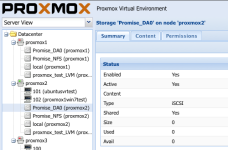
Proxmox 1 can see the ISCSI target and the LVM group. Including the contents of these.
Proxmox 2 and 3 can see the same ISCSI target and LVM group but cannot see the contents.
I can create VMs on Proxmox1 but cannot do the same on Proxmox2 or Proxmox3.
I've migrated 2 VMs to proxmox 2 but cannot start the VMs nor migrate them back.
Error on VM startup from proxmox2:
TASK ERROR: can't activate LV '/dev/proxmox_test_LVM/vm-101-disk-1': Skipping volume group proxmox_test_LVM
Error trying to migrate vm from proxmox2 to proxmox1:
Volume group "proxmox_test_LVM" not found
Jul 31 15:10:09 ERROR: migration aborted (duration 00:00:00): can't activate LV '/dev/proxmox_test_LVM/vm-101-disk-1': Skipping volume group proxmox_test_LVM
TASK ERROR: migration aborted
When I look at the status of the LVM group via proxmos1 it is Active
When I look at the status of the same LVM group via proxmox2 it is not active.
Can someone please steer me in the right direction so I can tell my manager how good proxmox is so we can dump hyper-v? I've inserted a screen capture of the Datacenter Storage items.
Thank you
Lorenzo
We are looking at replacing our Hyper-V structure with Proxmox. Hence, I'm a newbie to both proxmox and Linux but loving my mac and am hoping there is something simple that i have missed.
I'm setting up a test environment with 3 nodes (proxmox1, promox2, proxmox3) configured as cluster.
We are using a SAN.
I've setup LVM Groups with Network Backing as per the wiki doc.
Proxmox 1 can see the ISCSI target and the LVM group. Including the contents of these.
Proxmox 2 and 3 can see the same ISCSI target and LVM group but cannot see the contents.
I can create VMs on Proxmox1 but cannot do the same on Proxmox2 or Proxmox3.
I've migrated 2 VMs to proxmox 2 but cannot start the VMs nor migrate them back.
Error on VM startup from proxmox2:
TASK ERROR: can't activate LV '/dev/proxmox_test_LVM/vm-101-disk-1': Skipping volume group proxmox_test_LVM
Error trying to migrate vm from proxmox2 to proxmox1:
Volume group "proxmox_test_LVM" not found
Jul 31 15:10:09 ERROR: migration aborted (duration 00:00:00): can't activate LV '/dev/proxmox_test_LVM/vm-101-disk-1': Skipping volume group proxmox_test_LVM
TASK ERROR: migration aborted
When I look at the status of the LVM group via proxmos1 it is Active
When I look at the status of the same LVM group via proxmox2 it is not active.
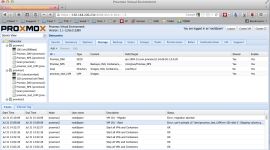
Can someone please steer me in the right direction so I can tell my manager how good proxmox is so we can dump hyper-v? I've inserted a screen capture of the Datacenter Storage items.
Thank you
Lorenzo