

I placed a certificate I bough last year on my Proxmox host which was working. I then replaced it today with a new one, now when I check Chromium it says the certificate is valid, but "Not Secure". I checked Firefox and there it's valid and "Secure" so not marked in red that it's "Not Secure". I decided to put a backup back of my old certificate from last year and now I have the same issue as with the new one. The odd thing is I also placed a new certificate from the same provider on a Unifi device of mine and when I go to the url in Chromium the certificate is "Valid" and "Secure" there. So it seems to be something specific to Proxmox. Anybody have an idea of where to start looking for this, as I find this very confusing since both the old and new certificate now give "Valid" but "Insecure", even though the old certificate used to show "Valid" and "Secure"?
Valid but Insecure in Chromium but Valid and secure in Firefox
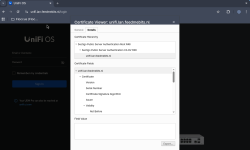
Valid and secure in Chromium and also Firefox.
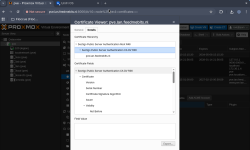
Valid but Insecure in Chromium but Valid and secure in Firefox
Code:
openssl s_client -connect pve.lan.feedmebits.nl:8006 -showcerts
Connecting to 2001:1c04:500a:9600:befc:e7ff:fe52:3b
CONNECTED(00000003)
depth=0 CN=pve.lan.feedmebits.nl
verify error:num=20:unable to get local issuer certificate
verify return:1
depth=0 CN=pve.lan.feedmebits.nl
verify error:num=21:unable to verify the first certificate
verify return:1
depth=0 CN=pve.lan.feedmebits.nl
verify return:1
Valid and secure in Chromium and also Firefox.
Code:
openssl s_client -connect unifi.lan.feedmebits.nl:443 -showcerts
Connecting to 2001:1c04:500a:9600::1
CONNECTED(00000003)
depth=0 CN=unifi.lan.feedmebits.nl
verify error:num=20:unable to get local issuer certificate
verify return:1
depth=0 CN=unifi.lan.feedmebits.nl
verify error:num=21:unable to verify the first certificate
verify return:1
depth=0 CN=unifi.lan.feedmebits.nl
verify return:1
Last edited:
 .
.