No way to 'browse' files on proxmox volume?

229Mick

Member
Jun 28, 2020
13
1
8
24
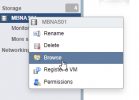
I'm looking for something I was used to with vmware... In that you can simply right click on a datastore and select 'browse' and actually look at the files on that datastore. Is there no way to do that with proxmox?

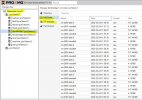
1648921989548.png
 
There is no identical one to one option to "browse". There is similar functionality in:
GUI > Top left drop down > Storage View > Storage > VM Disks/ISO/CT/etc

There is : pvesm [storage] list

Finally, there is always "ls -al /path/to/you/FILE_BASED/storage"

Of course if you are using block level storage you cant easily browse as there are no files.


Blockbridge : Ultra low latency all-NVME shared storage for Proxmox - https://www.blockbridge.com/proxmox
 
Last edited:
"GUI > Top left drop down > Storage View > Storage > VM Disks/ISO/CT/etc"

Thanks! I got as far as 'storage view' , but don't see 'storage' anywhere after that..? Of course I didn't see 'storage view' till you pointed it out, so I may just be missing it.