NICs inoperative in ProxMox

proxjox

New Member
Feb 26, 2026
3
0
1
I had a power cable (CPU) failure that took my ProxMox server offline. After replacing the cable, the machine came back up with no network connectivity. The active link and network traffic lights on the ethernet port work during the BIOS portion of boot, but both go dark after ProxMox takes over.

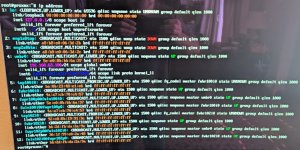
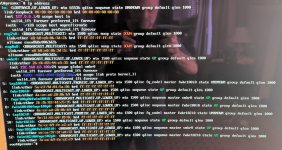
Here is the report from ip address
IP_Address.jpg

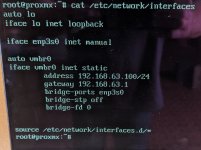
cat /etc/network/interfaces
etc-network-interfaces.jpg
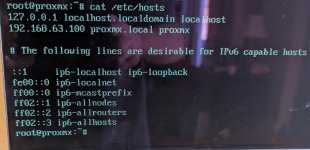
cat /etc/hosts
etc-hosts.jpg
Any help is greatly appreciated.
 
Last edited:
In the first screenshot we see enp7s0 and enp8s0 - being "DOWN", please check the actual cables and the LED on the other end of the cable.

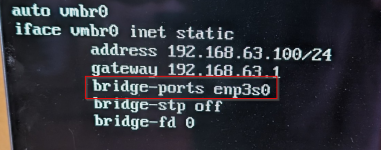
In the second screenshot we see you've configured enp3s0. Different names --> it can not work...
 
Hi, @proxjox
If the server with this exact configuration worked OK before the failure, then something must have changed, maybe because of the failure or adding or removing or changing the place of some device. Or newer kernel...

I mean that enp3s0 is not present in ip a result.
Maybe it got another name now. Anyway, you must accomodate that in /etc/network/interfaces
 
As my predecessors have already said, your configuration is trying to use the port enp3s0, which no longer exists. You still have enp7s0 and enp8s0. These are down because they do not appear in any network configuration.

Either your power outage reset/destroyed something, which caused the naming to be changed, or there were pending kernel updates that were applied after an update ^^

Try changing enp3s0 to one of those interfaces and reload the network with

ifreload -a

If you are already on PVE9, I would recommend pinning the network ports to avoid this in the future.

There is a tool for this:

pve-network-interface-pinning

See: https://pve.proxmox.com/wiki/Network_Configuration#_naming_conventions
Under Overriding Network Device Names.
 
  • Like
Reactions: UdoB
UdoB, thanks for your help!

Unfortunately, still no workie. I checked cable in another device and seems to work fine.

So, apparently, when I inserted an HBA into card into a PCIe slot, ProxMox decided to change the network adapter names. I fixed the references that you mentioned and created static names for the two ports using systemd link files. Both ethernet ports still light up during the BIOS portion of boot, but go dark when ProxMox takes over.

ip address
ip address.jpg
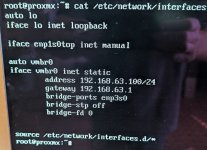
/etc/network/interfaces
etc-network-interfaces.jpg
 
Last edited: