Hi,
I am trying to set up Datadog monitoring for Proxmox VE 9.x, but having issue the following issue:
2025-10-17 10:27:31 CEST | CORE | ERROR | (pkg/collector/worker/check_logger.go:71 in Error) | check roxmox | Error running check: [{"message":"'NoneType' object has no attribute 'get'","traceback":"Traceback (most recent call last):\n File \"/opt/datadog-agent/embedded/lib/python3.12/site-packages/datadog_checks/base/checks/base.py\", line 1313, in run\n self.check(instance)\n File \"/opt/datadog-agent/embedded/lib/python3.12/site-packages/datadog_checks/proxmox/check.py\", line 389, in check\n self._collect_resource_metrics()\n File \"/opt/datadog-agent/embedded/lib/python3.12/site-packages/datadog_checks/proxmox/check.py\", line 299, in _collect_resource_metrics\n hostname = self._get_vm_hostname(vm_id, resource_name, node)\n ^^^^^^^^^^^^^^^^^^^^^^^^^^^^^^^^^^^^^^^^^^^^^^^^^\n File \"/opt/datadog-agent/embedded/lib/python3.12/site-packages/datadog_checks/proxmox/check.py\", line 157, in _get_vm_hostname\n hostname = hostname_json.get(\"data\", {}).get(\"result\", {}).get(\"host-name\", vm_name)\n ^^^^^^^^^^^^^^^^^^^^^^^^^^^^^^^^^\nAttributeError: 'NoneType' object has no attribute 'get'\n"}]
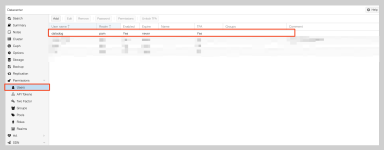
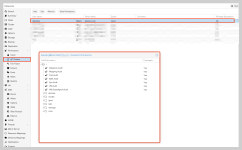
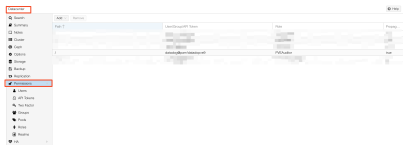
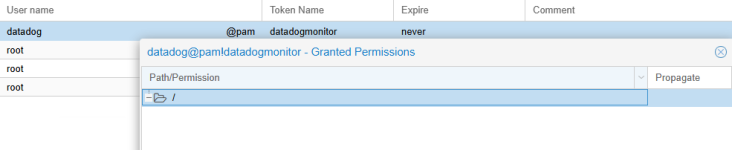
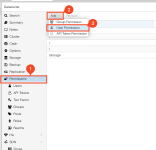
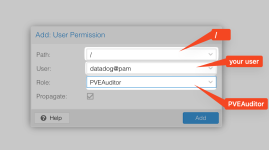
Datadog support says that this is a permission issue, I have created a local user in the PAM realm (tried with PVE as well) and give the necessary permission (event tried with Administrator) but the issue is still there.
I have also tried to switch on and off the privilege separation on the API toke, but no luck.
Can you please help ?
Thanks,
Benjamin
I am trying to set up Datadog monitoring for Proxmox VE 9.x, but having issue the following issue:
2025-10-17 10:27:31 CEST | CORE | ERROR | (pkg/collector/worker/check_logger.go:71 in Error) | check
roxmox | Error running check: [{"message":"'NoneType' object has no attribute 'get'","traceback":"Traceback (most recent call last):\n File \"/opt/datadog-agent/embedded/lib/python3.12/site-packages/datadog_checks/base/checks/base.py\", line 1313, in run\n self.check(instance)\n File \"/opt/datadog-agent/embedded/lib/python3.12/site-packages/datadog_checks/proxmox/check.py\", line 389, in check\n self._collect_resource_metrics()\n File \"/opt/datadog-agent/embedded/lib/python3.12/site-packages/datadog_checks/proxmox/check.py\", line 299, in _collect_resource_metrics\n hostname = self._get_vm_hostname(vm_id, resource_name, node)\n ^^^^^^^^^^^^^^^^^^^^^^^^^^^^^^^^^^^^^^^^^^^^^^^^^\n File \"/opt/datadog-agent/embedded/lib/python3.12/site-packages/datadog_checks/proxmox/check.py\", line 157, in _get_vm_hostname\n hostname = hostname_json.get(\"data\", {}).get(\"result\", {}).get(\"host-name\", vm_name)\n ^^^^^^^^^^^^^^^^^^^^^^^^^^^^^^^^^\nAttributeError: 'NoneType' object has no attribute 'get'\n"}]Datadog support says that this is a permission issue, I have created a local user in the PAM realm (tried with PVE as well) and give the necessary permission (event tried with Administrator) but the issue is still there.
I have also tried to switch on and off the privilege separation on the API toke, but no luck.
Can you please help ?
Thanks,
Benjamin