Lost my network after a reboot please help!!!

c0mputerking

Renowned Member
Oct 5, 2011
174
5
83
Please help my system is down!!!

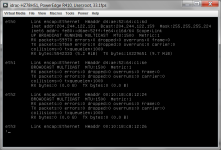
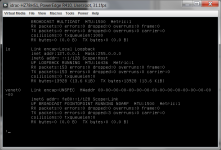
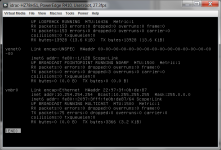
Hello all i did a reboot today after my system had been up for 30 days or so but was suffering from high load averages so i rebooted it ... anyways now i do not seem to have a working network and argh i do not have copy and paste so have added screen shots here sorry

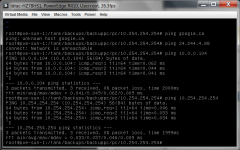
I can ping the router which is the proxmox server and vmbr0 10.254.254.254
I can ping a vm on the system 10.0.0.104

I cannot ping google.ca i get unknown host
I cannot ping the google ip address of 24.244.4.88 i get network is unreachable
ping.png

I think it might be a routing issues but why ? all i did was a reboot
route.png

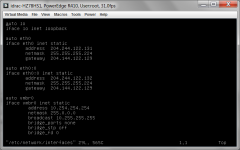
Here is my /etc/network/interfaces

<removed to protect the innocent>
 

Attachments
  • interfaces.png
    interfaces.png
    38 KB · Views: 14
Last edited:
btw, you exposed public ips, hope it what you intended.

/etc/network/interfaces seems have two eth configfured, vmbr not bound...?!?

Marco
 
not worried about public ips anyone can do an nslookup on my website and find it however i should maybe edit this post later and remove them

Not sure what you mean by two eth configured ? one is eth0 and one is eth0:0 that is correct to make use of my 2 external ips with one nic btw i have tried disabling eth0:0 but it does not help.

What do you mean vmbr not bound...?!? ?
 
I mean vmbr0 has bridge_ports none, usually they are needed or the bridge only works between vm on the node using it...
Usually (standard setup, see wiki network model) ethx are not configured, and bound to the vmbr, which has the real network setup...
But if your setup is like that, ok, but don't know what happens, sadly...

Marco
 
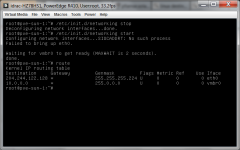
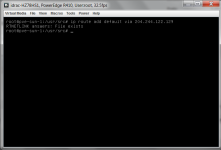
Marco at this point i just want my network to work again (will be checking the standard setup wiki page right now) everything is down right now websites email etc i think it is a routing issue as i do not seem to have a default gateway? and i get the error in the image when trying to to stop then start the network.


route2.png
 
Please help my system is down!!!

Hello all i did a reboot today after my system had been up for 30 days or so but was suffering from high load averages so i rebooted it ... anyways now i do not seem to have a working network and argh i do not have copy and paste so have added screen shots here sorry

Hi,
perhaps the naming of the interfaces are different due udev?
Please post the output of
Code:
ifconfig -a 
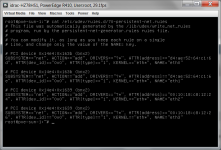
cat /etc/udev/rules.d/70-persistent-net.rules
Udo
 
Yaaaaaa your command worked
ip route add default via 204.244.122.XXX

I had to do a reboot as i tried a couple of "route add default gw blah blah" commands that did not work so already probably had a bogus default gateway in my routes

Its working now thanks and praise now i just need to get it to stick on reboot

PS not sure why it lost its route this machine has been fine for years
 
I did not miss it check my first post interfaces.png image not sure what is going on with that it has always been there
 
Once again you folks have saved my ass!! trying to round up some capital to buy a subscription until then i will hang out here on the forums more and try to help some others .... gotta go to sleep it is 6:30am at least i can sleep knowing that the server is functional and my clients wont be phoning me first thing in the am
 
I actually had commented out the entire eth0:0 section of /etc/network/interfaces but was/am still having the no default gateway on reboot