

Login Failed, but logs in anyway

Scampi

Member
Apr 19, 2023
5
2
8
Hi,

Since a few days after an update i am not been able to login to the pve gui using the webbrowser Firefox 125.0.3 (64-bit).
Running proxmox 8.2.2 in a 2 node cluster
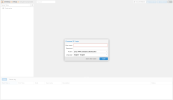

Screenshot 2024-05-10 at 10-45-11 pve-nuc - Proxmox Virtual Environment.png

Note the missing login details, normally this is all filled in. However when i fill in my details, it looks like its loggin in but fails with "Login failed. Please try again".
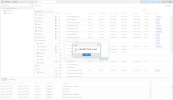
Screenshot 2024-05-10 at 10-47-14 pve-beast - Proxmox Virtual Environment.png

You can clearly see see that all my data is loaded. just that the login box is blocking me from accessing my page.
But if i refresh the page, the login box is gone, all seems normal again.

Checking the logs:

Since May 09 this message seems to be spammed in the logs

Bash:
May 09 14:52:24 pve-nuc sshd[10256]: Accepted publickey for root from 192.168.XX.XXX port XXXX ssh2: RSA SHA256:sZWtba0zh5Fajh7/yrMMHLcziXXXXXXXXXXXXXXXXXXX
May 09 14:52:24 pve-nuc sshd[10256]: pam_unix(sshd:session): session opened for user root(uid=0) by (uid=0)
May 09 14:52:24 pve-nuc systemd-logind[716]: New session 39 of user root.
May 09 14:52:24 pve-nuc systemd[1]: Started session-39.scope - Session 39 of User root.
May 09 14:52:24 pve-nuc sshd[10256]: pam_env(sshd:session): deprecated reading of user environment enabled
May 09 14:52:38 pve-nuc sshd[10256]: Received disconnect from 192.168.XX.XXXX port XXXX:11: disconnected by user
May 09 14:52:38 pve-nuc sshd[10256]: Disconnected from user root 192.168.XX.XXXX port XXXX
May 09 14:52:38 pve-nuc sshd[10256]: pam_unix(sshd:session): session closed for user root
May 09 14:52:38 pve-nuc systemd[1]: session-39.scope: Deactivated successfully.
May 09 14:52:38 pve-nuc systemd[1]: session-39.scope: Consumed 9.575s CPU time.
May 09 14:52:38 pve-nuc systemd-logind[716]: Session 39 logged out. Waiting for processes to exit.
May 09 14:52:38 pve-nuc systemd-logind[716]: Removed session 39.

Thx in advance
 
Hi,

Since a few days after an update i am not been able to login to the pve gui using the webbrowser Firefox 125.0.3 (64-bit).
How exactly did you run the upgrade? Did you use apt dist-upgrade, not apt upgrade?
Did you modify any system files/code before? Ran any funny scripts from the internet?

Could you also please provide the output of journalctl -b -u pvedaemon -e -n 20 after trying to log in that results in the above?
 
Hi,

- i always use the GUI Upgrade button => Starting system upgrade: apt-get dist-upgrade
- No system modifications
- No scripts, except maybe this? But that was weeks ago => https://github.com/tteck/Proxmox
- The log

Code:
May 10 10:36:16 pve-beast pvedaemon[1652]: <root@pam> successful auth for user 'root@pam'
May 10 10:49:19 pve-beast pvedaemon[1652]: <root@pam> successful auth for user 'root@pam'
May 10 10:50:15 pve-beast pvedaemon[1653]: <root@pam> successful auth for user 'root@pam'
May 10 11:05:15 pve-beast pvedaemon[1652]: <root@pam> successful auth for user 'root@pam'
May 10 11:10:57 pve-beast pvedaemon[1652]: <root@pam> successful auth for user 'root@pam'
May 10 11:16:18 pve-beast pvedaemon[298647]: starting termproxy UPID:pve-beast:00048E97:003AFF53:663DE5E2:vncshell::root@pam:
May 10 11:16:18 pve-beast pvedaemon[1651]: <root@pam> starting task UPID:pve-beast:00048E97:003AFF53:663DE5E2:vncshell::root@pam:
May 10 11:16:18 pve-beast pvedaemon[1652]: <root@pam> successful auth for user 'root@pam'
May 10 11:16:18 pve-beast login[298650]: pam_unix(login:session): session opened for user root(uid=0) by (uid=0)
May 10 11:16:51 pve-beast pvedaemon[1651]: <root@pam> end task UPID:pve-beast:00048E97:003AFF53:663DE5E2:vncshell::root@pam: OK
May 10 11:16:51 pve-beast pvedaemon[301496]: starting termproxy UPID:pve-beast:000499B8:003B0C69:663DE603:vncshell::root@pam:
May 10 11:16:51 pve-beast pvedaemon[1651]: <root@pam> starting task UPID:pve-beast:000499B8:003B0C69:663DE603:vncshell::root@pam:
May 10 11:16:52 pve-beast pvedaemon[1653]: <root@pam> successful auth for user 'root@pam'
May 10 11:18:02 pve-beast pvedaemon[1651]: <root@pam> end task UPID:pve-beast:000499B8:003B0C69:663DE603:vncshell::root@pam: OK
May 10 11:18:02 pve-beast pvedaemon[302209]: starting termproxy UPID:pve-beast:00049C81:003B27E1:663DE64A:vncshell::root@pam:
May 10 11:18:02 pve-beast pvedaemon[1653]: <root@pam> starting task UPID:pve-beast:00049C81:003B27E1:663DE64A:vncshell::root@pam:
May 10 11:18:02 pve-beast pvedaemon[1651]: <root@pam> successful auth for user 'root@pam'
May 10 11:18:02 pve-beast login[302212]: pam_unix(login:session): session opened for user root(uid=0) by root(uid=0)
May 10 11:18:37 pve-beast pvedaemon[1653]: <root@pam> end task UPID:pve-beast:00049C81:003B27E1:663DE64A:vncshell::root@pam: OK
May 10 11:21:57 pve-beast pvedaemon[1651]: update new package list: /var/lib/pve-manager/pkgupdates


Thx
 
- No scripts, except maybe this? But that was weeks ago => https://github.com/tteck/Proxmox
There are a lots of script there, which do modify system code, e.g. the "post-install script" apparently: https://github.com/tteck/Proxmox/bl...8f1ec1864f1347b/misc/post-pve-install.sh#L136
Please note that such modifications are unsupported and in general, running random scripts off the internet without knowing exactly what they do is never a good idea.

Can you try running apt update && apt dist-upgrade -y && apt reinstall pve-manager proxmox-widget-toolkit && systemctl restart pveproxy, then force-reload the page (Ctrl+Shift+R) and see if that fixes it?
That would reinstall the affected packages.

You can also try installing debsums (apt install -y debsums) and running debsums -c, that should report any modifications/corruptions.
 
There are a lots of script there, which do modify system code, e.g. the "post-install script" apparently: https://github.com/tteck/Proxmox/bl...8f1ec1864f1347b/misc/post-pve-install.sh#L136
Please note that such modifications are unsupported and in general, running random scripts off the internet without knowing exactly what they do is never a good idea.

Can you try running apt update && apt dist-upgrade -y && apt reinstall pve-manager proxmox-widget-toolkit && systemctl restart pveproxy, then force-reload the page (Ctrl+Shift+R) and see if that fixes it?
That would reinstall the affected packages.

You can also try installing debsums (apt install -y debsums) and running debsums -c, that should report any modifications/corruptions.
Sorry for the long wait,

Someone had a very good laugh on discord...

I was complaining on discord about that message every time when you login and you dont have a valid license.
I gave one of my friends full access, and he fixed it, after that the issues started

So i did use your "debsums" command and he did changed this file:

/usr/share/javascript/proxmox-widget-toolkit/proxmoxlib.js

After googling the path/file i did found out what he did. So yea i feel silly for posting.

Sorry for that

PS: this is my homelab and not a production, thank god