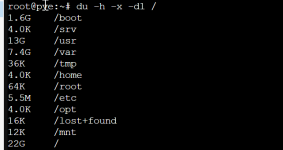
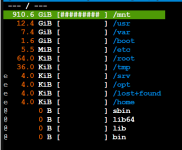
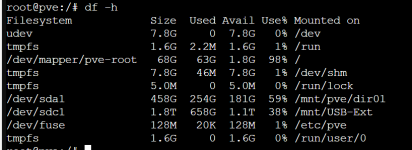
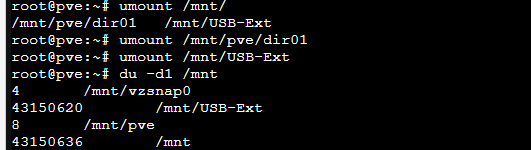
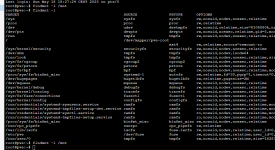
Correct, that is the main point of all the referenced posts in #3Try to unmount the file systems mounted in/mnt/and check withgdu /again
This is not going to help without unmounting first.You can also trygdu -x /to exclude other mount points.
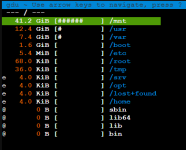
chattr +i my mount directories so they are not writable unless something is mounted there.Your entire root LVM slice/partition is 72.73GBbut are not 72.73 GB bat 41.2 GB

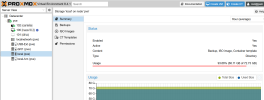
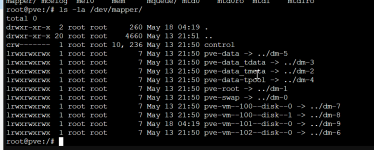
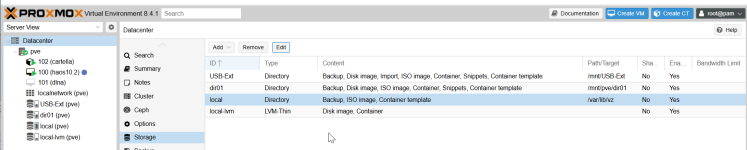
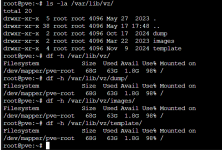
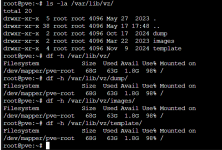
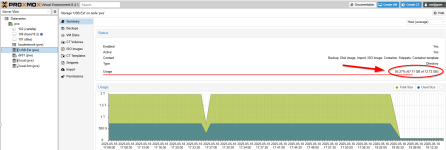
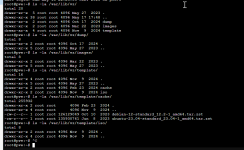
The local directory storage is indeed /var/lib/vz. But this is a folder on the Proxmox installation pve-root or /, which is why they share the available space."local (PVE)" is an empty volume but due to, in some way I mapped to a volume 72.73GB in size, it seems full.
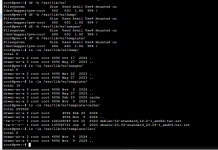
It should be /var/lib/vz, but I've not found the data, what data are in it and if I can delete.
Sorry for late replay. Many thanks for your @bbgeek17 and @Impact help.Your entire root LVM slice/partition is 72.73GB
68.11GB of it is used, which constitutes 93%
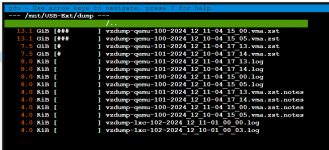
41.2GB are backups which were misdirected to a root filesystem instead of external disk
22GB was used by OS and other programs
Either mount your external disk to /tmp/tmpmnt and move all the backup files there, or delete them.
Cheers
Some of the sizing discrepancies are due to GiB vs GB reporting.
PS considering that the backups in question are now almost 6 months old, assuming you are not running in a highly regulated environment with strict data retention requirements, I would go ahead and delete them.
Blockbridge : Ultra low latency all-NVME shared storage for Proxmox - https://www.blockbridge.com/proxmox
We use essential cookies to make this site work, and optional cookies to enhance your experience.