

Howzit guys
Excuse my noobieness I am fairly new to proxmox.
Last night I updated proxmox version from 2.1 - 2.3 - 3.1 - 3.4. After running apt-get update and apt-get dist-upgrade everything seemed to update fine gave me no errors until I rebooted the host and then I received the following (see screenshot)
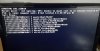
I am able to boot into previous versions from the Grub menu, I have checked my disk space and the most used is my root directory of only 17% use.
please let me know if you require any further information,
regards
Thank you
Excuse my noobieness I am fairly new to proxmox.
Last night I updated proxmox version from 2.1 - 2.3 - 3.1 - 3.4. After running apt-get update and apt-get dist-upgrade everything seemed to update fine gave me no errors until I rebooted the host and then I received the following (see screenshot)
I am able to boot into previous versions from the Grub menu, I have checked my disk space and the most used is my root directory of only 17% use.
please let me know if you require any further information,
regards
Thank you
