

HI,
I have a 2 node proxmox cluster and I have a VM on the first proxmox host. It had a ubuntu ISO image mounted from when I installed the VM. I have removed the ISO image from the VMs config but when I go to move it between hosts it tells me its still mounted. How do I go about removing the ISO from this VM so I can move it? I do have a few snapshots on this VM, would snapshots have anything to do with the fact that i cannot see it in the hardware tab?
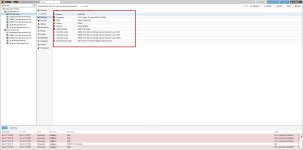
as you can see, no mounted ISOS are showing up in the hardware tab.
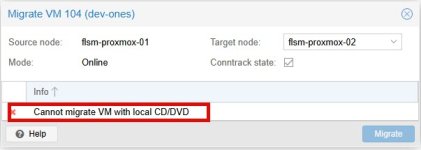
But here is the error i get when i try to move the VM between hosts
Any ideas?
I have a 2 node proxmox cluster and I have a VM on the first proxmox host. It had a ubuntu ISO image mounted from when I installed the VM. I have removed the ISO image from the VMs config but when I go to move it between hosts it tells me its still mounted. How do I go about removing the ISO from this VM so I can move it? I do have a few snapshots on this VM, would snapshots have anything to do with the fact that i cannot see it in the hardware tab?
as you can see, no mounted ISOS are showing up in the hardware tab.
But here is the error i get when i try to move the VM between hosts
Any ideas?
Last edited:


