Hi everyone,
I'm encountering what appears to be a kernel regression affecting an Intel I226-V NIC (m.2 A+E Card) installed in a Lenovo ThinkCentre M710q Tiny.
Hardware
Proxmox VE 9 (pve-no-subscription repository)
Lenovo ThinkCentre M710q Tiny
BIOS: M1AKT5A0 (03/10/2025)
Intel I226-V (M.2 A+E Key adapter)
Management interface connected at 2.5 Gbps
Working kernel
6.17.2-1-pve
Everything works correctly.
uname -r
6.17.2-1-pve
ethtool -i nic0
driver: igc
version: 6.17.2-1-pve
firmware-version: 2017:888d
bus-info: 0000:02:00.0
ethtool nic0
Speed: 2500Mb/s
Duplex: Full
Link detected: yes
The NIC is visible in lspci:
02:00.0 Ethernet controller: Intel Corporation Ethernet Controller I226-V (rev 04)
Problematic kernel
7.0.14-4-pve
After booting this kernel:
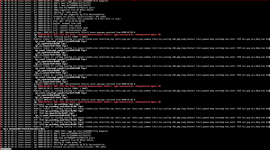
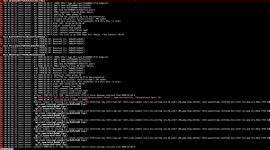
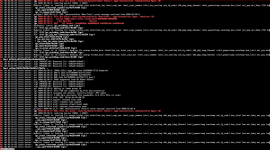
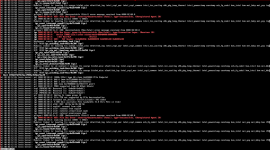
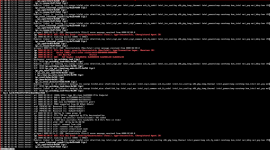
Kernel oops occurs in igc_watchdog_task
Local console login hangs after authentication
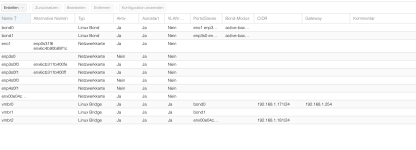
The I226-V disappears completely
lspci only shows the onboard Intel I219-LM
lsmod | grep igc returns nothing
The kernel command line currently includes:
pcie_aspm.policy=performance pcie_port_pm=off
Those parameters did not change the behavior.
Additional observation
If I boot 7.0.14-4, the I226-V remains missing even after warm rebooting back into 6.17.2-1.
Only after:
Shutting the system completely down
Removing AC power
Waiting a few seconds
Reconnecting power
does the I226-V reappear when booting 6.17.2-1.
This makes me think the newer kernel leaves the device in a bad state that survives warm reboot.
Things already tested
Different Ethernet cable
Verified switch and link
Added:
pcie_aspm.policy=performance
pcie_port_pm=off
Confirmed ASPM is already reported as disabled by lspci -vv
Cold boot vs warm reboot comparison
The adapter consistently works on 6.17.2-1
Questions
Has anyone seen a similar regression with Intel I226-V on the 7.0.x kernels?
Is this a known igc regression?
Are there any additional kernel parameters or debugging steps I should try before filing a bug report?
Thanks in advance.
I'm encountering what appears to be a kernel regression affecting an Intel I226-V NIC (m.2 A+E Card) installed in a Lenovo ThinkCentre M710q Tiny.
Hardware
Proxmox VE 9 (pve-no-subscription repository)
Lenovo ThinkCentre M710q Tiny
BIOS: M1AKT5A0 (03/10/2025)
Intel I226-V (M.2 A+E Key adapter)
Management interface connected at 2.5 Gbps
Working kernel
6.17.2-1-pve
Everything works correctly.
uname -r
6.17.2-1-pve
ethtool -i nic0
driver: igc
version: 6.17.2-1-pve
firmware-version: 2017:888d
bus-info: 0000:02:00.0
ethtool nic0
Speed: 2500Mb/s
Duplex: Full
Link detected: yes
The NIC is visible in lspci:
02:00.0 Ethernet controller: Intel Corporation Ethernet Controller I226-V (rev 04)
Problematic kernel
7.0.14-4-pve
After booting this kernel:
Kernel oops occurs in igc_watchdog_task
Local console login hangs after authentication
The I226-V disappears completely
lspci only shows the onboard Intel I219-LM
lsmod | grep igc returns nothing
The kernel command line currently includes:
pcie_aspm.policy=performance pcie_port_pm=off
Those parameters did not change the behavior.
Additional observation
If I boot 7.0.14-4, the I226-V remains missing even after warm rebooting back into 6.17.2-1.
Only after:
Shutting the system completely down
Removing AC power
Waiting a few seconds
Reconnecting power
does the I226-V reappear when booting 6.17.2-1.
This makes me think the newer kernel leaves the device in a bad state that survives warm reboot.
Things already tested
Different Ethernet cable
Verified switch and link
Added:
pcie_aspm.policy=performance
pcie_port_pm=off
Confirmed ASPM is already reported as disabled by lspci -vv
Cold boot vs warm reboot comparison
The adapter consistently works on 6.17.2-1
Questions
Has anyone seen a similar regression with Intel I226-V on the 7.0.x kernels?
Is this a known igc regression?
Are there any additional kernel parameters or debugging steps I should try before filing a bug report?
Thanks in advance.