Install home assistant

ysbert

Member
May 23, 2022
17
2
8
Nederlands
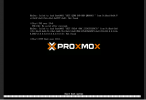
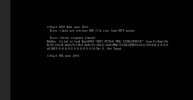
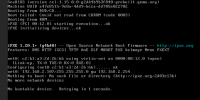
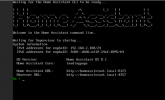
Hi, try to install home assistant but get this error after boot:
BdsDxe: failed to load Boot0001 "UEFI QEMU DVD-ROM QM00003" from PciRoot (0x0) /p
ci (0x1F,0x2) /Sata (0x1xFF,0x0) : Not found
Greeting, Pieter
 

Attachments

  • homeassistant1.PNG
    homeassistant1.PNG
    29.1 KB · Views: 28
  • homeassistant2.PNG
    homeassistant2.PNG
    43.3 KB · Views: 27
  • homeassistant3.PNG
    homeassistant3.PNG
    15.9 KB · Views: 26
Hi,

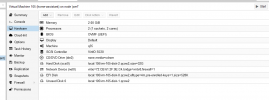
Please post the output of VM config qm config <VMID>
Hi Moayad,

Proxmox 7.2.3
I did:
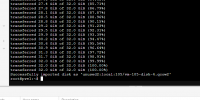
- [qm importdisk 105 /root/haos_ova-8.1.qcow2 local --format qcow2]
- delete the harddrive in 105
- used the new harddrive and startend the harddrive but is not installing home assistand.

Greetings, Pieterhomeassistant4.PNG
 
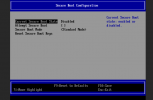
What I needed to do was disable secure boot the VMs bios

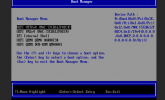
/Device Manager/Secure Boot Configuration/Disable attempt secure boot
 
Last edited:
  • Like
Reactions: Huszky
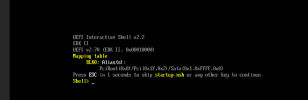
Hi,
see pic. still not booting
 

Attachments

  • homeassistant5.PNG
    homeassistant5.PNG
    27.3 KB · Views: 36
  • homeassistant6.PNG
    homeassistant6.PNG
    21.4 KB · Views: 36
  • homeassistant7.PNG
    homeassistant7.PNG
    47.9 KB · Views: 35
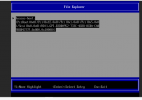
can you check if you can start it from the bios via:
Boot maintenance manager/Boot from file/hassos-boot ..../EFI/BOOT/bootx64.efi

If you don't have the "hassos..." folder, what did you download and how did you add it do the VM?
 
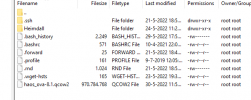
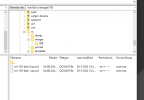
Downloadt the file haos_ova-8.1.qcow2.xz. unpackt the file and uploaded to the root
 

Attachments

  • homeassistant8.PNG
    homeassistant8.PNG
    17.8 KB · Views: 31
  • homeassistant10.PNG
    homeassistant10.PNG
    17.2 KB · Views: 32
  • homeassistant11.PNG
    homeassistant11.PNG
    25.2 KB · Views: 30
When It was empty when I tried it, it was either the wrong disk, or I mistakenly loaded the compressed image. Can you try again adding it again. and If that doesn't work. You can try to boot from some live linux disk an check what is on that disk.
 
I see now the file in file explorer, and did find the right disk to boot homeassistent :)

Thanks for helping solve the problem
 

Attachments

  • homeassistant15.PNG
    homeassistant15.PNG
    36.1 KB · Views: 48
  • homeassistant16.PNG
    homeassistant16.PNG
    29.1 KB · Views: 39
  • Like
Reactions: shrdlicka