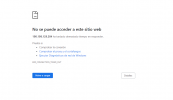
ip a and then just typing that IP at port 8006 into your browser, e.g 192.168.0.42:8006 or whatever it tells you. You can also change the IP of the server with nano /etc/network/interfacesfriend I get the same address to which it points to open the web interface. and still it doesn't openMi espanol es muy mal, that's why Ill answer in english.
When you say your PCs IP has changed, do you mean that of the server? On boot of the server it tells you under which IP you can open the webinterface or you can check by runningip aand then just typing that IP at port 8006 into your browser, e.g192.168.0.42:8006or whatever it tells you. You can also change the IP of the server withnano /etc/network/interfaces
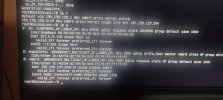
this comes out in the proxmoxfriend I get the same address to which it points to open the web interface. and still it doesn't open
auto lo
iface lo inet loopback

iface eno1 inet manual

auto vmbr0
iface vmbr0 inet static
        address 192.168.10.2/24
        gateway 192.168.10.1
        bridge-ports eno1
        bridge-stp off
bridge-fd 0192.168.10.2 at the beginning./var/log/pveproxy/access.logWe use essential cookies to make this site work, and optional cookies to enhance your experience.