Z zahmad New Member Jun 11, 2025 18 1 3 Feb 4, 2026 #1 I want to migrate/shift/import my vms running on Fusion compute to proxmox, Please guide me how to do it. Thanks
I want to migrate/shift/import my vms running on Fusion compute to proxmox, Please guide me how to do it. Thanks
fba Renowned Member Proxmox Subscriber Dec 4, 2024 719 348 68 online www.croit.io Feb 4, 2026 #2 Export the vm as ova: https://info.support.huawei.com/sto...000-6.0/documentation/Export_VM_Template.html Import the ova in Proxmox. If direct import doesn't work due to different definitions in the included ovf, it might be required to extract the disk file (tar -xvf vm.ova) and import the disk into a newly created vm. Alternatively you might copy the disk files directly from source storage and import them in a Proxmox VE vm. There might be some afterwork required regarding drivers and installed tools. Reactions: zahmad
Export the vm as ova: https://info.support.huawei.com/sto...000-6.0/documentation/Export_VM_Template.html Import the ova in Proxmox. If direct import doesn't work due to different definitions in the included ovf, it might be required to extract the disk file (tar -xvf vm.ova) and import the disk into a newly created vm. Alternatively you might copy the disk files directly from source storage and import them in a Proxmox VE vm. There might be some afterwork required regarding drivers and installed tools.
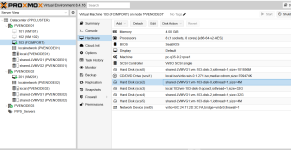
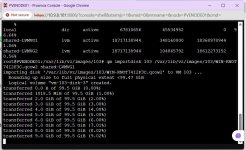
Z zahmad New Member Jun 11, 2025 18 1 3 Feb 4, 2026 #3 Let me try.Itried starwindconverter and created the QEMU image format (qcow2) but i am unable to boot. from it. Attachments Screenshot 2026-02-04 161037.png 130.3 KB · Views: 7 WhatsApp Image 2026-02-03 at 9.35.29 AM.jpeg 132.1 KB · Views: 6
Let me try.Itried starwindconverter and created the QEMU image format (qcow2) but i am unable to boot. from it.
fba Renowned Member Proxmox Subscriber Dec 4, 2024 719 348 68 online www.croit.io Feb 4, 2026 #4 Seems to be a VM with Windows, try to attach the boot disk via SATA instead of SCSI and if it boots prepare the drivers like described here: https://pve.proxmox.com/wiki/Paravirtualized_Block_Drivers_for_Windows
Seems to be a VM with Windows, try to attach the boot disk via SATA instead of SCSI and if it boots prepare the drivers like described here: https://pve.proxmox.com/wiki/Paravirtualized_Block_Drivers_for_Windows