Z zahmad New Member Jun 11, 2025 18 1 3 Feb 4, 2026 #1 I want to migrate/shift/import my vms running on Fusion compute to proxmox, Please guide me how to do it. Thanks
I want to migrate/shift/import my vms running on Fusion compute to proxmox, Please guide me how to do it. Thanks
fba Well-Known Member Proxmox Subscriber Dec 4, 2024 726 353 68 online www.croit.io Feb 4, 2026 #2 Export the vm as ova: https://info.support.huawei.com/sto...000-6.0/documentation/Export_VM_Template.html Import the ova in Proxmox. If direct import doesn't work due to different definitions in the included ovf, it might be required to extract the disk file (tar -xvf vm.ova) and import the disk into a newly created vm. Alternatively you might copy the disk files directly from source storage and import them in a Proxmox VE vm. There might be some afterwork required regarding drivers and installed tools. Reactions: zahmad
Export the vm as ova: https://info.support.huawei.com/sto...000-6.0/documentation/Export_VM_Template.html Import the ova in Proxmox. If direct import doesn't work due to different definitions in the included ovf, it might be required to extract the disk file (tar -xvf vm.ova) and import the disk into a newly created vm. Alternatively you might copy the disk files directly from source storage and import them in a Proxmox VE vm. There might be some afterwork required regarding drivers and installed tools.
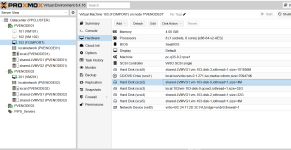
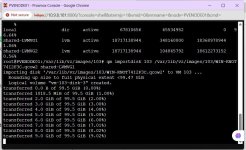
Z zahmad New Member Jun 11, 2025 18 1 3 Feb 4, 2026 #3 Let me try.Itried starwindconverter and created the QEMU image format (qcow2) but i am unable to boot. from it. Attachments Screenshot 2026-02-04 161037.png 130.3 KB · Views: 7 WhatsApp Image 2026-02-03 at 9.35.29 AM.jpeg 132.1 KB · Views: 6
Let me try.Itried starwindconverter and created the QEMU image format (qcow2) but i am unable to boot. from it.
fba Well-Known Member Proxmox Subscriber Dec 4, 2024 726 353 68 online www.croit.io Feb 4, 2026 #4 Seems to be a VM with Windows, try to attach the boot disk via SATA instead of SCSI and if it boots prepare the drivers like described here: https://pve.proxmox.com/wiki/Paravirtualized_Block_Drivers_for_Windows
Seems to be a VM with Windows, try to attach the boot disk via SATA instead of SCSI and if it boots prepare the drivers like described here: https://pve.proxmox.com/wiki/Paravirtualized_Block_Drivers_for_Windows