

Hello guys,
I followed a couple of guides for creating a VE with mac/windows, and after one week of work I got windows fully working, but my hackintosh vm got a strange behavior when using with GPU passtrough.
Initially the RX580 was not booting at all. Then I restored the original vbios from a RX570 GPU, cuz I saw that it's a common problem for GPUs bought from Aliexpress. Then after that, it started with the following behavior:
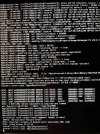
If I set the display=default and remove the PCI attached to the GPU, it works fine from the console, but if I set display=none and attach de PCI to GPU it loads the macos, but get stuck in the "ACPI: sleep states S3 S4 S5" for a couple of minutes(3-5 minutes), and after that it shows the password screen and logs normally into the macos with full GPU passtrough.
I tried with macos Sonoma, but same behavior, and now I'm trying again with Ventura.
Also tried to leave everything, except the GPU, unplugged, but no luck.
I am wondering what is causing this video delay, any idea?
ps: i have another ssd fully dedicated to hackintosh(no proxmox) and it works fine within the gpus. i searched this specific problem in hackintosh forums, but no resolution. It looks like some specific proxmox/hackintosh configuration.
Spec:
- Intel i5 10600K
- 16GB RAM
- Primary GPU RX6600M - allocated to windows vm
- Secondary GPU RX580 - allocated to macos vm
- ASUS TUF Gaming B460M-PLUS
- Fenvi BCM
Note: The current BIOS values are displayed on the left side of the picture.
Thanks in advance!
I followed a couple of guides for creating a VE with mac/windows, and after one week of work I got windows fully working, but my hackintosh vm got a strange behavior when using with GPU passtrough.
Initially the RX580 was not booting at all. Then I restored the original vbios from a RX570 GPU, cuz I saw that it's a common problem for GPUs bought from Aliexpress. Then after that, it started with the following behavior:
If I set the display=default and remove the PCI attached to the GPU, it works fine from the console, but if I set display=none and attach de PCI to GPU it loads the macos, but get stuck in the "ACPI: sleep states S3 S4 S5" for a couple of minutes(3-5 minutes), and after that it shows the password screen and logs normally into the macos with full GPU passtrough.
I tried with macos Sonoma, but same behavior, and now I'm trying again with Ventura.
Also tried to leave everything, except the GPU, unplugged, but no luck.
I am wondering what is causing this video delay, any idea?
ps: i have another ssd fully dedicated to hackintosh(no proxmox) and it works fine within the gpus. i searched this specific problem in hackintosh forums, but no resolution. It looks like some specific proxmox/hackintosh configuration.
Spec:
- Intel i5 10600K
- 16GB RAM
- Primary GPU RX6600M - allocated to windows vm
- Secondary GPU RX580 - allocated to macos vm
- ASUS TUF Gaming B460M-PLUS
- Fenvi BCM
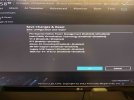
Note: The current BIOS values are displayed on the left side of the picture.
Thanks in advance!

 wns=none