

Hello,
I have a NUC with an Intel Core i9-13900H (13th Gen) CPU and an Iris Xe Graphics as iGPU with a fresh install of Proxmox VE 8.
I want to passthrough the iGPU into a Windows virtual machine.
I have another Proxmox VE server with a nvidia GPU (GTX 1060) where I managed to get this GPU working inside a windows VM with some help on a french forum (the various methods seen then agree with each other).
But for the iGPU, I'm a bit confused about the way to achieve the same thing because I can't find two sources agreeing each other, nor a source for this iGPU in the Core i9-13900H.
So, can somebody help me?
(PS: I hope my english isn't too bad )
)
Here some information about my hardware :
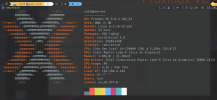
And
I have a NUC with an Intel Core i9-13900H (13th Gen) CPU and an Iris Xe Graphics as iGPU with a fresh install of Proxmox VE 8.
I want to passthrough the iGPU into a Windows virtual machine.
I have another Proxmox VE server with a nvidia GPU (GTX 1060) where I managed to get this GPU working inside a windows VM with some help on a french forum (the various methods seen then agree with each other).
But for the iGPU, I'm a bit confused about the way to achieve the same thing because I can't find two sources agreeing each other, nor a source for this iGPU in the Core i9-13900H.
So, can somebody help me?
(PS: I hope my english isn't too bad
)Here some information about my hardware :
And
lspci command :
Bash:
╰ lspci
00:00.0 Host bridge: Intel Corporation Device a706
00:02.0 VGA compatible controller: Intel Corporation Raptor Lake-P [Iris Xe Graphics] (rev 04)
00:04.0 Signal processing controller: Intel Corporation Device a71d
00:06.0 PCI bridge: Intel Corporation Device a74d
00:07.0 PCI bridge: Intel Corporation Device a72f
00:07.3 PCI bridge: Intel Corporation Device a71f
00:08.0 System peripheral: Intel Corporation GNA Scoring Accelerator module
00:0d.0 USB controller: Intel Corporation Device a71e
00:0d.2 USB controller: Intel Corporation Device a73e
00:0d.3 USB controller: Intel Corporation Device a76d
00:14.0 USB controller: Intel Corporation Alder Lake PCH USB 3.2 xHCI Host Controller (rev 01)
00:14.2 RAM memory: Intel Corporation Alder Lake PCH Shared SRAM (rev 01)
00:14.3 Network controller: Intel Corporation Device 51f1 (rev 01)
00:16.0 Communication controller: Intel Corporation Alder Lake PCH HECI Controller (rev 01)
00:17.0 SATA controller: Intel Corporation Alder Lake-P SATA AHCI Controller (rev 01)
00:1c.0 PCI bridge: Intel Corporation Device 51be (rev 01)
00:1c.7 PCI bridge: Intel Corporation Alder Lake PCH-P PCI Express Root Port #9 (rev 01)
00:1f.0 ISA bridge: Intel Corporation Device 519d (rev 01)
00:1f.3 Audio device: Intel Corporation Device 51ca (rev 01)
00:1f.4 SMBus: Intel Corporation Alder Lake PCH-P SMBus Host Controller (rev 01)
00:1f.5 Serial bus controller: Intel Corporation Alder Lake-P PCH SPI Controller (rev 01)
01:00.0 Non-Volatile memory controller: Shenzhen Longsys Electronics Co., Ltd. Device 1602 (rev 01)
56:00.0 Ethernet controller: Intel Corporation Ethernet Controller I225-V (rev 03)
57:00.0 SD Host controller: O2 Micro, Inc. SD/MMC Card Reader Controller (rev 01)
 Apply the guide, and tel us here if you succeed