HELP! Can't Access WebUI After Fresh Install!

bumi

New Member
Mar 21, 2026
4
0
1
Hello, I am very very new to this, and I am at my wit's end already.

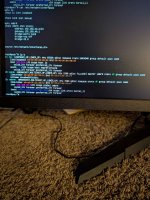
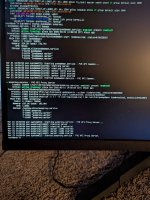
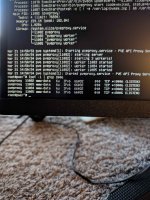
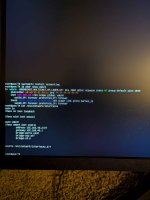
I have looked through many forums with similar problems, tried many different things all still resulting in "This site can't be reached" when I try to connect to the IP. I've attached some pictures of commands ip a, cat /etc/network/interfaces, and systemctl status pvedaemon pveproxy. Hopefully they have some information that might help with troubleshooting, if there's any other information or commands you need just let me know.

I suspect it has something to do with IP's/networking, since I am very inexperienced on the subject, and I have a feeling that the issue is probably an easy fix, but

I greatly appreciate any help with this, as I am really excited to get this up and running.
 

Attachments

  • PXL_20260321_122043713.jpg
    PXL_20260321_122043713.jpg
    369.3 KB · Views: 13
  • PXL_20260321_122212934.jpg
    PXL_20260321_122212934.jpg
    708.8 KB · Views: 14
  • PXL_20260321_123039768.jpg
    PXL_20260321_123039768.jpg
    808.4 KB · Views: 13
How about the output of:

lsof -i | grep 8006?

Remember that to access the web UI, you need to use HTTPS://192.168.40.2:8006
It must be https!

I assure you, I've been doing https:// every time. That's something I've seen about a million times in looking for a solution to my problem lol

Here is lsof -i | grep 8006:
 

Attachments

  • PXL_20260321_125703908.jpg
    PXL_20260321_125703908.jpg
    799.5 KB · Views: 9
Last edited:
Is your router at 192.168.40.1 and is the subnet /24 (or equivalently 255.255.255.0)? Does the IP address of the other computer (that you want to connect to PVE from) also start with 192.168.40.? Is 192.168.40.2 outside of the DHCP-range of the router? If not then change the DHCP-range of the router to exclude it.
EDIT: Does SSH to the PVE host work? Can the PVE host ping -w1 192.168.40.1 and ping -w1 1.1.1.1?
 
Last edited:
Is your router at 192.168.40.1 and is the subnet /24 (or equivalently 255.255.255.0)? Does the IP address of the other computer (that you want to connect to PVE from) also start with 192.168.40.? Is 192.168.40.2 outside of the DHCP-range of the router? If not then change the DHCP-range of the router to exclude it.
The router is 192.168.40.1 and the subnet is /24. The IP address of my phone does start with 192.168.40.x, I tried it on my computer (it still didn't work) but its connected through ethernet and for some reason my ISP app won't let me see info about devices connected through ethernet.

I'm not 100% sure if 192.168.40.2 is outside the DHCP-range, I chose that because that was the case for someone else with a similar problem and it worked for them, and I have no clue how to find out what the DHCP-range of the router is, much less how to change it/exclude an IP from it.
 
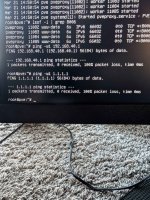
Does SSH to the PVE host work? Can the PVE host ping -w1 192.168.40.1 and ping -w1 1.1.1.1?
I assume this means no?

EDIT: I just found out that I don't actually have a traditional router, just a modem and a wifi pod... Could that be why this isn't working? I bought a switch a while ago so I would have more ethernet ports to plug in mine and my wife's PC's into, and that's what my proxmox host is plugged into as well, does anyone know if that would stop this from working?
 

Attachments

  • PXL_20260321_132723453.jpg
    PXL_20260321_132723453.jpg
    1,001.2 KB · Views: 6
Last edited:
I'm not sure what a "wifi pod" is but it's probably not relevant to Proxmox (as it does not come with WiFi). Your modem (provided by your ISP, I assume?) is probably also your router and your DHCP server. It appear to not accept or route traffic from the Proxmox host.
I think you need to troubleshoot this by logging into the modem and checking the DHCP range/settings there. It probably blocks traffic from devices with IP addresses in the DHCP range that did not use DHCP to get an IP address (which Proxmox does not, except for the installer and that one only works for a little while). Please read the modem manual or ask your ISP helpdesk (if I'm assuming right) for basic device and networking support.
 
  • Like
Reactions: odhiambo
I assume this means no?

EDIT: I just found out that I don't actually have a traditional router, just a modem and a wifi pod... Could that be why this isn't working? I bought a switch a while ago so I would have more ethernet ports to plug in mine and my wife's PC's into, and that's what my proxmox host is plugged into as well, does anyone know if that would stop this from working?
At this point in time, I am interested in one thing: How your own computer (the one you are writing these posts from) is connected to the infrastructure in your house. Can you possibly draw for us what the network looks like?
If your ISP doesn't allow you login access to their router, then buy your own Wi-Fi and cascade it to that of the ISP. Then you can control everything on your own router. It will cause a situation of double NAT, but that is a minor thing to worry about.
 
Looking at your "interfaces" file, the name "nic0" caught my attention. Did you setup special UDEV rules? I am not aware of any standard network device in Linux getting the "nicX" name by default. And as that is the only member of your bridge, it would be good to know what it is.