

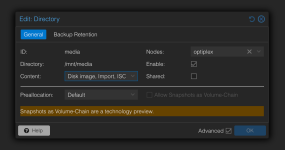
I have recently reset my Proxmox instance, and have a 1TB secondary drive that contained media, I had it mounted to /mnt/media using "Directory" in my datacenter's Storage settings.
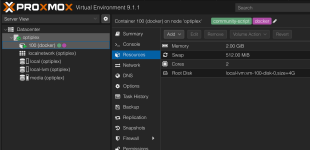
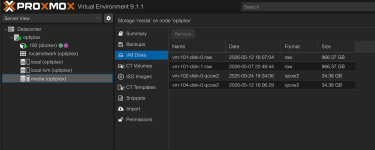
I just remounted the drive and it is not appearing under "CT Volumes" like it was before, but is under "VM Disks" instead, it's labelled "vm-101-disk-0.raw", the Container ID I had it attached to on the previous instance had the ID 101, but the new instance has a Container ID of 100, I have checked in "Resources" in the Container options, and can only find an option for creating a "Mount Point", which seemingly only creates a new one, and doesn't mount my existing .raw file.
I fear about overwriting the file.
I just remounted the drive and it is not appearing under "CT Volumes" like it was before, but is under "VM Disks" instead, it's labelled "vm-101-disk-0.raw", the Container ID I had it attached to on the previous instance had the ID 101, but the new instance has a Container ID of 100, I have checked in "Resources" in the Container options, and can only find an option for creating a "Mount Point", which seemingly only creates a new one, and doesn't mount my existing .raw file.
I fear about overwriting the file.

