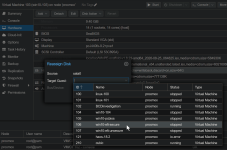
From LVM storage screen, please allow binding LVM volume to VM

shodan

Well-Known Member
Sep 1, 2022
269
70
48
Example

I have some of these loose volumes in my lvm
And from this view, I would like to attach them to a VM, preferably with one action like, it should pick the next open controller slot like ide3, sata2,scsi3,virto4 and attach that lvm disk to that VM.
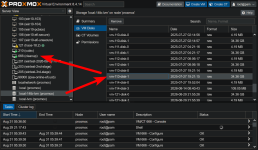
1788169244441.png
Here my VM-113-disk-1 disk is not attached to anything.
I don't remember what's in it so I want to attach it to a VM to check it out.
This process is frustratingly obtuse
 
  • Like
Reactions: Johannes S
Ok thanks I see that,

However ...
1788350910707.png
My problem is that VM 113 doesn't exist anymore and I just have these loose lvm volumes
Also, I think it would be convenient to do it from here as well.
 
You can use lvrename (check lvs) to rename the volume so 113 becomes 666 and then run qm rescan to add it to the matching VM.
I'm not aware of a more convenient way to attach "loose" vdisks. Create a feature request for it. I will subscribe to it :)
 
Last edited:
My problem is that VM 113 doesn't exist anymore and I just have these loose lvm volumes
Also, I think it would be convenient to do it from here as well.
You can do the following:
qm create 113
qm disk rescan --vmid 113
qm disk move 113 unused0 --target-vmid [id]


Blockbridge : Ultra low latency all-NVME shared storage for Proxmox - https://www.blockbridge.com/proxmox
 
You can do the following:
qm create 113
qm disk rescan --vmid 113
qm disk move 113 unused0 --target-vmid [id]


Blockbridge : Ultra low latency all-NVME shared storage for Proxmox - https://www.blockbridge.com/proxmox
Yes this works, but like Impact said, lvrename works similarly without the need to create the VM.

Still, this is kind of awkward. I was curious if there was a way to do it in one step from the UI but it seems there isn't.
I might try my hand at modifying the user interface to add this and a few other of the basic lvm maintenance tasks here.
 
Yes this works, but like @Impact said, lvrename works similarly without the need to create the VM.
I would always recommend to stay within the bumpers of the system. Especially when an easy to use procedure is available.
Still, this is kind of awkward. I was curious if there was a way to do it in one step from the UI but it seems there isn't.
I might try my hand at modifying the user interface to add this and a few other of the basic lvm maintenance tasks here.
IMHO this is such a rare situation that complicating UI with handling this case is counterproductive. That said - feel free to develop something here, but also keep in mind, there are locks that PVE puts in place for some backend operations, there could be other operations in-flight, or initiated concurrently with your desired op. In short, implementing a reach-around LVM rename may cause more issues than it solves.


Blockbridge : Ultra low latency all-NVME shared storage for Proxmox - https://www.blockbridge.com/proxmox
 
  • Like
Reactions: Johannes S