[SOLVED] Error on backup

Ayrton5

Member
Oct 23, 2023
25
10
8
ERROR: backup write data failed: command error: write_data upload error: pipelined request failed: detected chunk with wrong digest.

I've just set up a new backup server and this error occured whilst it was running the first time. A quick google leads me to believe this is memory related but I couldn't find much more than that; is it the source or the target with the memory issue? And how does one go about testing memory sticks?
 
  • Like
Reactions: Impact
Hi,
yes this is most likely an error related to memory. The chunks digest is checked when uploaded to the server, and it seems that the checksums did not match for one of the chunks. The data corruption might have happened on either side, source or target, so I would recommend to test the memory on both sides.

You can use the memtest utility which is part of the ISO installer.
 
  • Like
Reactions: dgsnb and Dunuin
Thank you for the prompt replies. I've run the test - just the once - on each box, and they both passed. Again light googling suggests I leave the tests running over an extended period, is this the case? Is the memory likely to trip up with extended testing?

And if I can't find an error with the memory, what do I try next?
 
Last edited:
I think I've cracked it. I'm using non-ECC unbuffered RAM. Spec calls for ECC on a Gen7 microserver. It still hasn't failed the memtest but is that likely to be the issue in real use?

EDIT: Yes, that was it. I'm under way now.
 
Last edited:
  • Like
Reactions: dgsnb
I think I've cracked it. I'm using non-ECC unbuffered RAM. Spec calls for ECC on a Gen7 microserver. It still hasn't failed the memtest but is that likely to be the issue in real use?

EDIT:
Glad to hear that you were able to pinpoint the issue, please mark the thread as solved for others to find a solution more easily. Unfortunately memory corruption still is an issue nowadays. Out of curiosity, was it the host or the PBS server which suffered from the bad memory?
 
I'm experiencing this problem (very infrequently) in my homelab.

It ONLY ever occurs with Windows VMs, which leads me to believe it's more nuanced than just "bad RAM" on the PVE host or the PBS server. I've done numerous diagnostic tests (memory tests and network tests) to ensure my network is configured well. My hunch is that this has something to do with the WIndows VirtIO drivers.

My setup is roughly:
  • ASUS NUC15 hosts (3 in the cluster, 64GB DDR5 each) all running 9.2.11 + kernel 7.0.14-15-pve
  • PBS running on a Synology DS1621+ with ECC RAM
  • PBS 4.2.5 running inside Synology VMM
  • DS1621+ runs DSM 7.4.1-90080
  • Synology has a Mellanox 10GbE PCI NIC
  • Network is Unifi switches running firmware 7.5.10
  • Jumbo Frames enabled
  • Flow Control disabled
 
I had to disable driver signing enforcement with

Code:
bcdedit /set loadoptions DDISABLE_INTEGRITY_CHECKS
bcdedit /set TESTSIGNING ON

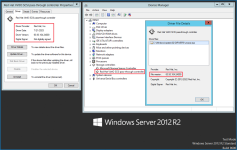
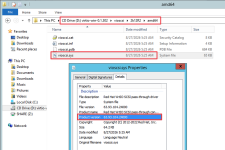
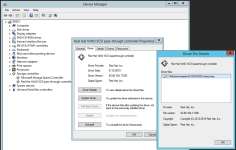
after that, I was able to install the virtio 302 drivers... with help from Driver Store Explorer to clean up the old ones... seems to be loaded now, will see how she flies

1788868899757.png
 
oh, v240 certainly the last one for 2k12r2.
there is issues with v240.
if not I/O intensive the safest is sata.
here, I have two last 2k12r2, one with sata and the another with v173 which is the last SHA1 signed.