Erro 500: /var/tmp/pve-reserved-ports.tmp - Read-only file system

Arthur Tavares

New Member
Nov 19, 2024
11
0
1
Hi Guys,

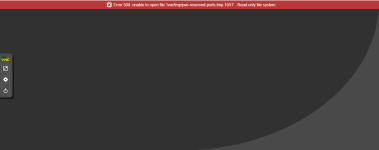
I recently deployed my proxmox and everything went well until today, i started getting this error: Erro 500: unable to open file '/var/tmp/pve-reserved-ports.tmp.30648 -Read-only file system.

I can't login to my proxmox anymore, however i can ping the ip and can still ssh the server.
1732045618188.png
 
Hi,
please see the system logs/journal for more information. Often a file-system is automatically remounted as read-only after I/O errors.
 
Hi,
please see the system logs/journal for more information. Often a file-system is automatically remounted as read-only after I/O errors.
Hi, I still can't solve the problem. How can I make it read-only?
 
Last edited:
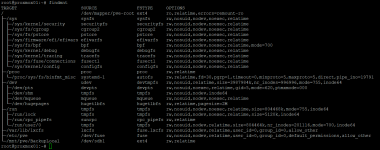
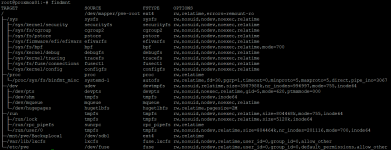
Yes, your root filesystem (the one on /) is mounted read-only ro. Please post/check the full system journal for the current boot. There should be some related error mentioned. You should also check your physical disks, e.g. using smartctl and check the filesystem itself with fsck
 
Sim, seu sistema de arquivos raiz (o que está em /) é montado somente leitura ro. Por favor, poste/verifique o diário completo do sistema para a inicialização atual. Deve haver algum erro relacionado mencionado. Você também deve verificar seus discos físicos, por exemplo, usando smartctle verificar o próprio sistema de arquivos comfsck
1732271370429.png
 
Yes, your root filesystem (the one on /) is mounted read-only ro. Please post/check the full system journal for the current boot. There should be some related error mentioned. You should also check your physical disks, e.g. using smartctl and check the filesystem itself with fsck
1732271832219.png
1732272094819.png
 
Last edited:
Yes, your root filesystem (the one on /) is mounted read-only ro. Please post/check the full system journal for the current boot. There should be some related error mentioned. You should also check your physical disks, e.g. using smartctl and check the filesystem itself with fsck
after using the fsck command the files were corrected.
1732274268915.png