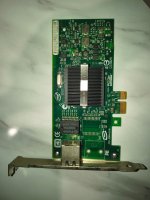
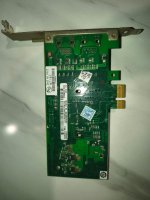
I tried this morning to do an update to the new kernel 7.0, but again after some minutes the system became offline. SO when booting again with Linux 6.8.12-13-pve, the system remains online.
Do we still have no idea about the root cause why some kernel version lead the system to become unsstable while other are stable ?
My config is:
Lenovo ThinkCentre
AMD Ryzen 5 2400GE with Radeon Vega Graphics
64 GB RAM
LSPCI:
00:00.0 Host bridge: Advanced Micro Devices, Inc. [AMD] Raven/Raven2 Root Complex
00:00.2 IOMMU: Advanced Micro Devices, Inc. [AMD] Raven/Raven2 IOMMU
00:01.0 Host bridge: Advanced Micro Devices, Inc. [AMD] Family 17h (Models 00h-1fh) PCIe Dummy Host Bridge
00:01.2 PCI bridge: Advanced Micro Devices, Inc. [AMD] Raven/Raven2 PCIe GPP Bridge [6:0]
00:08.0 Host bridge: Advanced Micro Devices, Inc. [AMD] Family 17h (Models 00h-1fh) PCIe Dummy Host Bridge
00:08.1 PCI bridge: Advanced Micro Devices, Inc. [AMD] Raven/Raven2 Internal PCIe GPP Bridge 0 to Bus A
00:08.2 PCI bridge: Advanced Micro Devices, Inc. [AMD] Raven/Raven2 Internal PCIe GPP Bridge 0 to Bus B
00:14.0 SMBus: Advanced Micro Devices, Inc. [AMD] FCH SMBus Controller (rev 61)
00:14.3 ISA bridge: Advanced Micro Devices, Inc. [AMD] FCH LPC Bridge (rev 51)
00:18.0 Host bridge: Advanced Micro Devices, Inc. [AMD] Raven/Raven2 Device 24: Function 0
00:18.1 Host bridge: Advanced Micro Devices, Inc. [AMD] Raven/Raven2 Device 24: Function 1
00:18.2 Host bridge: Advanced Micro Devices, Inc. [AMD] Raven/Raven2 Device 24: Function 2
00:18.3 Host bridge: Advanced Micro Devices, Inc. [AMD] Raven/Raven2 Device 24: Function 3
00:18.4 Host bridge: Advanced Micro Devices, Inc. [AMD] Raven/Raven2 Device 24: Function 4
00:18.5 Host bridge: Advanced Micro Devices, Inc. [AMD] Raven/Raven2 Device 24: Function 5
00:18.6 Host bridge: Advanced Micro Devices, Inc. [AMD] Raven/Raven2 Device 24: Function 6
00:18.7 Host bridge: Advanced Micro Devices, Inc. [AMD] Raven/Raven2 Device 24: Function 7
01:00.0 Ethernet controller: Realtek Semiconductor Co., Ltd. RTL8111/8168/8211/8411 PCI Express Gigabit Ethernet Controller (rev 0e)
01:00.1 Serial controller: Realtek Semiconductor Co., Ltd. RTL8111xP UART #1 (rev 0e)
01:00.2 Serial controller: Realtek Semiconductor Co., Ltd. RTL8111xP UART #2 (rev 0e)
01:00.3 IPMI Interface: Realtek Semiconductor Co., Ltd. RTL8111xP IPMI interface (rev 0e)
01:00.4 USB controller: Realtek Semiconductor Co., Ltd. RTL811x EHCI host controller (rev 0e)
02:00.0 VGA compatible controller: Advanced Micro Devices, Inc. [AMD/ATI] Raven Ridge [Radeon Vega Series / Radeon Vega Mobile Series] (rev c9)
02:00.1 Audio device: Advanced Micro Devices, Inc. [AMD/ATI] Raven/Raven2/Fenghuang HDMI/DP Audio Controller
02:00.2 Encryption controller: Advanced Micro Devices, Inc. [AMD] Family 17h (Models 10h-1fh) Platform Security Processor
02:00.3 USB controller: Advanced Micro Devices, Inc. [AMD] Raven USB 3.1
02:00.4 USB controller: Advanced Micro Devices, Inc. [AMD] Raven USB 3.1
02:00.5 Multimedia controller: Advanced Micro Devices, Inc. [AMD] Audio Coprocessor
02:00.6 Audio device: Advanced Micro Devices, Inc. [AMD] Family 17h/19h/1ah HD Audio Controller
03:00.0 SATA controller: Advanced Micro Devices, Inc. [AMD] FCH SATA Controller [AHCI mode] (rev 61)