

Hi all,
I'm new to Proxmox, for many years I've worked with VMware, but I'm start to enjoying Proxmox very much and now I'm migrating all the solutions I manage to Proxmox.
One of those solutions is a VMware cluster that I intend to replace with a Proxmox Cluster.
So, I got 3 servers, with the same resources, to build my first Proxmox Cluster.
Each of the 3 nodes of my cluster has:
So, I've installed Proxmox 8.4 on each node, configured the network, setup a community subscrition, updated the servers, group them into a cluster. Before I installed Ceph, Proxmox VE 9 released oficially, so I decided to upgrade all the 3 nodes using the guide: https://pve.proxmox.com/wiki/Upgrade_from_8_to_9
The upgrade was successfully. I then decided to install and configure Ceph, add all the OSDs, create the pools and test it out.
It worked perfectly and the performance was very good. All cluster vLANs and ping the iperf bechmarks are great.
A good start.
I then decided to make some tests, for resilience. I shutdown node #1 on purpose and after a while, I turn it on, to check how Ceph would recover.
The issue that I discover is that the Ceph OSD services don't start after that long reboot... Of the 6 OSDs, 6 are down and 5 are Out. For some reason one of the OSDs is IN. I've tried to start manually and it doesn't come up. Check logs and weird stuff start to appear...
I've retried to do the entire configuration, because I probably messed up something, but the result was exactly the same. So this is due to some bug (I'm using the latest versions) or the configuration is not well done (the most probable cause).
In file "Node Configuration.txt" in annex, you can see the configuration of ceph and network.
Plus, we also have:
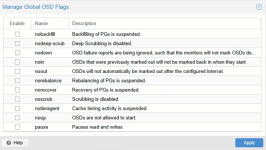

So, after node #1 reboot, we have:
I try to start the service manually, but it doesn't work:
Checking the ceph-osd@osd.service logs:
The issue seams to be some king of broken link:
Investigating the broken link:
So, for what I can understand (which is not much), the issue occurs because LVM doesn't automatically activate volume groups for devices that weren't cleanly shut down. Therefore the symlink is pointing to an inactive LVM volume...
So I tried to add to /etc/lvm/lvm.conf the setting:
auto_activation_volume_list = [ "*" ]
Then I rebooted the node #1 and checked, but it didn't solve anything (I think that by default LVM activates all volumes, so it makes sense).
So, the conclusion is that I must be doing some rookie mistake, because it doesn't make any sense that after a simple reboot, I get the node unable to recover its data... And I've to destroy all nodes OSDs and rebuild the OSDs from scratch. I makes the cluster very fragile and not reliable for production.
I ask someone with more experience, if you know what mistake I'm making or if this is really a bug of some sorts...
Thank you for your attention.
I'm new to Proxmox, for many years I've worked with VMware, but I'm start to enjoying Proxmox very much and now I'm migrating all the solutions I manage to Proxmox.
One of those solutions is a VMware cluster that I intend to replace with a Proxmox Cluster.
So, I got 3 servers, with the same resources, to build my first Proxmox Cluster.
Each of the 3 nodes of my cluster has:
- HPE Proliant DL380 G10
- 2 x Intel(R) Xeon(R) Gold 6134 CPU @ 3.20GHz
- 512 GB RAM
- 3 x SSD Disks 480 GB (RAID1 + Spare) for Proxmox Installation and Execution
- 3 x SSD Disks 960 GB (no RAID or any kind of disk controller cache) for DB and WAL Disks of Ceph
- 6 x SSD Disks 1.92 TB (no RAID or any kind of disk controller cache) for Data Disks of Ceph (I'm using 1 x 960 GB SSD DB/WAL disk for each 2 x 1.92 TB SSD Data Disks on OSDs for improved performance)
- 1 x 4 Port RJ45 Network Adapter (using 1 port for management)
- 1 x 4 Port SFP+ Network Adapter (using an aggregation of 4 x 10 Gbps SPF+ with a dedicaded switch, to use for vLAN Cluster, vLAN Ceph Public Network and vLAN Ceph Cluster Network)
- All firmware updated and the exact same version of each of the 3 nodes
So, I've installed Proxmox 8.4 on each node, configured the network, setup a community subscrition, updated the servers, group them into a cluster. Before I installed Ceph, Proxmox VE 9 released oficially, so I decided to upgrade all the 3 nodes using the guide: https://pve.proxmox.com/wiki/Upgrade_from_8_to_9
The upgrade was successfully. I then decided to install and configure Ceph, add all the OSDs, create the pools and test it out.
It worked perfectly and the performance was very good. All cluster vLANs and ping the iperf bechmarks are great.
A good start.
I then decided to make some tests, for resilience. I shutdown node #1 on purpose and after a while, I turn it on, to check how Ceph would recover.
The issue that I discover is that the Ceph OSD services don't start after that long reboot... Of the 6 OSDs, 6 are down and 5 are Out. For some reason one of the OSDs is IN. I've tried to start manually and it doesn't come up. Check logs and weird stuff start to appear...
I've retried to do the entire configuration, because I probably messed up something, but the result was exactly the same. So this is due to some bug (I'm using the latest versions) or the configuration is not well done (the most probable cause).
In file "Node Configuration.txt" in annex, you can see the configuration of ceph and network.
Plus, we also have:
So, after node #1 reboot, we have:
Bash:
root@bo-pmx-vmhost-1:~# systemctl status ceph-osd@0

× ceph-osd@0.service - Ceph object storage daemon osd.0

     Loaded: loaded (/usr/lib/systemd/system/ceph-osd@.service; enabled; preset: enabled)

    Drop-In: /usr/lib/systemd/system/ceph-osd@.service.d

             └─ceph-after-pve-cluster.conf

     Active: failed (Result: exit-code) since Fri 2025-08-08 20:06:53 WEST; 11h ago

   Duration: 909ms

 Invocation: ac90d07730e54aa2bade30b829639d6b

    Process: 5686 ExecStartPre=/usr/libexec/ceph/ceph-osd-prestart.sh --cluster ${CLUSTER} --id 0 (code=exited, status=0/SUCCESS)

    Process: 5708 ExecStart=/usr/bin/ceph-osd -f --cluster ${CLUSTER} --id 0 --setuser ceph --setgroup ceph (code=exited, status=1/FAILURE)

   Main PID: 5708 (code=exited, status=1/FAILURE)


Aug 08 20:06:53 bo-pmx-vmhost-1 systemd[1]: ceph-osd@0.service: Scheduled restart job, restart counter is at 3.

Aug 08 20:06:53 bo-pmx-vmhost-1 systemd[1]: ceph-osd@0.service: Start request repeated too quickly.

Aug 08 20:06:53 bo-pmx-vmhost-1 systemd[1]: ceph-osd@0.service: Failed with result 'exit-code'.

Aug 08 20:06:53 bo-pmx-vmhost-1 systemd[1]: Failed to start ceph-osd@0.service - Ceph object storage daemon osd.0.
I try to start the service manually, but it doesn't work:
Bash:
root@bo-pmx-vmhost-1:~# systemctl start ceph-osd@0

root@bo-pmx-vmhost-1:~# systemctl status ceph-osd@0

● ceph-osd@0.service - Ceph object storage daemon osd.0

     Loaded: loaded (/usr/lib/systemd/system/ceph-osd@.service; enabled; preset: enabled)

    Drop-In: /usr/lib/systemd/system/ceph-osd@.service.d

             └─ceph-after-pve-cluster.conf

     Active: active (running) since Sat 2025-08-09 07:44:17 WEST; 3s ago

 Invocation: 63de195505564303a5b084571507ddd6

    Process: 264147 ExecStartPre=/usr/libexec/ceph/ceph-osd-prestart.sh --cluster ${CLUSTER} --id 0 (code=exited, status=0/SUCCESS)

   Main PID: 264151 (ceph-osd)

      Tasks: 19

     Memory: 12.7M (peak: 13.3M)

        CPU: 95ms

     CGroup: /system.slice/system-ceph\x2dosd.slice/ceph-osd@0.service

             └─264151 /usr/bin/ceph-osd -f --cluster ceph --id 0 --setuser ceph --setgroup ceph


Aug 09 07:44:17 bo-pmx-vmhost-1 systemd[1]: Starting ceph-osd@0.service - Ceph object storage daemon osd.0...

Aug 09 07:44:17 bo-pmx-vmhost-1 systemd[1]: Started ceph-osd@0.service - Ceph object storage daemon osd.0.

Aug 09 07:44:18 bo-pmx-vmhost-1 ceph-osd[264151]: 2025-08-09T07:44:18.071+0100 76047b440680 -1 bluestore(/var/lib/ceph/osd/ceph-0) _minima>

...skipping...

● ceph-osd@0.service - Ceph object storage daemon osd.0

     Loaded: loaded (/usr/lib/systemd/system/ceph-osd@.service; enabled; preset: enabled)

    Drop-In: /usr/lib/systemd/system/ceph-osd@.service.d

             └─ceph-after-pve-cluster.conf

     Active: active (running) since Sat 2025-08-09 07:44:17 WEST; 3s ago

 Invocation: 63de195505564303a5b084571507ddd6

    Process: 264147 ExecStartPre=/usr/libexec/ceph/ceph-osd-prestart.sh --cluster ${CLUSTER} --id 0 (code=exited, status=0/SUCCESS)

   Main PID: 264151 (ceph-osd)

      Tasks: 19

     Memory: 12.7M (peak: 13.3M)

        CPU: 95ms

     CGroup: /system.slice/system-ceph\x2dosd.slice/ceph-osd@0.service

             └─264151 /usr/bin/ceph-osd -f --cluster ceph --id 0 --setuser ceph --setgroup ceph


Aug 09 07:44:17 bo-pmx-vmhost-1 systemd[1]: Starting ceph-osd@0.service - Ceph object storage daemon osd.0...

Aug 09 07:44:17 bo-pmx-vmhost-1 systemd[1]: Started ceph-osd@0.service - Ceph object storage daemon osd.0.

Aug 09 07:44:18 bo-pmx-vmhost-1 ceph-osd[264151]: 2025-08-09T07:44:18.071+0100 76047b440680 -1 bluestore(/var/lib/ceph/osd/ceph-0) _minima>
Checking the ceph-osd@osd.service logs:
Bash:
root@bo-pmx-vmhost-1:~# journalctl -u ceph-osd@0 -f

Aug 09 07:44:46 bo-pmx-vmhost-1 systemd[1]: ceph-osd@0.service: Scheduled restart job, restart counter is at 2.

Aug 09 07:44:46 bo-pmx-vmhost-1 systemd[1]: Starting ceph-osd@0.service - Ceph object storage daemon osd.0...

Aug 09 07:44:46 bo-pmx-vmhost-1 systemd[1]: Started ceph-osd@0.service - Ceph object storage daemon osd.0.

Aug 09 07:44:46 bo-pmx-vmhost-1 ceph-osd[264549]: 2025-08-09T07:44:46.647+0100 781b2b076680 -1 bluestore(/var/lib/ceph/osd/ceph-0) _minimal_open_bluefs /var/lib/ceph/osd/ceph-0/block.db symlink exists but target unusable: (13) Permission denied

Aug 09 07:44:49 bo-pmx-vmhost-1 ceph-osd[264549]: 2025-08-09T07:44:49.705+0100 781b2b076680 -1 bluestore(/var/lib/ceph/osd/ceph-0) _minimal_open_bluefs /var/lib/ceph/osd/ceph-0/block.db symlink exists but target unusable: (13) Permission denied

Aug 09 07:44:49 bo-pmx-vmhost-1 ceph-osd[264549]: 2025-08-09T07:44:49.705+0100 781b2b076680 -1 bluestore(/var/lib/ceph/osd/ceph-0) _open_db failed to prepare db environment:

Aug 09 07:44:49 bo-pmx-vmhost-1 ceph-osd[264549]: 2025-08-09T07:44:49.975+0100 781b2b076680 -1 osd.0 0 OSD:init: unable to mount object store

Aug 09 07:44:49 bo-pmx-vmhost-1 ceph-osd[264549]: 2025-08-09T07:44:49.975+0100 781b2b076680 -1  ** ERROR: osd init failed: (5) Input/output error

Aug 09 07:44:49 bo-pmx-vmhost-1 systemd[1]: ceph-osd@0.service: Main process exited, code=exited, status=1/FAILURE

Aug 09 07:44:49 bo-pmx-vmhost-1 systemd[1]: ceph-osd@0.service: Failed with result 'exit-code'.

Aug 09 07:45:00 bo-pmx-vmhost-1 systemd[1]: ceph-osd@0.service: Scheduled restart job, restart counter is at 3.

Aug 09 07:45:00 bo-pmx-vmhost-1 systemd[1]: ceph-osd@0.service: Start request repeated too quickly.

Aug 09 07:45:00 bo-pmx-vmhost-1 systemd[1]: ceph-osd@0.service: Failed with result 'exit-code'.

Aug 09 07:45:00 bo-pmx-vmhost-1 systemd[1]: Failed to start ceph-osd@0.service - Ceph object storage daemon osd.0.
The issue seams to be some king of broken link:
Aug 09 07:44:46 bo-pmx-vmhost-1 ceph-osd[264549]: 2025-08-09T07:44:46.647+0100 781b2b076680 -1 bluestore(/var/lib/ceph/osd/ceph-0) _minimal_open_bluefs /var/lib/ceph/osd/ceph-0/block.db symlink exists but target unusable: (13) Permission deniedInvestigating the broken link:
Bash:
root@bo-pmx-vmhost-1:~# realpath /var/lib/ceph/osd/ceph-0/block.db

realpath: /var/lib/ceph/osd/ceph-0/block.db: No such file or directory

root@bo-pmx-vmhost-1:~# ls -l /var/lib/ceph/osd/ceph-*/block.db
lrwxrwxrwx 1 root root 90 Aug  8 20:09 /var/lib/ceph/osd/ceph-0/block.db -> /dev/ceph-70923913-d761-4fad-8bba-58c663b7b572/osd-db-82369648-6322-4330-bf11-2cdfa7fa7430
lrwxrwxrwx 1 root root 90 Aug  8 20:09 /var/lib/ceph/osd/ceph-1/block.db -> /dev/ceph-70923913-d761-4fad-8bba-58c663b7b572/osd-db-6ffc290a-2578-4b5e-bfd2-a5ba6b87b039
lrwxrwxrwx 1 root root 90 Aug  8 20:09 /var/lib/ceph/osd/ceph-2/block.db -> /dev/ceph-e09583f5-e3da-4292-9328-1ff324a51396/osd-db-54f7018f-104d-445e-abf4-634740c21c43
lrwxrwxrwx 1 root root 90 Aug  8 20:09 /var/lib/ceph/osd/ceph-3/block.db -> /dev/ceph-e09583f5-e3da-4292-9328-1ff324a51396/osd-db-0511dba8-b75e-4c67-858e-24070573293e
lrwxrwxrwx 1 root root 90 Aug  8 20:09 /var/lib/ceph/osd/ceph-4/block.db -> /dev/ceph-8dac7266-745e-4944-b13e-58c8d1d9d05c/osd-db-dde1b91d-0d00-40e6-a91c-e7c318c1a06b
lrwxrwxrwx 1 root root 90 Aug  8 20:09 /var/lib/ceph/osd/ceph-5/block.db -> /dev/ceph-8dac7266-745e-4944-b13e-58c8d1d9d05c/osd-db-620cd823-8117-4283-b414-af337c32f0d9
root@bo-pmx-vmhost-1:~# ls -l /var/lib/ceph/osd/ceph-0/block.db
lrwxrwxrwx 1 root root 90 Aug  8 20:09 /var/lib/ceph/osd/ceph-0/block.db -> /dev/ceph-70923913-d761-4fad-8bba-58c663b7b572/osd-db-82369648-6322-4330-bf11-2cdfa7fa7430
So, for what I can understand (which is not much), the issue occurs because LVM doesn't automatically activate volume groups for devices that weren't cleanly shut down. Therefore the symlink is pointing to an inactive LVM volume...
So I tried to add to /etc/lvm/lvm.conf the setting:
auto_activation_volume_list = [ "*" ]
Then I rebooted the node #1 and checked, but it didn't solve anything (I think that by default LVM activates all volumes, so it makes sense).
So, the conclusion is that I must be doing some rookie mistake, because it doesn't make any sense that after a simple reboot, I get the node unable to recover its data... And I've to destroy all nodes OSDs and rebuild the OSDs from scratch. I makes the cluster very fragile and not reliable for production.
I ask someone with more experience, if you know what mistake I'm making or if this is really a bug of some sorts...
Thank you for your attention.