Hi all,
I’m on Proxmox VE 9.1.1 and trying to passthrough the Intel Core Ultra 9 285T iGPU to a VM for media decode.
Host
VM
What works
iGPU passthrough works with legacy IGD + ROM from https://github.com/LongQT-sea/intel-igpu-passthru:
Issue
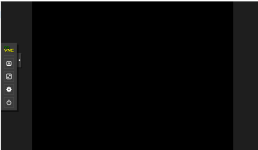
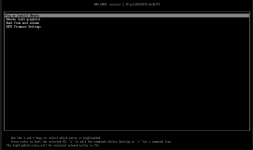
After enabling legacy-igd=1 (and --vga none), the Proxmox VM console stays black/no output.
I’d like to keep a working console for troubleshooting.
Questions
Thanks!
I’m on Proxmox VE 9.1.1 and trying to passthrough the Intel Core Ultra 9 285T iGPU to a VM for media decode.
Host
- CPU: Core Ultra 9 285T
- MB: Gigabyte Z890 AI TOP
- PVE: 9.1.1
- BIOS: VT-d enabled, iGPU enabled
VM
- OS: FeiNiu OS 1.0.0 (Linux-debian-based)
- Machine: pc
- BIOS: OVMF (UEFI)
What works
iGPU passthrough works with legacy IGD + ROM from https://github.com/LongQT-sea/intel-igpu-passthru:
Code:
qm set [VMID] --machine pc \
              --vga none \
              --bios ovmf \
              --hostpci0 0000:00:02.0,legacy-igd=1,romfile=igd.rom
Issue
After enabling legacy-igd=1 (and --vga none), the Proxmox VM console stays black/no output.
I’d like to keep a working console for troubleshooting.
Questions
- Is there a recommended way to retain console output while using Intel iGPU passthrough on PVE 9?
- Any known best practices for Core Ultra (Arrow Lake) iGPU passthrough on PVE 9?
Thanks!