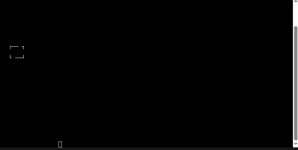
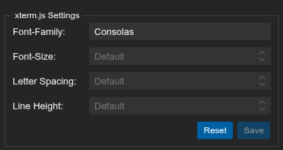
Hi I'm on Proxmox 9.0.10 and my console screen on all my LXCs are black screens. I know there's text there because I can drag/click then copy/paste into a notepad and see the text. But the color of the text in web UI proxmox console screen seems to be black text on black screen
In my LXC options screen:
Console mode = tty
Hmm seems to work fine on Brave browser with white font but not my firefox
pveversion --verbose:
apt policy:
In my LXC options screen:
Console mode = tty
Hmm seems to work fine on Brave browser with white font but not my firefox
pveversion --verbose:
Rich (BB code):
root@NAS:~# pveversion --verbose
proxmox-ve: 9.0.0 (running kernel: 6.14.11-2-pve)
pve-manager: 9.0.10 (running version: 9.0.10/deb1ca707ec72a89)
proxmox-kernel-helper: 9.0.4
proxmox-kernel-6.14.11-2-pve-signed: 6.14.11-2
proxmox-kernel-6.14: 6.14.11-2
proxmox-kernel-6.14.11-1-pve-signed: 6.14.11-1
proxmox-kernel-6.8.12-14-pve-signed: 6.8.12-14
proxmox-kernel-6.8: 6.8.12-14
ceph: 19.2.3-pve1
ceph-fuse: 19.2.3-pve1
corosync: 3.1.9-pve2
criu: 4.1.1-1
frr-pythontools: 10.3.1-1+pve4
ifupdown2: 3.3.0-1+pmx10
intel-microcode: 3.20250512.1
ksm-control-daemon: 1.5-1
libjs-extjs: 7.0.0-5
libproxmox-acme-perl: 1.7.0
libproxmox-backup-qemu0: 2.0.1
libproxmox-rs-perl: 0.4.1
libpve-access-control: 9.0.3
libpve-apiclient-perl: 3.4.0
libpve-cluster-api-perl: 9.0.6
libpve-cluster-perl: 9.0.6
libpve-common-perl: 9.0.10
libpve-guest-common-perl: 6.0.2
libpve-http-server-perl: 6.0.4
libpve-network-perl: 1.1.8
libpve-rs-perl: 0.10.10
libpve-storage-perl: 9.0.13
libspice-server1: 0.15.2-1+b1
lvm2: 2.03.31-2+pmx1
lxc-pve: 6.0.5-1
lxcfs: 6.0.4-pve1
novnc-pve: 1.6.0-3
proxmox-backup-client: 4.0.15-1
proxmox-backup-file-restore: 4.0.15-1
proxmox-backup-restore-image: 1.0.0
proxmox-firewall: 1.1.2
proxmox-kernel-helper: 9.0.4
proxmox-mail-forward: 1.0.2
proxmox-mini-journalreader: 1.6
proxmox-offline-mirror-helper: 0.7.2
proxmox-widget-toolkit: 5.0.5
pve-cluster: 9.0.6
pve-container: 6.0.13
pve-docs: 9.0.8
pve-edk2-firmware: 4.2025.02-4
pve-esxi-import-tools: 1.0.1
pve-firewall: 6.0.3
pve-firmware: 3.16-4
pve-ha-manager: 5.0.4
pve-i18n: 3.6.0
pve-qemu-kvm: 10.0.2-4
pve-xtermjs: 5.5.0-2
qemu-server: 9.0.22
smartmontools: 7.4-pve1
spiceterm: 3.4.1
swtpm: 0.8.0+pve2
vncterm: 1.9.1
zfsutils-linux: 2.3.4-pve1
root@NAS:~#
apt policy:
Code:
root@NAS:~# apt policy
Package files:
 100 /var/lib/dpkg/status
     release a=now
 500 http://download.proxmox.com/debian/pve trixie/pve-no-subscription amd64 Packages
     release o=Proxmox,a=stable,n=trixie,l=Proxmox Debian Repository,c=pve-no-subscription,b=amd64
     origin download.proxmox.com
 500 http://repository.netdata.cloud/repos/repoconfig/debian bookworm/ Packages
     release v=12,o=Netdata,n=bookworm,l=Netdata,c=
     origin repository.netdata.cloud
 500 http://repository.netdata.cloud/repos/stable/debian bookworm/ Packages
     release v=12,o=Netdata,n=bookworm,l=Netdata,c=
     origin repository.netdata.cloud
 500 http://security.debian.org/debian-security trixie-security/main amd64 Packages
     release v=13,o=Debian,a=stable-security,n=trixie-security,l=Debian-Security,c=main,b=amd64
     origin security.debian.org
 500 http://deb.debian.org/debian trixie-updates/main amd64 Packages
     release v=13-updates,o=Debian,a=stable-updates,n=trixie-updates,l=Debian,c=main,b=amd64
     origin deb.debian.org
 500 http://deb.debian.org/debian trixie/contrib amd64 Packages
     release v=13.1,o=Debian,a=stable,n=trixie,l=Debian,c=contrib,b=amd64
     origin deb.debian.org
 500 http://deb.debian.org/debian trixie/main amd64 Packages
     release v=13.1,o=Debian,a=stable,n=trixie,l=Debian,c=main,b=amd64
     origin deb.debian.org
 500 http://download.proxmox.com/debian/ceph-squid trixie/no-subscription amd64 Packages
     release o=Proxmox,a=stable,n=trixie,l=Proxmox Ceph 19 Squid Debian Repository,c=no-subscription,b=amd64
     origin download.proxmox.com
Pinned packages:
Last edited: