

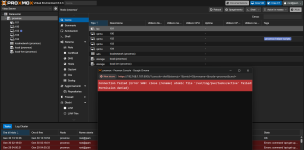
Connection failed (Error 500: close (rename) atomic file '/var/log/pve/tasks/active' failed: Permission denied)
- Thread starter pongista
- Start date
You are using an out of date browser. It may not display this or other websites correctly.
You should upgrade or use an alternative browser.
You should upgrade or use an alternative browser.

Just the error message isn't enough for providing useful advice. Would you like to describe the setup you're using and how you triggered the error?
Have you used the Proxmox VE Helper-Scripts? If yes, the problem might be caused there and you have to get back to the authors of the used scripts.
For some additional information for troubleshooting: Connect to your node via ssh or a local console. Provide the output of the following commands
For some additional information for troubleshooting: Connect to your node via ssh or a local console. Provide the output of the following commands
Bash:
systemctl status pve-cluster
mount | grep pve
ls -la /var/log/pve/tasks/this is the resultHave you used the Proxmox VE Helper-Scripts? If yes, the problem might be caused there and you have to get back to the authors of the used scripts.
For some additional information for troubleshooting: Connect to your node via ssh or a local console. Provide the output of the following commands
Bash:systemctl status pve-cluster mount | grep pve ls -la /var/log/pve/tasks/
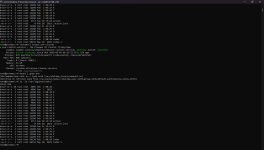
Nothing unusual to spot.
You could try getting rid of the blocking file with following commands.
You could try getting rid of the blocking file with following commands.
Bash:
systemctl stop pve-cluster
rm -f /var/log/pve/tasks/active*
rm -f /var/log/pve/tasks/index*
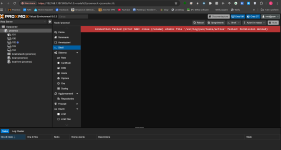
systemctl start pve-clusterI tried your commands and restarted Proxmox, but nothing changed. When I click on shell, this appears, and so does all the other virtual machines. They don't start automatically, but if I go to each one and click start, they start, but it still gives me the same error.
If you have a backup of the vm/lxc you could reinstall Proxmox and restore the backups.
The used Proxmox VE version 8.0.3 is from somewhen in 2023. You might consider updating it to at least the current version of the 8.x branch (
The used Proxmox VE version 8.0.3 is from somewhen in 2023. You might consider updating it to at least the current version of the 8.x branch (
apt-get update && apt-get dist-upgrade).no, i do not have a VM/lxc backup and I can not do, because every time I try to do a VM backup I have the same error: Connection failed (Error 500: close (rename) atomic file '/var/log/pve/tasks/active' failed: Permission denied) Please help meIf you have a backup of the vm/lxc you could reinstall Proxmox and restore the backups.
The used Proxmox VE version 8.0.3 is from somewhen in 2023. You might consider updating it to at least the current version of the 8.x branch (apt-get update && apt-get dist-upgrade).
Backups of vm/ct can be done via cli using
vzdump, see https://pve.proxmox.com/wiki/Backup_and_Restore and https://pve.proxmox.com/pve-docs/vzdump.1.htmlthat command is also throwing the same error:Backups of vm/ct can be done via cli usingvzdump, see https://pve.proxmox.com/wiki/Backup_and_Restore and https://pve.proxmox.com/pve-docs/vzdump.1.html
Code:
root@main:~# vzdump 101 --node main --compress zstd --mode snapshot
Segmentation fault (core dumped) /var/log/pve
Segmentation fault (core dumped) /var/log/pve/tasks
Unable to open syslog: Os { code: 111, kind: ConnectionRefused, message: "Connection refused" }
Access denied: rename blocked for /var/log/pve/tasks/active.tmp.42453 -> /var/log/pve/tasks/active
close (rename) atomic file '/var/log/pve/tasks/active' failed: Permission denied
root@main:~#
is there any other way to backup my VMs and Container?
Segmentation fault is highly unusual, imho. Run Memtest86+ to check for memory errors. Check your disk withCode:root@main:~# vzdump 101 --node main --compress zstd --mode snapshot Segmentation fault (core dumped) /var/log/pve Segmentation fault (core dumped) /var/log/pve/tasks
smartctl -a /dev/sdX, replace sdX with the actual drive, like sda or nvme0n1 or whatever. If you don't know, run lsblk to get an overview. Also do a filesystem check by running touch /forcefsck and then reboot.If everything is fine, then you could try to fix/reinstall packages:
dpkg --configure -aapt install -fIf you still have errors, also run
apt install --reinstall pve-manageris there any other way to backup my VMs and Container?
Assuming the VM have their disks on the default lvm-thin pool
local-lvm you have two options, 1. use vma (s. https://pve.proxmox.com/wiki/VMA), 2. try it with dd. Vma is the preferred option.A few remarks to the following example shell code:
external-storageis just an example for the backup target storage, you need to adapt it to the one you're going to use- only first disk of a vm is covered here. If the vm has multiple ones, the codes need to be enhanced
- if the disk is not attached via scsi but sata, this needs to be updated, too
- Ask any friendly ai to make changes/improvements to this example, matching your usecase.
Code:
VMID=100
backup_storage="external-storage"

# Create a snapshot
lvcreate -s --name vm-${VMID}-backup-temp pve/vm-${VMID}-disk-0

# Try to create backup (vma first, if it fails with dd)
if ! vma create -v /mnt/${backup_storage}/vzdump-qemu-${VMID}-manual.vma.zst -c /etc/pve/qemu-server/${VMID}.conf drive-scsi0=/dev/pve/vm-${VMID}-backup-temp; then
    dd if=/dev/pve/vm-${VMID}-backup-temp bs=4M status=progress | zstd > /mnt/${backup_storage}/vm-${VMID}-manual-backup.raw.zst
    cp /etc/pve/qemu-server/${VMID}.conf /mnt/${backup_storage}/vm-${VMID}-manual-backup.conf
fi

# Remove snapshot
lvremove -y /dev/pve/vm-${VMID}-backup-temp