Hi,
This thread is the top thread for google search
Code:
proxmox how to change vmid
For some reason I wanted to change the VMID of some VMs and was frustrated to find it's not easy.
I also figured out while I'm at it, there's a bunch of other stuff like that.
Too hard to remember, to easy to automate and too rarely needed to do something about it !
So I did something about it. And I put it on github
LongTailToil
And here is the solution for this problem, if you only use LVM2.
First you download the script
Code:
wget -q "https://raw.githubusercontent.com/proxmoxhelpers/Proxmox-LongTailToil/main/change-vmid-of-vm.sh" -O "change-vmid-of-vm.sh" && chmod +x "change-vmid-of-vm.sh"
Then you run it.
Code:
./change-vmid-of-vm.sh 123 456 dryrun
So here is my VM before
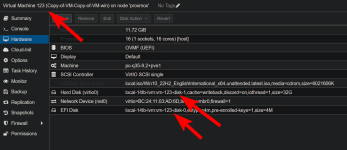
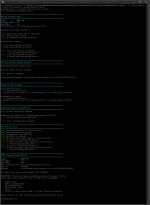
And running the script, it's a bit too verbose, but OK
And here is the result
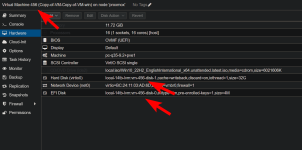
Success !!!
And there are 35 more scripts I made.
Code:
I especially like
create-disk-snapshot-and-add-to-vm.sh
mount-vm-drives.sh
unmount-vm-drives.sh
move-lvm.sh

clone-vm-config-only.sh
recover-vm-from-volumes.sh
list-vm-disks.sh
audit-vm-storage.sh
find-volume-owner.sh
find-orphaned-volumes.sh
copy-lvm.sh
rename-lvm.sh
delete-lvm.sh
mount-vm-disk.sh
mount-vm-root.sh
attach-existing-lvm-to-vm.sh
detach-disk-from-vm.sh
delete-disk-from-vm.sh
cleanup-unused-disks.sh
create-disk-copy-and-add-to-vm.sh
copy-disk-between-vms.sh
snapshot-disk-between-vms.sh
clone-single-vm-disk.sh
change-disk-bus.sh
swap-vm-disks.sh
set-vm-boot-disk.sh
replace-vm-disk.sh
renumber-vm-disks.sh
fix-vm-volume-names.sh
move-disk-to-storage.sh
bulk-change-vm-storage.sh
change-vm-storage-prefix.sh
import-disk-and-attach.sh
export-vm-disk.sh
bulk-change-vm-network.sh
Let me know if you find any bugs but they're all tested, there's even a test suite you can run with
Code:
test/run-all-tests.sh --run --verbose



