CEPHx key rotation unfinished

Zabrolak

Member
Sep 25, 2022
7
1
8
Hello,

I've recently been prompted do rotate the cephx keys, which, with a bit of dry runs I did:
<all dry runs visible below>
Code:
455  /usr/share/pve-manager/migrations/pve-cephx-rotate-service-keys --rotate-cluster-keys
  462  /usr/share/pve-manager/migrations/pve-cephx-rotate-service-keys --rotate-cluster-keys
  464  /usr/share/pve-manager/migrations/pve-cephx-rotate-service-keys --rotate-cluster-keys
  466  /usr/share/pve-manager/migrations/pve-cephx-rotate-service-keys --rotate-cluster-keys
  467  /usr/share/pve-manager/migrations/pve-cephx-rotate-service-keys --rotate-cluster-keys --apply
  471  /usr/share/pve-manager/migrations/pve-cephx-rotate-service-keys --rotate-cluster-keys --apply
  475  /usr/share/pve-manager/migrations/pve-cephx-rotate-service-keys --rotate-cluster-keys --apply
  477  /usr/share/pve-manager/migrations/pve-cephx-rotate-service-keys --rotate-all-storage-keys --rotate-admin-key
  488  /usr/share/pve-manager/migrations/pve-cephx-rotate-service-keys --rotate-cluster-keys --apply
  489  /usr/share/pve-manager/migrations/pve-cephx-rotate-service-keys --rotate-admin-key
  490  /usr/share/pve-manager/migrations/pve-cephx-rotate-service-keys --apply --confirm-all-clients-refreshed --restrict-ciphers
  495  /usr/share/pve-manager/migrations/pve-cephx-rotate-service-keys --rotate-cluster-keys
  496  /usr/share/pve-manager/migrations/pve-cephx-rotate-service-keys --rotate-cluster-keys --apply

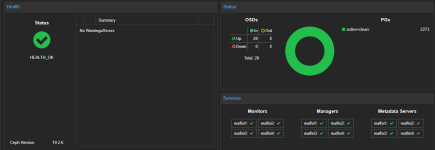
ceph -s status is totally OK, but I apparently missed a step somewhere, as in the proxmox UI I get

Code:
rados_connect failed - Input/output error (500)

Can someone please point me to WHICH keys I missed to rotate to get CEPH status visible in the UI again?

Thank you in advance
 
Code:
~# pveceph auth status
Cephx key cipher status

Next step
  * All listed current keys use aes256k; no pending keys reported.
  * For a helper-managed migration, check whether anything remains:
  /usr/share/pve-manager/migrations/pve-cephx-rotate-service-keys

Listed current keys (Ceph identities, not guests, mounts, or sessions)
  source: auth dump-keys
  service: 37 aes256k
  client: 8 aes256k
  pending keys: 0
  Full key inventories:
  pveceph auth status --output-format json-pretty

Cephx health checks
  none active

Cipher settings (mon dump)
  auth_service_cipher: aes256k (service tickets)
  auth_allowed_ciphers: aes256k (permitted for authentication)
  auth_preferred_cipher: aes256k (default for new keys)

Monitor quorum
  members: node1, node3, node2, node4
  aes256k capable: yes (from quorum mon features)

Reported daemon versions
  19.2.6 - supports aes256k: 4 mon, 4 mgr, 28 osd, 4 mds

Reported node kernels (kernel RBD/CephFS clients need 7.0 or newer)
  node1: 7.0.14-17-pve (uname)
  node2: 7.0.14-17-pve (at Ceph daemon start)
  node3: 7.0.14-17-pve (at Ceph daemon start)
  node4: 7.0.14-17-pve (at Ceph daemon start)

Consumer refresh, including disconnected consumers and external copies, is not verified here.


Looks Okayish for my naked eye...


even:
Code:
/usr/share/pve-manager/migrations/pve-cephx-rotate-service-keys
INFO: This is a dry run. No Ceph key, cipher setting, or daemon will be changed. Session observations can update the migration journal.
PASS: Every service key uses 'aes256k', and so do the service tickets.
PASS: Cephx migration is complete. Authentication and new keys use only 'aes256k'.

seems like everything should be there...
 
migration steps in short:

update cluster keys
update admin key
start/stop or migrate all running VMs OR restart host

after that you should only notice a yellow hint @gui ceph, which says "... wat a few hours, that this message will disappear"

when no warnings and ceph is all green, you only need to remove the rollback .json
 
Well, machines were migrated or restarted, services on nodes were restarted as well, yellow hint was there, but after waiting a few hours there's rados connect fail instead of all green. Even though underneath ceph status looks like all green.

So the - CEPH underneath seems very healthy, Proxmox UI doesn't.
update cluster keys -> done with no problems, as provided in the listing in the original post, update admin keys -> updated, new requirements appliend...

Updates were there beforehand, too


UPDATE: All of sudden, without any intervention, it is ALL GREEN in the UI as well. Mumble mumble...
1789933207669.png
 
Last edited:
  • Like
Reactions: SteveITS