Well, I've messed up pretty big this time.
I stopped at 1.16 `rm -r /etc/pve/ceph.conf` (while following steps only for my PVE1 node) and mentioned that I can configure ceph in GUI on PVE1
"Wow, that was easier than I thought".
Configured on PVE1. It showed error "rados_connect failed - No such file or directory (500)". And all my nodes go into same error. Turned out I deleted ceph.conf on all my nodes and re"installed" on all nodes.
"Well, I fu**ked."
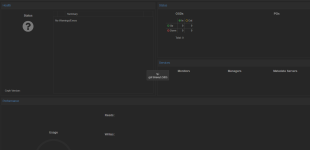
Hopefully, cephfs works as it was so I dumping all to my PC. Only RBD in "?" state.
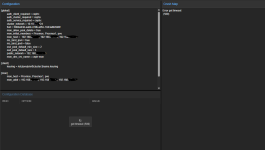
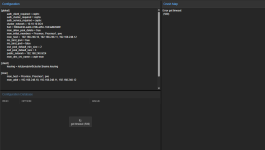
I've managed to scramble how would look my proper ceph.conf but it still shows error. I guess I need to create ceph crushmap?
Any Ideas how I can revive ceph?
ceph.conf
With following (again) guide for reinstalling ceph - https://dannyda.com/2021/04/10/how-...ph-and-its-configuration-from-proxmox-ve-pve/I've successfully readded device (PVE1) from a cluster due to my physical setup problems - https://pve.proxmox.com/wiki/Cluster_Manager#_remove_a_cluster_node
But start to see that new OSDs on PVE1 won't show in ceph - I can add them, they was down and wouldn't show in OSDs. But appear as "ghostes" OSDs in control panel.
So I thought that I need to reinstall ceph in PVE1.
I stopped at 1.16 `rm -r /etc/pve/ceph.conf` (while following steps only for my PVE1 node) and mentioned that I can configure ceph in GUI on PVE1
"Wow, that was easier than I thought".
Configured on PVE1. It showed error "rados_connect failed - No such file or directory (500)". And all my nodes go into same error. Turned out I deleted ceph.conf on all my nodes and re"installed" on all nodes.
"Well, I fu**ked."
Hopefully, cephfs works as it was so I dumping all to my PC. Only RBD in "?" state.
I've managed to scramble how would look my proper ceph.conf but it still shows error. I guess I need to create ceph crushmap?
Any Ideas how I can revive ceph?
Code:
# ceph service status
failed to get an address for mon.pve: error -2
failed to get an address for mon.pve02: error -2
unable to get monitor info from DNS SRV with service name: ceph-mon
2023-07-23T22:02:37.240+0300 7f0dad1b06c0 -1 failed for service _ceph-mon._tcp
2023-07-23T22:02:37.240+0300 7f0dad1b06c0 -1 monclient: get_monmap_and_config cannot identify monitors to contact
[errno 2] RADOS object not found (error connecting to the cluster)
ceph.conf
Code:
[global]
     auth_client_required = cephx
     auth_cluster_required = cephx
     auth_service_required = cephx
     cluster network = 192.168.0.100/24
     cluster_network = 192.168.0.100/24
     fsid = 7fhb4fea-aa7c-4908-981b-3a84aabf8123
     mon_allow_pool_delete = true
     osd_pool_default_min_size = 2
     osd_pool_default_size = 3
     public network = 192.168.0.100/24
     public_network = 192.168.0.100/24


[client]
         keyring = /etc/pve/priv/$cluster.$name.keyring

[mds]
         keyring = /var/lib/ceph/mds/ceph-$id/keyring

[mds.pve]
         host = pve
         mds_standby_for_name = pve

[mon.pve]
         public_addr = 192.168.0.100

# [mon.pve01]
         # public_addr = 192.168.0.101

[mon.pve02]
         public_addr = 192.168.0.102
Last edited: