

Can't log in to web interface

Jun 1, 2022
11
0
6
So all of the sudden out of the blue, my Proxmox 7 VE installation just showed no status for anything in the web interface. All machines seemed to be running as I could access them through their IPs and I could access Proxmox just fine through ssh. But the web interface had no connection (everything had question marks next to it, status wouldn't load, etc.)

I logged in through ssh and apt update and apt dist-upgrade. At that point it got even weirder. Now the web interface loads and shows me the login dialog. However, when I enter username and password and click "login", it does nothing. The button doesn't gray out, nothing spins, no login. I can see the button is responsive as I click it, but nothing else happens.

So I decided to upgrade to Proxmox VE 8 (since it was about time anyway). Upgrade seemed to go fine. Rebooted and again, all machines seemed to come up, but the exact same issue with the web interface (click button and nothing happens). Tried clearing cache, tried incognito, tried stopping and restarting services. I'm baffled. Again, just a few days ago, everything was working flawlessly.

pveversion --verbose shows the following:

Code:
proxmox-ve: 8.4.0 (running kernel: 6.8.12-10-pve)
pve-manager: 8.4.1 (running version: 8.4.1/2a5fa54a8503f96d)
proxmox-kernel-helper: 8.1.1
pve-kernel-5.15: 7.4-15
pve-kernel-5.13: 7.1-9
proxmox-kernel-6.8.12-10-pve-signed: 6.8.12-10
proxmox-kernel-6.8: 6.8.12-10
pve-kernel-5.15.158-2-pve: 5.15.158-2
pve-kernel-5.15.85-1-pve: 5.15.85-1
pve-kernel-5.15.35-1-pve: 5.15.35-3
pve-kernel-5.13.19-6-pve: 5.13.19-15
pve-kernel-5.13.19-2-pve: 5.13.19-4
ceph-fuse: 16.2.15+ds-0+deb12u1
corosync: 3.1.9-pve1
criu: 3.17.1-2+deb12u1
glusterfs-client: 10.3-5
ifupdown2: 3.2.0-1+pmx11
ksm-control-daemon: 1.5-1
libjs-extjs: 7.0.0-5
libknet1: 1.30-pve2
libproxmox-acme-perl: 1.6.0
libproxmox-backup-qemu0: 1.5.1
libproxmox-rs-perl: 0.3.5
libpve-access-control: 8.2.2
libpve-apiclient-perl: 3.3.2
libpve-cluster-api-perl: 8.1.0
libpve-cluster-perl: 8.1.0
libpve-common-perl: 8.3.1
libpve-guest-common-perl: 5.2.2
libpve-http-server-perl: 5.2.2
libpve-network-perl: 0.11.2
libpve-rs-perl: 0.9.4
libpve-storage-perl: 8.3.6
libspice-server1: 0.15.1-1
lvm2: 2.03.16-2
lxc-pve: 6.0.0-1
lxcfs: 6.0.0-pve2
novnc-pve: 1.6.0-2
proxmox-backup-client: 3.4.1-1
proxmox-backup-file-restore: 3.4.1-1
proxmox-firewall: 0.7.1
proxmox-kernel-helper: 8.1.1
proxmox-mail-forward: 0.3.2
proxmox-mini-journalreader: 1.4.0
proxmox-offline-mirror-helper: 0.6.7
proxmox-widget-toolkit: 4.3.10
pve-cluster: 8.1.0
pve-container: 5.2.6
pve-docs: 8.4.0
pve-edk2-firmware: 4.2025.02-3
pve-esxi-import-tools: 0.7.4
pve-firewall: 5.1.1
pve-firmware: 3.15-3
pve-ha-manager: 4.0.7
pve-i18n: 3.4.2
pve-qemu-kvm: 9.2.0-5
pve-xtermjs: 5.5.0-2
qemu-server: 8.3.12
smartmontools: 7.3-pve1
spiceterm: 3.3.0
swtpm: 0.8.0+pve1
vncterm: 1.8.0
zfsutils-linux: 2.2.7-pve2
 
I logged in through ssh and apt update and apt dist-upgrade.
So you took unstable system in questionable state and without any troubleshooting upgraded it, potentially exacerbating any existing condition.

Have you looked at the system state at all?
df -h
journalctl -b0
systemctl|grep pve
systemctl --failed


Blockbridge : Ultra low latency all-NVME shared storage for Proxmox - https://www.blockbridge.com/proxmox
 
  • Like
Reactions: fba
Code:
root@prox:~# df -h
Filesystem            Size  Used Avail Use% Mounted on
udev                   32G     0   32G   0% /dev
tmpfs                 6.3G  1.5M  6.3G   1% /run
/dev/mapper/pve-root   94G  8.7G   81G  10% /
tmpfs                  32G   34M   32G   1% /dev/shm
tmpfs                 5.0M     0  5.0M   0% /run/lock
tmpfs                 6.3G     0  6.3G   0% /run/user/0
/dev/fuse             128M   20K  128M   1% /etc/pve
root@prox:~#systemctl|grep pve
  etc-pve.mount                                                                            loaded active     mounted   /etc/pve
  pve-cluster.service                                                                      loaded active     running   The Proxmox VE cluster filesystem
  pve-container@100.service                                                                loaded active     running   PVE LXC Container: 100
  pve-container@103.service                                                                loaded active     running   PVE LXC Container: 103
  pve-firewall.service                                                                     loaded active     running   Proxmox VE firewall
  pve-guests.service                                                                       loaded active     exited    PVE guests
  pve-ha-crm.service                                                                       loaded active     running   PVE Cluster HA Resource Manager Daemon
  pve-ha-lrm.service                                                                       loaded active     running   PVE Local HA Resource Manager Daemon
  pve-lxc-syscalld.service                                                                 loaded active     running   Proxmox VE LXC Syscall Daemon
  pve-query-machine-capabilities.service                                                   loaded active     exited    PVE Query Machine Capabilities
  pvebanner.service                                                                        loaded active     exited    Proxmox VE Login Banner
  pvedaemon.service                                                                        loaded active     running   PVE API Daemon
  pvefw-logger.service                                                                     loaded active     running   Proxmox VE firewall logger
  pvenetcommit.service                                                                     loaded active     exited    Commit Proxmox VE network changes
  pveproxy.service                                                                         loaded active     running   PVE API Proxy Server
  pvescheduler.service                                                                     loaded active     running   Proxmox VE scheduler
  pvestatd.service                                                                         loaded active     running   PVE Status Daemon
  system-pve\x2dcontainer.slice                                                            loaded active     active    PVE LXC Container Slice
  dev-pve-swap.swap                                                                        loaded active     active    /dev/pve/swap
  pve-storage.target                                                                       loaded active     active    PVE Storage Target
  pve-daily-update.timer                                                                   loaded active     waiting   Daily PVE download activities
root@prox:~# systemctl --failed
  UNIT LOAD ACTIVE SUB DESCRIPTION
0 loaded units listed.
root@prox:~#
 

Attachments

Have you tried a different browser and/or device?

What is the output of "curl -k https://127.0.0.1:8006" when run directly from PVE (over SSH or physical console?)
What is the output of "curl -k https://192.168.1.99:8006" when run directly from PVE (over SSH or physical console?)
What is the output of "debsums -s"

Assuming you are using windows workstations, create this PS script and run it. What is the result?
# Set your Proxmox server details
$ProxmoxIP = "192.168.1.100" # Change to your Proxmox IP or hostname
$Username = "root@pam" # Or other user like "myuser@pve"
$Password = "password" # Replace with your actual password
$Url = "https://"+$ProxmoxIP+":8006/api2/json/access/ticket"

# Create request body
$body = @{
username = $Username
password = $Password
} | ConvertTo-Json

# Ignore certificate errors (Proxmox uses self-signed certs by default)
add-type @"
using System.Net;
using System.Security.Cryptography.X509Certificates;
public class TrustAllCertsPolicy : ICertificatePolicy {
public bool CheckValidationResult(
ServicePoint srvPoint, X509Certificate certificate,
WebRequest request, int certificateProblem) {
return true;
}
}
"@
[System.Net.ServicePointManager]::CertificatePolicy = New-Object TrustAllCertsPolicy
Write-Host $body
# Send login request to Proxmox API
Write-Host ("Calling URI: https://"+$ProxmoxIP+":8006/api2/json/access/ticket")
$response = Invoke-RestMethod -Uri $Url -Method Post -Body $body -ContentType "application/json"

# Output the response
$response


Blockbridge : Ultra low latency all-NVME shared storage for Proxmox - https://www.blockbridge.com/proxmox
 
I have tried multiple other browsers with the same results. I will try accessing it from a different device.

Both curl commands appear to give the same output (I adjusted the latter to the IP of my PVE, I think that was correct, but let me know if not)

Code:
root@prox:~# curl -k https://127.0.0.1:8006
<!DOCTYPE html>
<html>
  <head>
    <meta http-equiv="Content-Type" content="text/html; charset=utf-8" />
    <meta http-equiv="X-UA-Compatible" content="IE=edge">
    <meta name="viewport" content="width=device-width, initial-scale=1, maximum-scale=1, user-scalable=no">
    <title>prox - Proxmox Virtual Environment</title>
    <link rel="icon" sizes="128x128" href="/pve2/images/logo-128.png" />
    <link rel="apple-touch-icon" sizes="128x128" href="/pve2/images/logo-128.png" />
    <link rel="stylesheet" type="text/css" href="/pve2/ext6/theme-crisp/resources/theme-crisp-all.css?ver=7.0.0" />
    <link rel="stylesheet" type="text/css" href="/pve2/ext6/crisp/resources/charts-all.css?ver=7.0.0" />
    <link rel="stylesheet" type="text/css" href="/pve2/fa/css/font-awesome.css" />
    <link rel="stylesheet" type="text/css" href="/pve2/font-logos/css/font-logos.css" />
    <link rel="stylesheet" type="text/css" href="/pve2/css/ext6-pve.css?ver=8.4.1" />
    <link rel="stylesheet" type="text/css" href="/pwt/css/ext6-pmx.css?ver=v4.3.10-t1744126616" />
    <link rel="stylesheet" type="text/css" media="(prefers-color-scheme: dark)" href="/pwt/themes/theme-proxmox-dark.css?ver=v4.3.10-t1744126616" />

    <script type='text/javascript'>function gettext(buf) { return buf; }</script>

    <script type="text/javascript" src="/pve2/ext6/ext-all.js?ver=7.0.0"></script>
    <script type="text/javascript" src="/pve2/ext6/charts.js?ver=7.0.0"></script>

    <script type="text/javascript" src="/pve2/js/u2f-api.js"></script>
    <script type="text/javascript" src="/qrcode.min.js"></script>
    <script type="text/javascript">
    Proxmox = {
        Setup: { auth_cookie_name: 'PVEAuthCookie' },
        defaultLang: 'en',
        NodeName: 'prox',
        UserName: '',
        CSRFPreventionToken: 'null',
        ConsentText: ''
    };
    </script>
    <script type="text/javascript" src="/proxmoxlib.js?ver=v4.3.10-t1744126616"></script>
    <script type="text/javascript" src="/pve2/js/pvemanagerlib.js?ver=8.4.1"></script>
    <script type="text/javascript" src="/pve2/ext6/locale/locale-en.js?ver=7.0.0"></script>

    <script type="text/javascript">
    if (typeof(PVE) === 'undefined') PVE = {};
    Ext.History.fieldid = 'x-history-field';
    Ext.onReady(function() { Ext.create('PVE.StdWorkspace');});
    </script>

  </head>
  <body>
    <!-- Fields required for history management -->
    <form id="history-form" class="x-hidden">
    <input type="hidden" id="x-history-field"/>
    </form>
  </body>
</html>
root@prox:~# curl -k https://192.168.1.90:8006
<!DOCTYPE html>
<html>
  <head>
    <meta http-equiv="Content-Type" content="text/html; charset=utf-8" />
    <meta http-equiv="X-UA-Compatible" content="IE=edge">
    <meta name="viewport" content="width=device-width, initial-scale=1, maximum-scale=1, user-scalable=no">
    <title>prox - Proxmox Virtual Environment</title>
    <link rel="icon" sizes="128x128" href="/pve2/images/logo-128.png" />
    <link rel="apple-touch-icon" sizes="128x128" href="/pve2/images/logo-128.png" />
    <link rel="stylesheet" type="text/css" href="/pve2/ext6/theme-crisp/resources/theme-crisp-all.css?ver=7.0.0" />
    <link rel="stylesheet" type="text/css" href="/pve2/ext6/crisp/resources/charts-all.css?ver=7.0.0" />
    <link rel="stylesheet" type="text/css" href="/pve2/fa/css/font-awesome.css" />
    <link rel="stylesheet" type="text/css" href="/pve2/font-logos/css/font-logos.css" />
    <link rel="stylesheet" type="text/css" href="/pve2/css/ext6-pve.css?ver=8.4.1" />
    <link rel="stylesheet" type="text/css" href="/pwt/css/ext6-pmx.css?ver=v4.3.10-t1744126616" />
    <link rel="stylesheet" type="text/css" media="(prefers-color-scheme: dark)" href="/pwt/themes/theme-proxmox-dark.css?ver=v4.3.10-t1744126616" />

    <script type='text/javascript'>function gettext(buf) { return buf; }</script>

    <script type="text/javascript" src="/pve2/ext6/ext-all.js?ver=7.0.0"></script>
    <script type="text/javascript" src="/pve2/ext6/charts.js?ver=7.0.0"></script>

    <script type="text/javascript" src="/pve2/js/u2f-api.js"></script>
    <script type="text/javascript" src="/qrcode.min.js"></script>
    <script type="text/javascript">
    Proxmox = {
        Setup: { auth_cookie_name: 'PVEAuthCookie' },
        defaultLang: 'en',
        NodeName: 'prox',
        UserName: '',
        CSRFPreventionToken: 'null',
        ConsentText: ''
    };
    </script>
    <script type="text/javascript" src="/proxmoxlib.js?ver=v4.3.10-t1744126616"></script>
    <script type="text/javascript" src="/pve2/js/pvemanagerlib.js?ver=8.4.1"></script>
    <script type="text/javascript" src="/pve2/ext6/locale/locale-en.js?ver=7.0.0"></script>

    <script type="text/javascript">
    if (typeof(PVE) === 'undefined') PVE = {};
    Ext.History.fieldid = 'x-history-field';
    Ext.onReady(function() { Ext.create('PVE.StdWorkspace');});
    </script>

  </head>
  <body>
    <!-- Fields required for history management -->
    <form id="history-form" class="x-hidden">
    <input type="hidden" id="x-history-field"/>
    </form>
  </body>
</html>

debsums was not installed, but after installing it, debsums -s gives no output

the output of the ps script was as follows (password sanitized):

Code:
{
    "password":  "soopersecret",
    "username":  "root@pam"
}
Calling URI: https://192.168.1.90:8006/api2/json/access/ticket

data
----
@{CSRFPreventionToken=683EFF7E:J23JfuV7Ms2pzYLgTuEgCLw3sfm25wHGoFjleHmM4Z0; username=root@pam; cap=; ticket=PVE:root...
 
Everything so far shows that the server side (PVE) is working properly.

Can you explain this discrepancy? :

LOG:
Code:
notice: resolved node name 'prox' to '192.168.1.99' for default node IP address

What is the output of:
cat /etc/hosts
hostname
ip a

Are there any firewalls, proxies, etc involved?


Blockbridge : Ultra low latency all-NVME shared storage for Proxmox - https://www.blockbridge.com/proxmox
 
Hmmmm......looks like there was a leftover dns entry in the hosts file from when this machine was at ta different IP. Didn't ever affect anything and I forgot about it because I typically solely access the machine by IP:Port. I removed that but it didn't seem to make any difference with the login screen.
Code:
root@prox:~# cat /etc/hosts
127.0.0.1 localhost.localdomain localhost
192.168.1.99 prox.rocco.stream prox

# The following lines are desirable for IPv6 capable hosts

::1     ip6-localhost ip6-loopback
fe00::0 ip6-localnet
ff00::0 ip6-mcastprefix
ff02::1 ip6-allnodes
ff02::2 ip6-allrouters
ff02::3 ip6-allhosts
root@prox:~# hostname
prox
root@prox:~# ip a
1: lo: <LOOPBACK,UP,LOWER_UP> mtu 65536 qdisc noqueue state UNKNOWN group default qlen 1000
    link/loopback 00:00:00:00:00:00 brd 00:00:00:00:00:00
    inet 127.0.0.1/8 scope host lo
       valid_lft forever preferred_lft forever
    inet6 ::1/128 scope host noprefixroute
       valid_lft forever preferred_lft forever
2: eno1: <BROADCAST,MULTICAST> mtu 1500 qdisc noop state DOWN group default qlen 1000
    link/ether ac:1f:6b:10:eb:fc brd ff:ff:ff:ff:ff:ff
    altname enp5s0f0
3: eno2: <BROADCAST,MULTICAST> mtu 1500 qdisc noop state DOWN group default qlen 1000
    link/ether ac:1f:6b:10:eb:fd brd ff:ff:ff:ff:ff:ff
    altname enp5s0f1
4: eno3: <BROADCAST,MULTICAST> mtu 1500 qdisc noop state DOWN group default qlen 1000
    link/ether ac:1f:6b:10:f0:ac brd ff:ff:ff:ff:ff:ff
    altname enp3s0f0
5: eno4: <BROADCAST,MULTICAST,UP,LOWER_UP> mtu 1500 qdisc mq master vmbr0 state UP group default qlen 1000
    link/ether ac:1f:6b:10:f0:ad brd ff:ff:ff:ff:ff:ff
    altname enp3s0f1
6: ens2: <BROADCAST,MULTICAST> mtu 1500 qdisc noop state DOWN group default qlen 1000
    link/ether 00:02:c9:23:7c:40 brd ff:ff:ff:ff:ff:ff
    altname enp4s0
7: vmbr0: <BROADCAST,MULTICAST,UP,LOWER_UP> mtu 1500 qdisc noqueue state UP group default qlen 1000
    link/ether ac:1f:6b:10:f0:ad brd ff:ff:ff:ff:ff:ff
    inet 192.168.1.90/24 scope global vmbr0
       valid_lft forever preferred_lft forever
    inet6 fe80::ae1f:6bff:fe10:f0ad/64 scope link
       valid_lft forever preferred_lft forever
8: veth100i0@if2: <BROADCAST,MULTICAST,UP,LOWER_UP> mtu 1500 qdisc noqueue master vmbr0 state UP group default qlen 1000
    link/ether fe:8a:c8:7d:15:03 brd ff:ff:ff:ff:ff:ff link-netnsid 0
9: tap101i0: <BROADCAST,MULTICAST,PROMISC,UP,LOWER_UP> mtu 1500 qdisc pfifo_fast master fwbr101i0 state UNKNOWN group default qlen 1000
    link/ether 6a:9a:0b:81:b8:a3 brd ff:ff:ff:ff:ff:ff
10: fwbr101i0: <BROADCAST,MULTICAST,UP,LOWER_UP> mtu 1500 qdisc noqueue state UP group default qlen 1000
    link/ether 8a:02:d5:49:cd:d4 brd ff:ff:ff:ff:ff:ff
11: fwpr101p0@fwln101i0: <BROADCAST,MULTICAST,UP,LOWER_UP> mtu 1500 qdisc noqueue master vmbr0 state UP group default qlen 1000
    link/ether ba:ff:56:cb:a9:83 brd ff:ff:ff:ff:ff:ff
12: fwln101i0@fwpr101p0: <BROADCAST,MULTICAST,UP,LOWER_UP> mtu 1500 qdisc noqueue master fwbr101i0 state UP group default qlen 1000
    link/ether 8a:02:d5:49:cd:d4 brd ff:ff:ff:ff:ff:ff
13: tap102i0: <BROADCAST,MULTICAST,PROMISC,UP,LOWER_UP> mtu 1500 qdisc pfifo_fast master fwbr102i0 state UNKNOWN group default qlen 1000
    link/ether 92:19:25:6d:77:bc brd ff:ff:ff:ff:ff:ff
14: fwbr102i0: <BROADCAST,MULTICAST,UP,LOWER_UP> mtu 1500 qdisc noqueue state UP group default qlen 1000
    link/ether 42:da:4c:43:78:11 brd ff:ff:ff:ff:ff:ff
15: fwpr102p0@fwln102i0: <BROADCAST,MULTICAST,UP,LOWER_UP> mtu 1500 qdisc noqueue master vmbr0 state UP group default qlen 1000
    link/ether 7a:33:66:83:bd:3d brd ff:ff:ff:ff:ff:ff
16: fwln102i0@fwpr102p0: <BROADCAST,MULTICAST,UP,LOWER_UP> mtu 1500 qdisc noqueue master fwbr102i0 state UP group default qlen 1000
    link/ether 42:da:4c:43:78:11 brd ff:ff:ff:ff:ff:ff
17: veth103i0@if2: <BROADCAST,MULTICAST,UP,LOWER_UP> mtu 1500 qdisc noqueue master vmbr0 state UP group default qlen 1000
    link/ether fe:74:bb:ab:8a:42 brd ff:ff:ff:ff:ff:ff link-netnsid 1
18: tap104i0: <BROADCAST,MULTICAST,PROMISC,UP,LOWER_UP> mtu 1500 qdisc pfifo_fast master vmbr0 state UNKNOWN group default qlen 1000
    link/ether fa:68:1d:6e:d3:85 brd ff:ff:ff:ff:ff:ff
19: tap105i0: <BROADCAST,MULTICAST,PROMISC,UP,LOWER_UP> mtu 1500 qdisc pfifo_fast master fwbr105i0 state UNKNOWN group default qlen 1000
    link/ether 3e:d7:f8:e3:f4:c7 brd ff:ff:ff:ff:ff:ff
20: fwbr105i0: <BROADCAST,MULTICAST,UP,LOWER_UP> mtu 1500 qdisc noqueue state UP group default qlen 1000
    link/ether 6e:82:02:54:69:69 brd ff:ff:ff:ff:ff:ff
21: fwpr105p0@fwln105i0: <BROADCAST,MULTICAST,UP,LOWER_UP> mtu 1500 qdisc noqueue master vmbr0 state UP group default qlen 1000
    link/ether 36:94:9d:41:5b:37 brd ff:ff:ff:ff:ff:ff
22: fwln105i0@fwpr105p0: <BROADCAST,MULTICAST,UP,LOWER_UP> mtu 1500 qdisc noqueue master fwbr105i0 state UP group default qlen 1000
    link/ether 6e:82:02:54:69:69 brd ff:ff:ff:ff:ff:ff
23: tap106i0: <BROADCAST,MULTICAST,PROMISC,UP,LOWER_UP> mtu 1500 qdisc pfifo_fast master fwbr106i0 state UNKNOWN group default qlen 1000
    link/ether 02:4d:cd:e1:5c:49 brd ff:ff:ff:ff:ff:ff
24: fwbr106i0: <BROADCAST,MULTICAST,UP,LOWER_UP> mtu 1500 qdisc noqueue state UP group default qlen 1000
    link/ether e2:71:fa:fd:d2:15 brd ff:ff:ff:ff:ff:ff
25: fwpr106p0@fwln106i0: <BROADCAST,MULTICAST,UP,LOWER_UP> mtu 1500 qdisc noqueue master vmbr0 state UP group default qlen 1000
    link/ether f6:aa:52:60:e6:1f brd ff:ff:ff:ff:ff:ff
26: fwln106i0@fwpr106p0: <BROADCAST,MULTICAST,UP,LOWER_UP> mtu 1500 qdisc noqueue master fwbr106i0 state UP group default qlen 1000
    link/ether e2:71:fa:fd:d2:15 brd ff:ff:ff:ff:ff:ff
 
So all of the sudden out of the blue, my Proxmox 7 VE installation just showed no status for anything in the web interface.
As you probably have seen in the log you attached to this thread earlier - your machine rebooted within last 24 hours. So all the "leftovers" were re-applied and broke your system.
Code:
Jun 02 17:28:15 prox kernel: Linux version 6.8.12-10-pve (build@proxmox) (gcc (Debian 12.2.0-14) 12.2.0, GNU ld (GNU Bi>Jun 02 17:28:15 prox kernel: Command line: BOOT_IMAGE=/boot/vmlinuz-6.8.12-10-pve root=/dev/mapper/pve-root ro quiet


Blockbridge : Ultra low latency all-NVME shared storage for Proxmox - https://www.blockbridge.com/proxmox
 
PVE Machine was rebooted (again just now). It was also rebooted several times during the troubleshooting process before I posted this and the process of upgrading to PVE8. The weirdness though started before any of the reboots. Back before what is covered in that log. The evening of 05/31 everything was fine. The afternoon of 06/01 is when I noticed issues.

No change to behavior of web interface after reboot just now. I'm still stumped
 
Nothing at all seems to happen when trying to log in from Chrome or Brave. The log doesn't update as I click the login button.

I did just get it to log in on Edge, so the issue seems to be with Chromium based browsers.

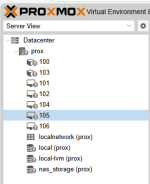
I'm fine with just using Edge (although it irks me to not know what the issue is with Chrome) However, after logging in on Edge, Everything is in unknown status (see pic) as it was when this whole thing first started. Any idea how to fix that?
 

Attachments

  • proxmox.PNG
    proxmox.PNG
    15.4 KB · Views: 3
I just figured out something on Chrome. Looks like my password manager was autofilling and changing the language to something not in the list (specifically setting "English" instead of the options "(Default) - English" or "English - English". When I shut off autofill and pasted in the password, it logged in.

Now I am back to just having the issue of everything being in "Unknown" status
 
I did just get it to log in on Edge, so the issue seems to be with Chromium based browsers.
Its more likely than not that the issue is in some browser extension/modification you installed/made.
Everything is in unknown status
This is usually due to issues in "pvestatd" daemon and is often caused by DNS/IP mismatches. Review your system logs again, confirm that all IP settings are consistent between /etc/ and /etc/pve
"man pvestatd" says that there is an option to run with --debug 1


Blockbridge : Ultra low latency all-NVME shared storage for Proxmox - https://www.blockbridge.com/proxmox
 
pvestatd stop
pvestatd start
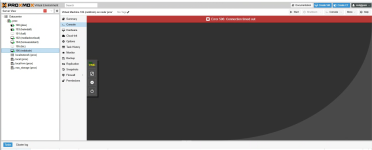
seemed to fix the issue temporarily but after 30 min or so it went back into "unknown" status. Also I couldn't seem to access any of the consoles for running machines through the web interfaceScreenshot 2025-06-03 120749.png
 
Did you take any steps to troubleshoot this?
Did you monitor and examine your system log?
Run the pvestatd with debug?
Examined your storage configuration and state?
Checked that any remote services, if in use, are accessible?
Did you run a cluster before that no longer exists?
Searched the forum for similar occurrences?

Good luck


Blockbridge : Ultra low latency all-NVME shared storage for Proxmox - https://www.blockbridge.com/proxmox
 
Hello,

did You resolved the issue? Playing with the pvestatd was not helpfull for me.
Problem looks similar for me. Could you please take a look at this post of mine to avoid duplicating?

edit: Playing with the pvestatd was not helpfull for me - I forgot the 'NOT' :)
New thread created to better tracking.
 
Last edited: