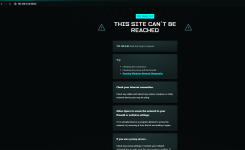
I am pretty new to proxmox, the server have was working fine but now I can't access the Web GUI, with https://192.168.0.64:8006/, the VM still work as I can access them and do things on them, Linux VM, true nas etc....
I don't know what is relevant or not as I am still learning I will give all the information:
I have a intel 14900K , ddr5 192 gb ram, 3 4tb SSD's for the truenas, 2 4TB M.2 mirrored, on which there are all the VM's and proxmox, and a RTX 2000 ADA passed throw to the Linux VM for AI
on the shell when booting the server it spams things like this (I it out by so sorry if there are any mistakes):"
[32.511559] fwbr104i0: port 2(tap104i0) entering blocking state
[32.511605] fwbr104i0: port 2(tap104i0) entering forwarding state
[36.517386] tap111i0: enter promiscuous mode
[36.541032] vmbr0: port 7(fwpr111p0) entering blocking state
[36.541103] vmbr0: port 7(fwpr111p0) entering disabled state
[36.541164] fwpr111p0: entered allumulticast mode
[36.541237] fwpr111p0: entered promiscuous mode
[36.541351] vmbr0: port 7(fwpr111p0) entering blocking state
[36.541433] vmbr0: port 7(fwpr111p0) entering forwarding state"
and then after :
"[ 36.707163] x86/split lock detection: #AC: CPU 5/kvm/2901 took a split_locktrap at address: 0x7eefd050"
it does this for CPU 2, 3, 4, 5
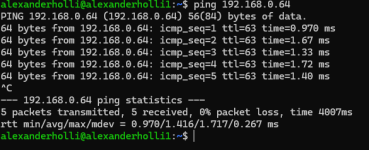
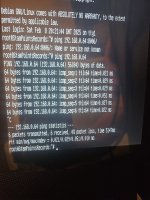
I can make it ping itself in the shell
also i was getting
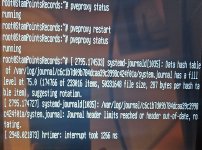
[111459.529637] systemd-journald[1015]: data hash table of /var/log/journal/c6c1b7d09b784dcaa39c3998c424fo1a/system.journal has a fill level at 75.0 174763 of 233016 items , 50331648 file size 287 bytes per hash table item, suggesting rotation
[111459.529627] systemd-journald[1015]: /var/log/journal/c6c1b7d09b784dcaa39c3998c424fo1a/system.journal limits reached or reader out-of-date, rotating
I tried rotating it and reducing it
with logrotate --force (not sure if I was doing it right )
and journalctl --vacuum-size=200m
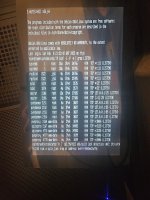
also, I did a journalctl -f I think that is to see the errors I will have that in the picture below
I don't know what is relevant or not as I am still learning I will give all the information:
I have a intel 14900K , ddr5 192 gb ram, 3 4tb SSD's for the truenas, 2 4TB M.2 mirrored, on which there are all the VM's and proxmox, and a RTX 2000 ADA passed throw to the Linux VM for AI
on the shell when booting the server it spams things like this (I it out by so sorry if there are any mistakes):"
[32.511559] fwbr104i0: port 2(tap104i0) entering blocking state
[32.511605] fwbr104i0: port 2(tap104i0) entering forwarding state
[36.517386] tap111i0: enter promiscuous mode
[36.541032] vmbr0: port 7(fwpr111p0) entering blocking state
[36.541103] vmbr0: port 7(fwpr111p0) entering disabled state
[36.541164] fwpr111p0: entered allumulticast mode
[36.541237] fwpr111p0: entered promiscuous mode
[36.541351] vmbr0: port 7(fwpr111p0) entering blocking state
[36.541433] vmbr0: port 7(fwpr111p0) entering forwarding state"
and then after :
"[ 36.707163] x86/split lock detection: #AC: CPU 5/kvm/2901 took a split_locktrap at address: 0x7eefd050"
it does this for CPU 2, 3, 4, 5
I can make it ping itself in the shell
also i was getting
[111459.529637] systemd-journald[1015]: data hash table of /var/log/journal/c6c1b7d09b784dcaa39c3998c424fo1a/system.journal has a fill level at 75.0 174763 of 233016 items , 50331648 file size 287 bytes per hash table item, suggesting rotation
[111459.529627] systemd-journald[1015]: /var/log/journal/c6c1b7d09b784dcaa39c3998c424fo1a/system.journal limits reached or reader out-of-date, rotating
I tried rotating it and reducing it
with logrotate --force (not sure if I was doing it right )
and journalctl --vacuum-size=200m
also, I did a journalctl -f I think that is to see the errors I will have that in the picture below